



A modern and minimalistic dark theme for the Zed editor, focused on visual comfort, balanced contrast, and a color palette inspired by Dracula, with its own strong identity.
Features
- Elegant dark color palette with vibrant accents
- Comfortable for long coding sessions
- Clear and consistent syntax highlighting
- Clean interface with minimal visual noise
- Fully compatible with the official Zed theme schema
Preview
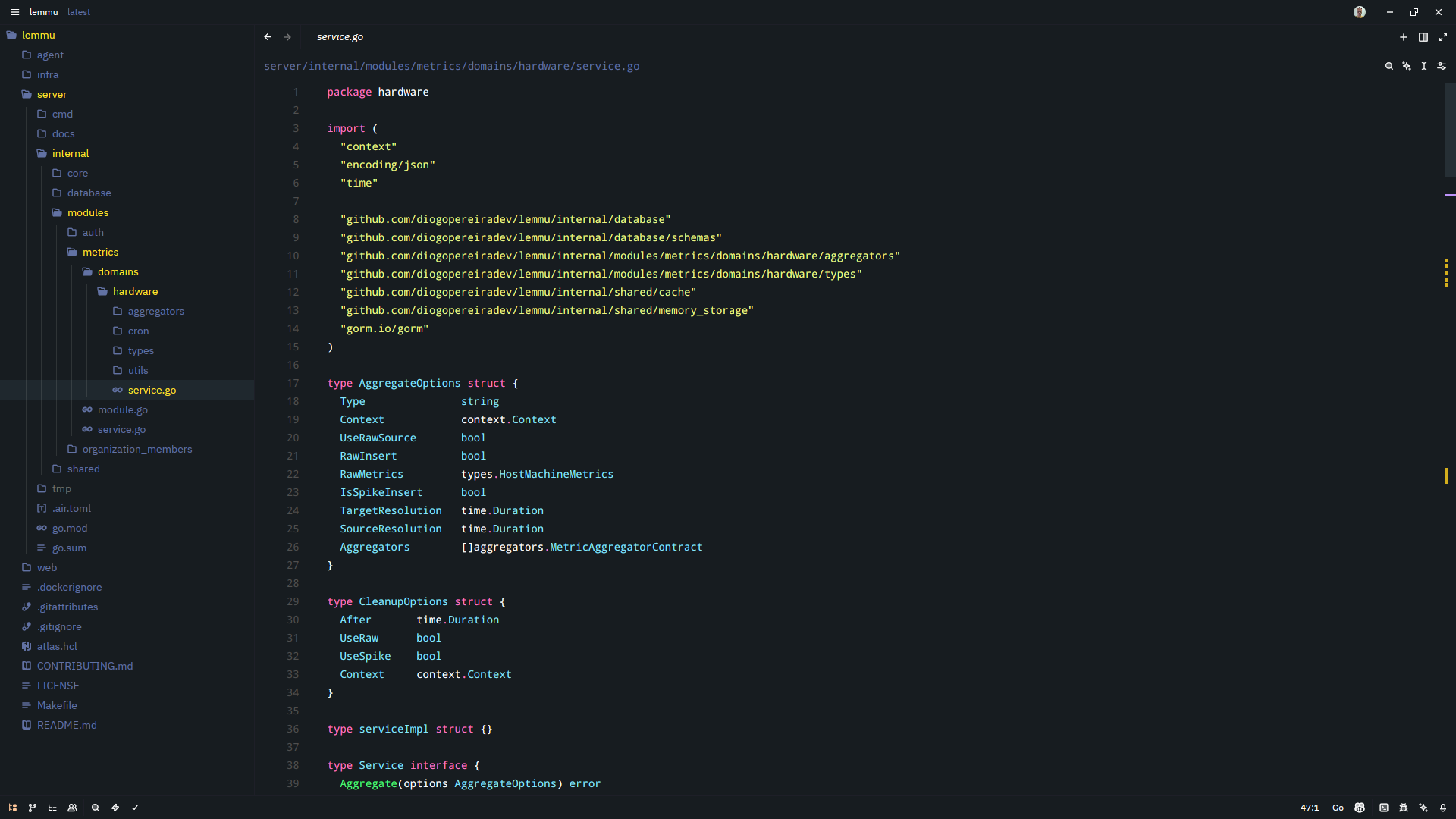
Installation
Zed Extensions (recommended)
- Open Zed
- Go to Extensions
- Search for Zord Theme
- Install and activate it
Manual Installation
- Clone the repository:
git clone https://github.com/diogopereiradev/zord-theme.git- Copy the project into Zed's extensions directory
- Restart the editor
- Select Zord Theme – Dark from the theme list
Color Palette
The theme is built on a dark bluish background with accent colors inspired by Dracula. These colors are applied consistently across:
- Syntax highlighting
- Multiple cursors
- Editor UI states (error, warning, success, info)
- Panels and controls
Syntax Highlighting
Zord Theme provides:
- Strong keyword emphasis
- Soft, readable strings
- Subtle comments
- Italicized types and interfaces
- Distinct styling for parameters and enums
Development
Contributions are welcome. Feel free to open issues or pull requests for:
- Color tweaks
- Contrast improvements
- Syntax refinements
License
This project is licensed under the MIT License. See the LICENSE file for details.
Author
Diogo Pereira
- GitHub: https://github.com/diogopereiradev
- Website: https://diogopereira.dev