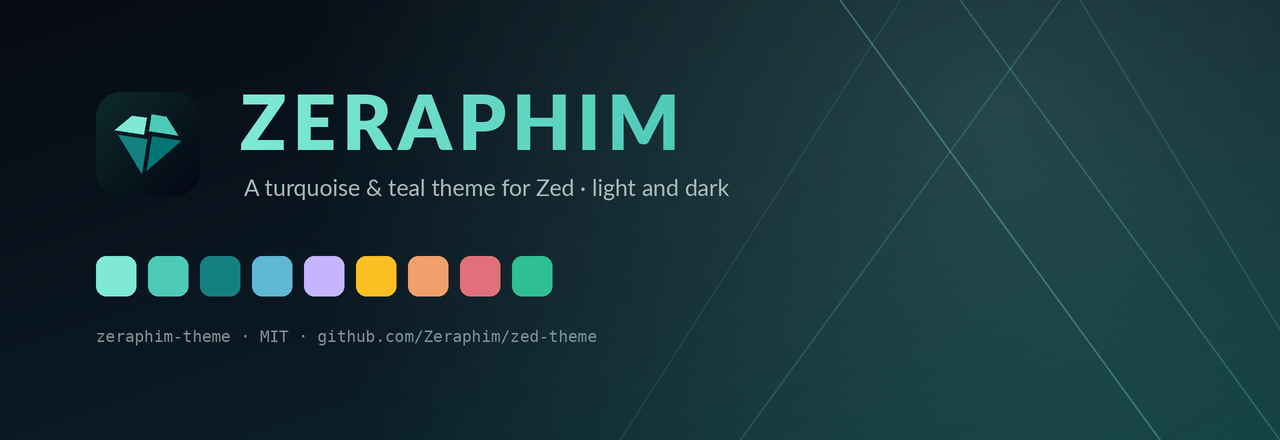


Turquoise and teal. Light and dark. Same palette, everywhere I work.
Most themes give you somebody else's colors. This one is the palette from my own site — the "Faceted Clarity" design system behind jcdiamante.com — turned into an editor theme.
Deep navy canvas, turquoise accents, and a genuinely usable light variant that
isn't just the dark one with the lightness flipped. Every color role was
re-derived for a paper-white background instead of being reused, because a
turquoise that sings on #060a13 is illegible on #ffffff.
Themes
| Name | Appearance | Canvas |
|---|---|---|
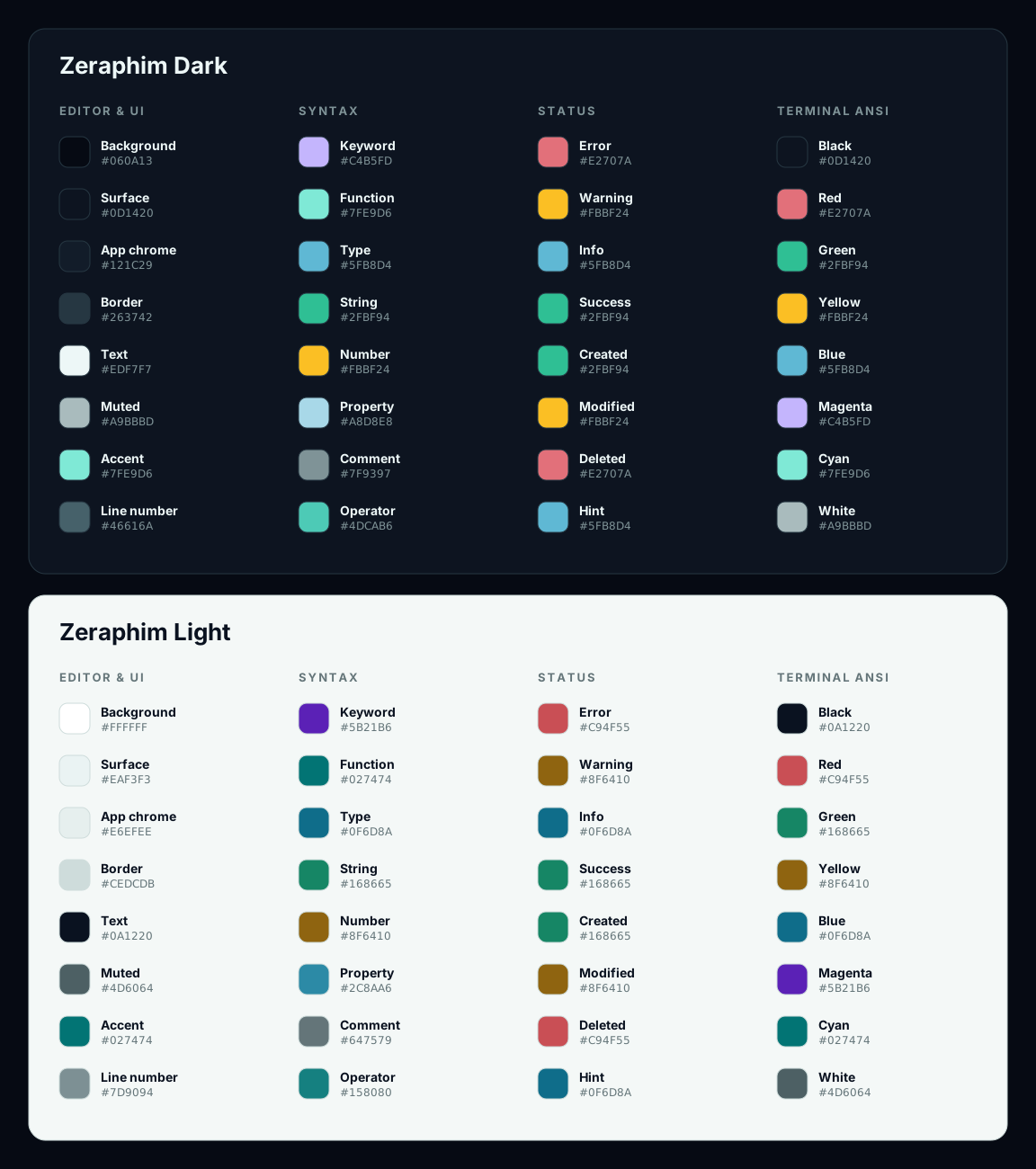
| Zeraphim Dark | dark | #060a13 |
| Zeraphim Light | light | #ffffff |
Palette
Install
From the Zed extension store
- Open Zed
CmdShiftP→ zed: extensions- Search for Zeraphim
- Click Install
As a dev extension
git clone https://github.com/Zeraphim/zed-theme.git- In Zed:
CmdShiftP→ zed: install dev extension - Select the cloned directory
CmdShiftP→ theme selector: toggle → pick Zeraphim Dark
Installing as a dev extension temporarily overrides the published version if you already have it installed. The extensions page will show "Overridden by dev extension".
Switching
Cmd K Cmd T opens the theme selector, or Cmd Shift P →
theme selector: toggle. Arrow keys preview live; Enter commits.
To pin it, or to follow your system appearance, edit settings.json
(Cmd ,):
{
  "theme": {
    "mode": "system",
    "light": "Zeraphim Light",
    "dark": "Zeraphim Dark"
  }
}
Or set one and be done:
{
  "theme": "Zeraphim Dark"
}
What's in the box
- Both appearances, at full parity — 152 style keys each, no gaps between the variants
- 45 syntax captures, covering everything Zed's built-in One theme styles,
including
emphasis.strong,punctuation.list_markerandstring.special.symbol - 24 terminal colors — all 16 ANSI slots plus bright and dim variants, so the integrated terminal matches the editor instead of fighting it
- 8 player colors for collaboration cursors, drawn from the brand hues
- Italic comments, bold-italic keywords, and weighted headings, echoing the Syne/Lexend split on the site
- Contrast-checked — every foreground was measured against the surface it actually lands on, not eyeballed
About the light variant
Three brand colors don't survive a white background. #c88813 amber reaches
only 2.6:1 as text, so warnings, numbers and constants use a corrected #8f6410
while the original amber stays for decoration. Same story for the faint inks.
The dark variant uses the brand tokens verbatim.
The terminal's white slots are deliberately inverted in the light theme — programs assume ANSI 15 is a legible foreground, and literal white vanishes on paper.
Shipping an update
Zed publishes from a submodule pinned in
zed-industries/extensions, so an
update is two commits in two repos. The version in this repo's extension.toml
and the version in the registry's extensions.toml must match exactly —
a mismatch is the standard CI failure on these PRs.
Only bump for changes Zed users can actually see: themes/zeraphim.json or
extension.toml. Zed's extension page and Extensions panel render nothing but
extension.toml metadata — no README, no banner, no icon — so asset-only changes
go live on git push here and need no release.
1. Bump and push this repo
# edit version = "0.1.2" in extension.toml
git commit -am "feat: bump to 0.1.2"
git push
2. Point the registry at the new commit
Fork zed-industries/extensions to
a personal account — Zed staff ask for this, since they can't push fixes to
org-owned forks.
git clone https://github.com/zed-industries/extensions
cd extensions
git remote add fork https://github.com/<you>/extensions.git

git checkout -b update-zeraphim-theme-0.1.2

# --init is required on a fresh clone; --remote alone fails with
# "Submodule path not initialized". It clones only this submodule.
git submodule update --init extensions/zeraphim-theme
git submodule update --remote extensions/zeraphim-theme

# expect the new SHA with no leading - or +
git submodule status extensions/zeraphim-theme
Set the matching version in the top-level extensions.toml:
[zeraphim-theme]
submodule = "extensions/zeraphim-theme"
version = "0.1.2"
pnpm install && pnpm sort-extensions
git commit -am "Update zeraphim-theme to v0.1.2"
git push -u fork update-zeraphim-theme-0.1.2Open the PR against zed-industries/extensions main. Sorting only matters when
adding a new entry, so it's safe to skip sort-extensions on a version-only change
if pnpm is unavailable. Once merged, Zed packages and publishes automatically.
Contributing
Something looks off? Open an issue. Include a screenshot and the language, if it's a syntax problem.
License
Built by @Zeraphim.