


Overview
Zen is made for engineers who value simplicity. Its muted palette and understated syntax create an environment that feels clear and unobtrusive.
- Refined tones: Neutral foundations with careful accents reduce visual strain.
- Quiet syntax: Structure is shown through gentle shifts in tone, without relying heavily on colour.
- Minimal impression: A restrained approach avoids noise and complexity.
- Seamless modes: Consistent contrast ensures smooth transitions between light and dark themes.
- Complete coverage: Every Zed feature is styled without gaps or omissions.
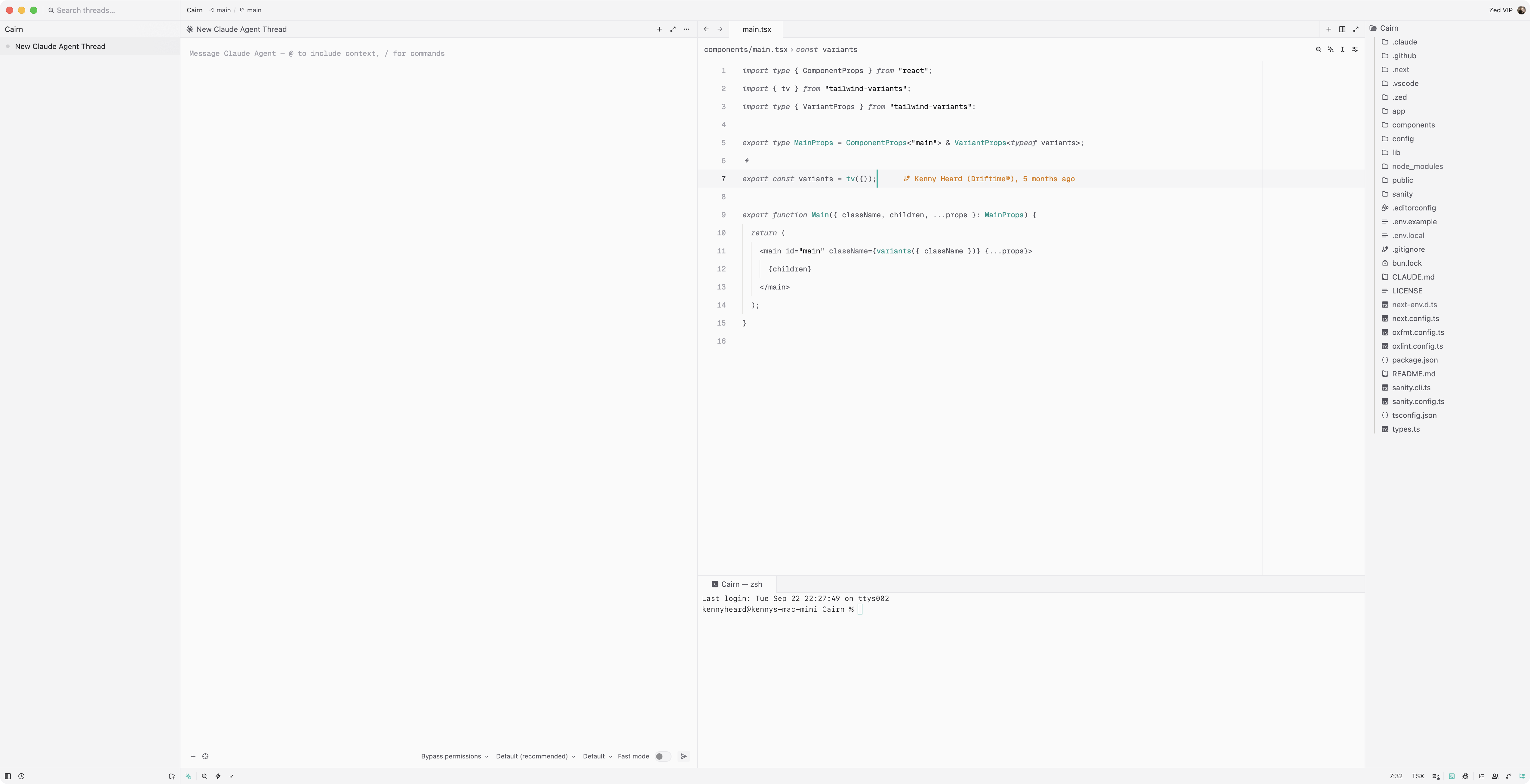
Zen Light.
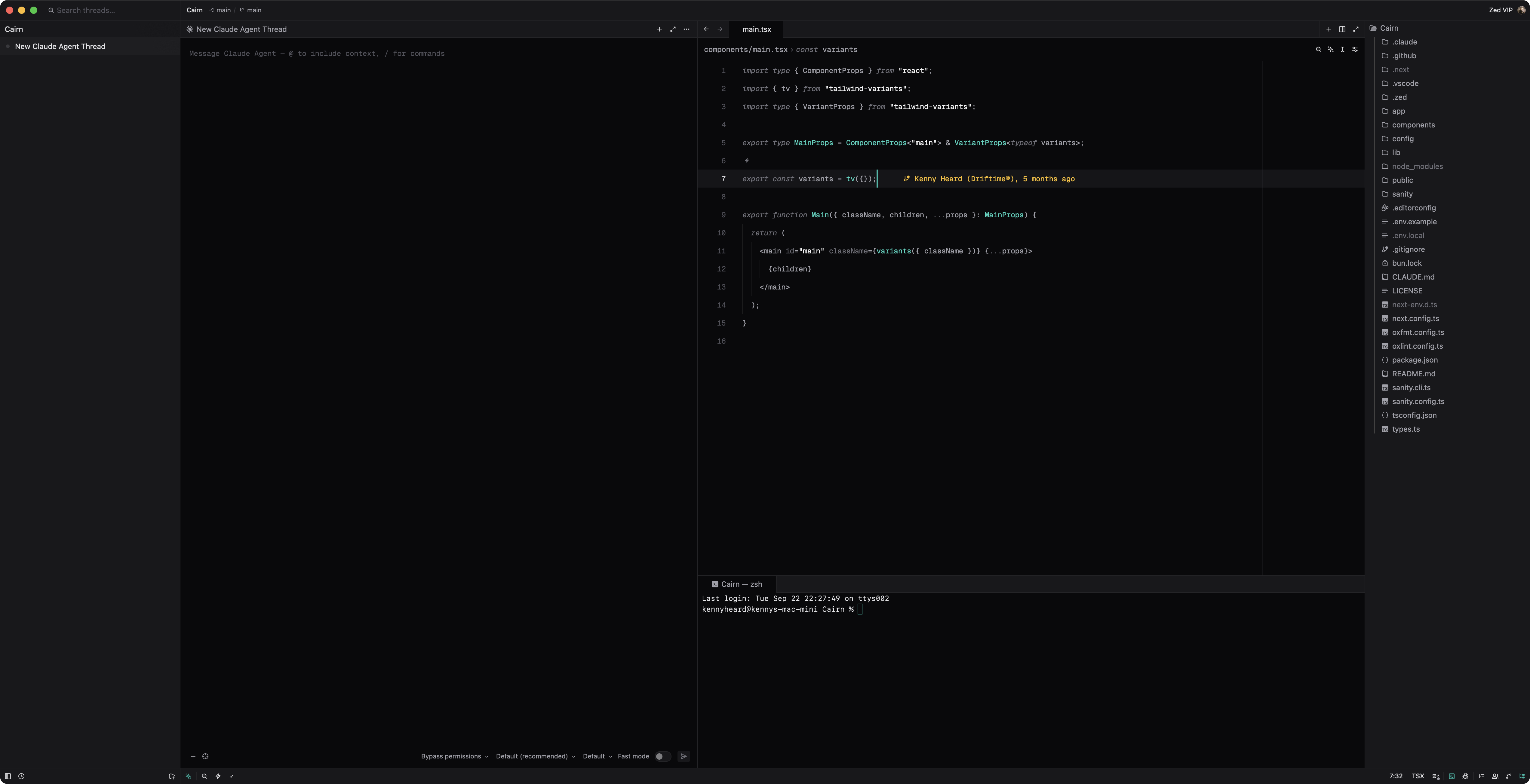
Zen Dark.
Installation
Zed Extension (Recommended)
- Open Zed.
- Press
Cmd+Shift+P(macOS) orCtrl+Shift+P(Linux). - Type "Extensions" and select "zed: extensions".
- Search for "Zen" and click "Install".
- Select "Zen Dark" or "Zen Light" from the theme picker.
Automatic Switching
To have Zed switch between them with your system appearance, set both in your settings.
{
  "theme": {
    "mode": "system",
    "light": "Zen Light",
    "dark": "Zen Dark"
  }
}
Manual Installation
- Download
zen.jsonfrom the latest release. - Copy to your Zed themes directory:
- macOS:
~/.config/zed/themes/ - Linux:
~/.config/zed/themes/
- macOS:
- Restart Zed and select the theme from the theme picker.
Editor Configuration (Optional)
The following configuration is one that I personally choose to complement Zen (as seen in the above previews):
{
  "ui_font_family": "SF Pro Text",
  "ui_font_size": 14,
  "ui_font_weight": 400,
  "buffer_font_family": "Geist Mono",
  "buffer_font_size": 12,
  "buffer_font_weight": 400,
  "buffer_line_height": { "custom": 2.5 },
  "scroll_beyond_last_line": "off",
  "tabs": { "close_position": "left" },
  "project_panel": { "git_status": false }
}
License
MIT © Kenny Heard. See LICENSE.
Acknowledgements
Zen's greys, teal accent, and state colours are taken from the Tailwind CSS colour palette, distributed under the MIT License. Its coverage and key order follow the One theme that ships with Zed. The Zen icon is by Adrien Coquet via Noun Project, used under CC BY 3.0.