VSCode Light Modern Theme for Zed
A faithful port of Visual Studio Code's "Light Modern" theme for the Zed editor.
Adapted from: https://zed-themes.com/themes/edit (with some of my tweaks for Rust dev)
Installation
- Open Zed
- Use the command palette (Cmd/Ctrl+Shift+P)
- Run
zed: install dev extension - Select this repository
Activation
- Open Zed settings (Cmd/Ctrl+,)
- Set your theme:
{
  "theme": {
    "mode": "system",
    "light": "VSCode Light Modern",
    "dark": "VSCode Light Modern"
  }
}
Or use the command palette:
- Run
theme selector: toggle - Select "VSCode Light Modern"
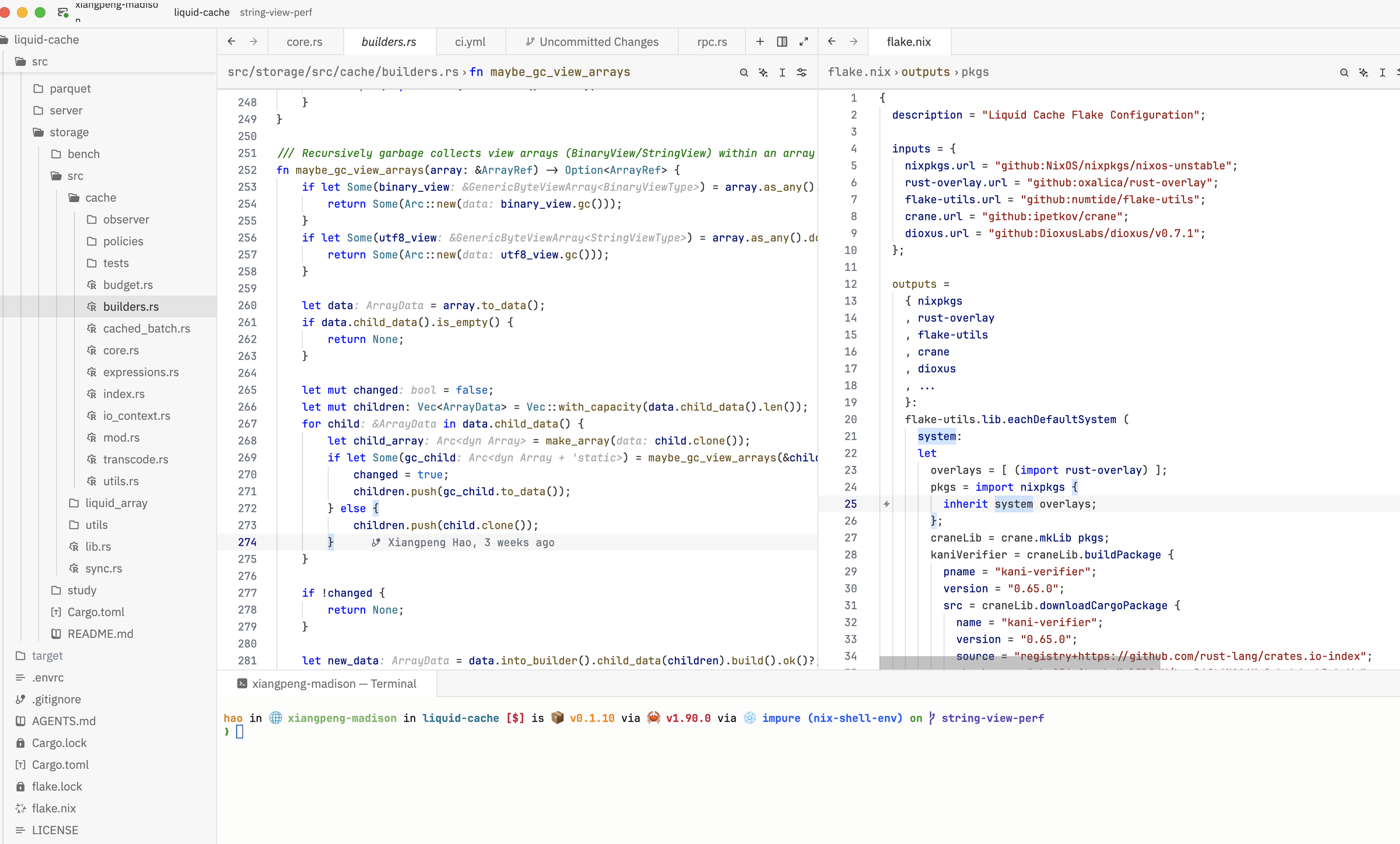
Screenshot
Credits
This theme is adapted from Microsoft's Visual Studio Code Default Themes.
Original theme: light_modern.json
License
MIT License - See the original VSCode repository for license details.