Maple Fusion Themes
A collection of refined dark themes for VSCode and Zed, combining popular color schemes with Maple-style syntax highlighting and enhanced readability.
 |
 |
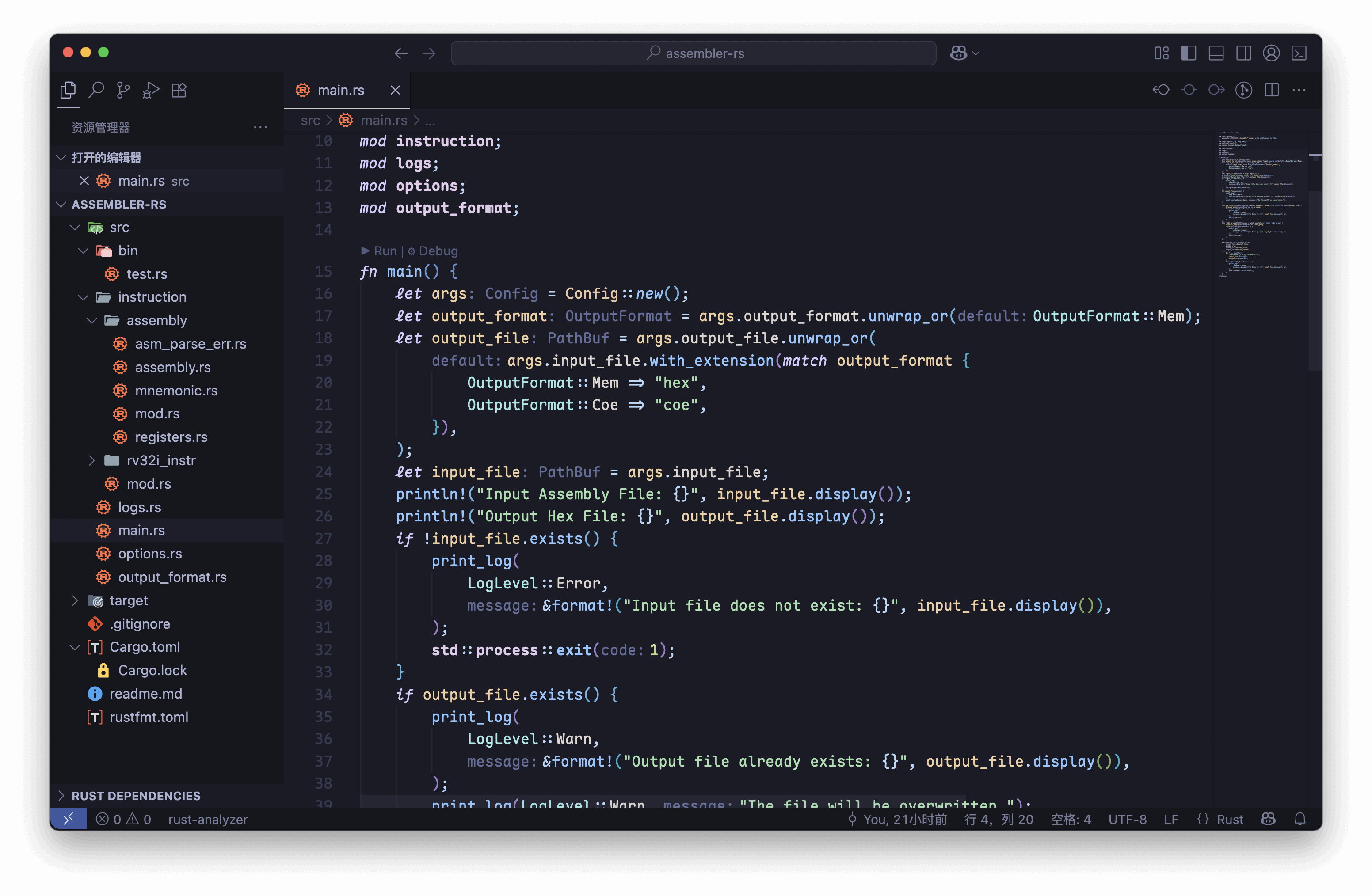
Preview
On VSCode
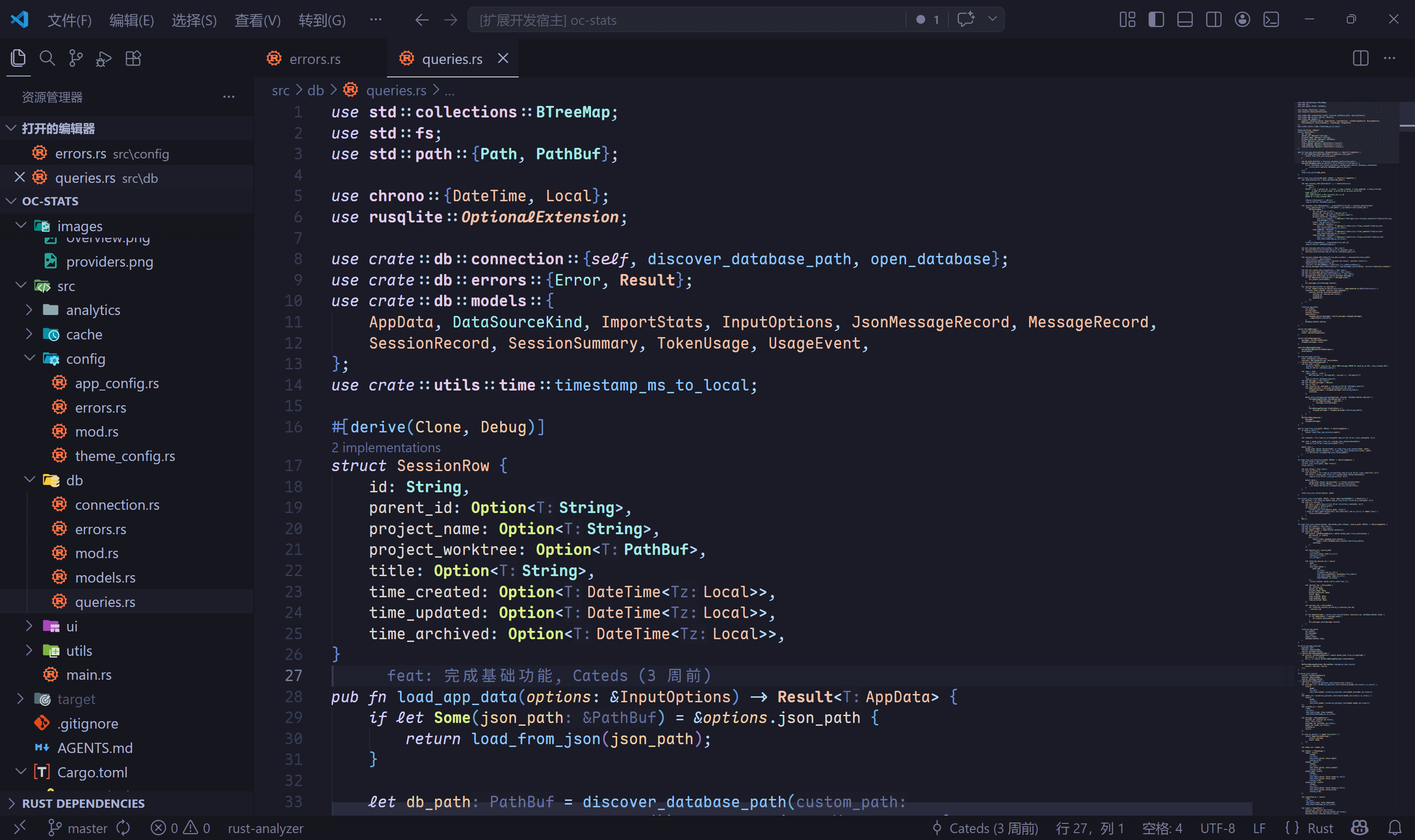
Tokyo Night Variants
| Tokyo Maple |
|---|
 |
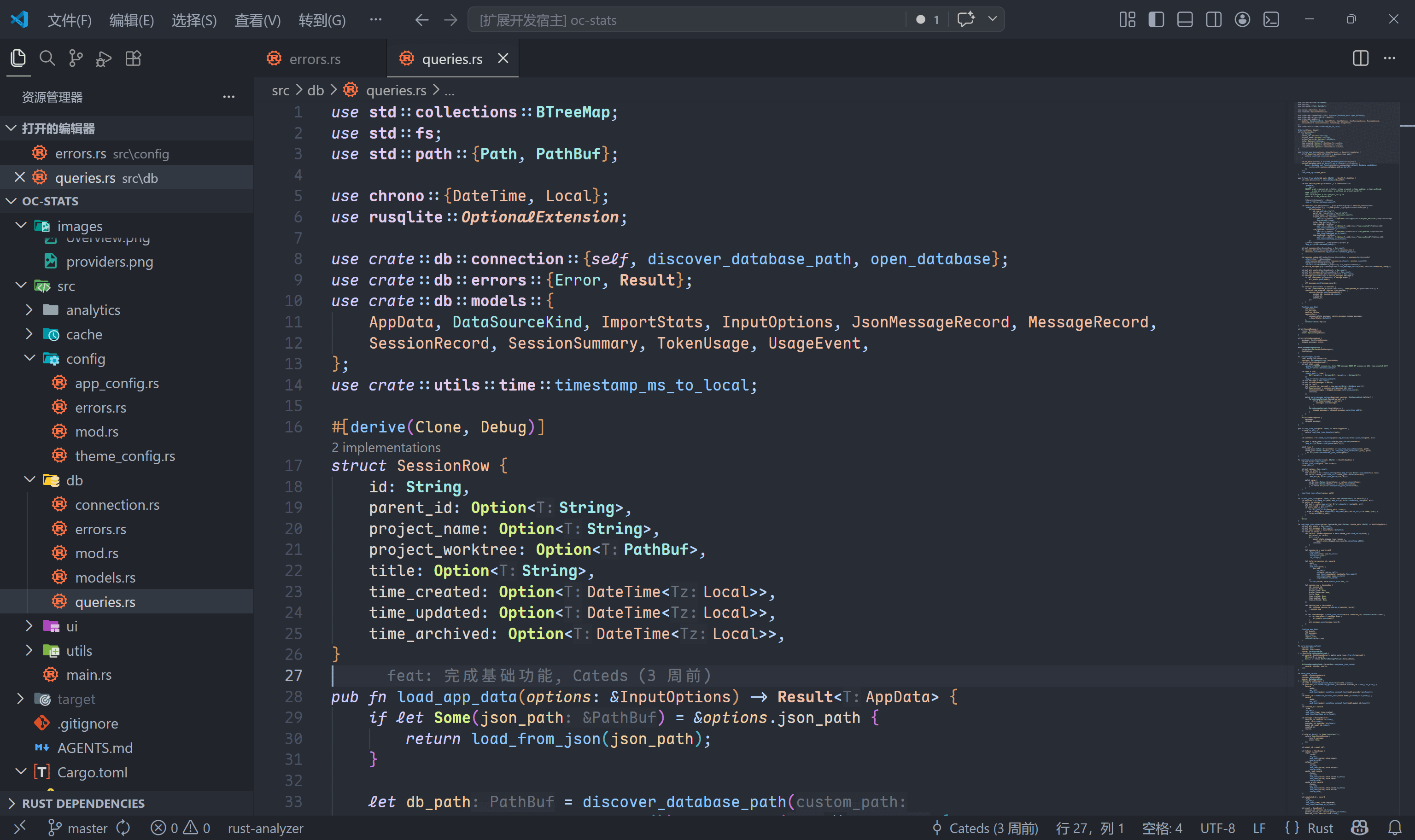
One Dark Pro Variants
| One Dark Maple | One Dark Maple Darker |
|---|---|
 |
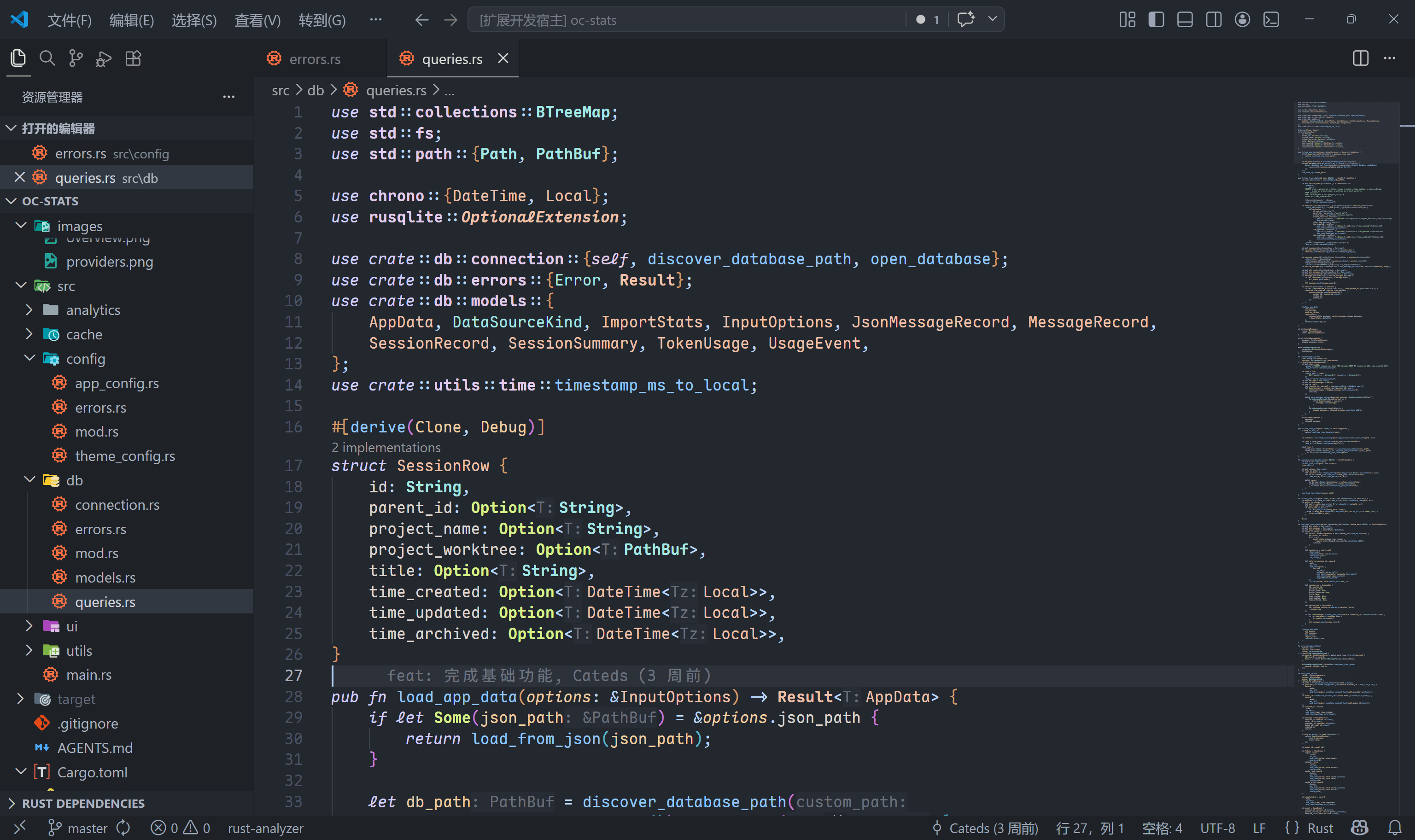 |
Cursor Dark Variants
| Cursor Dark Maple | Cursor Shadow Maple |
|---|---|
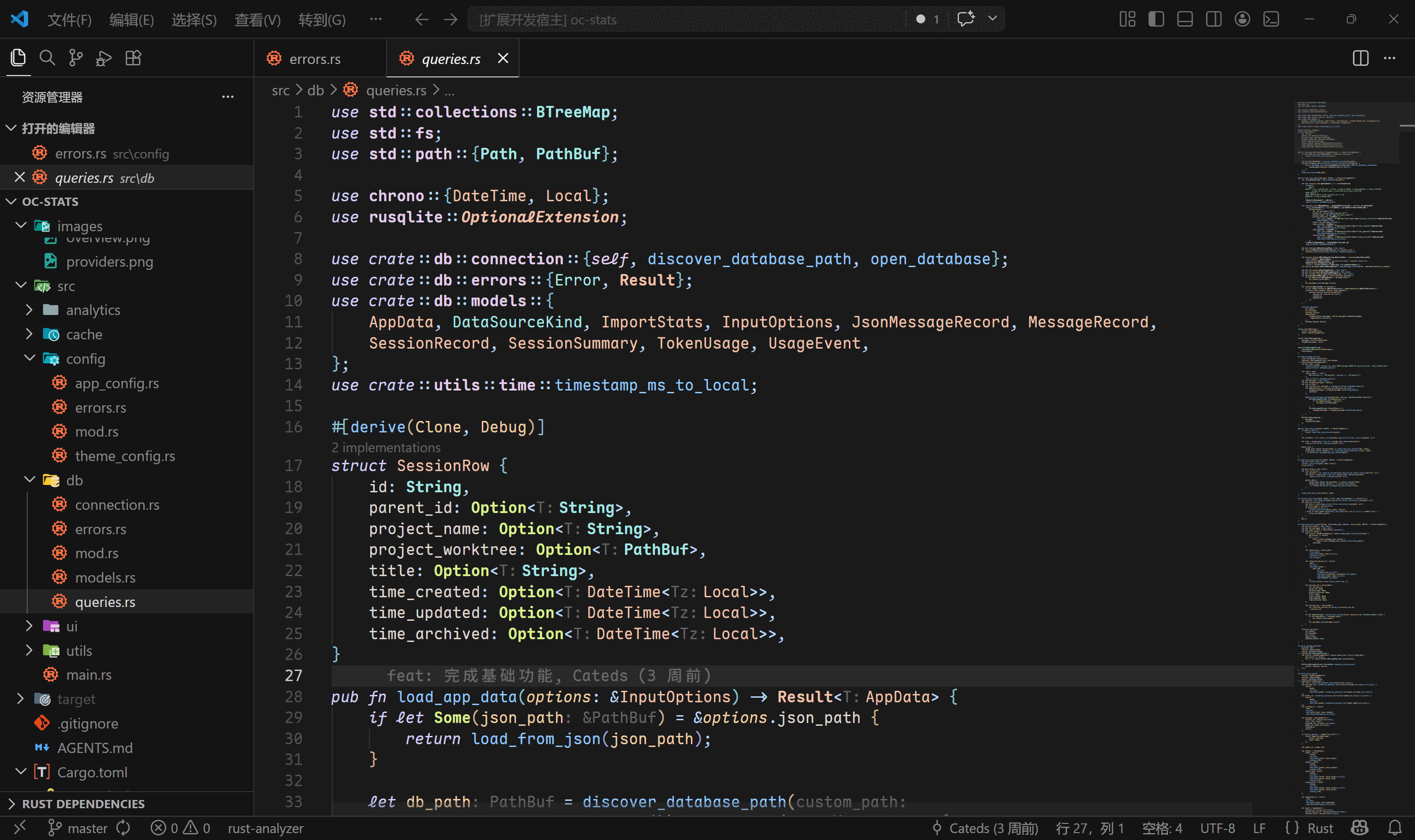 |
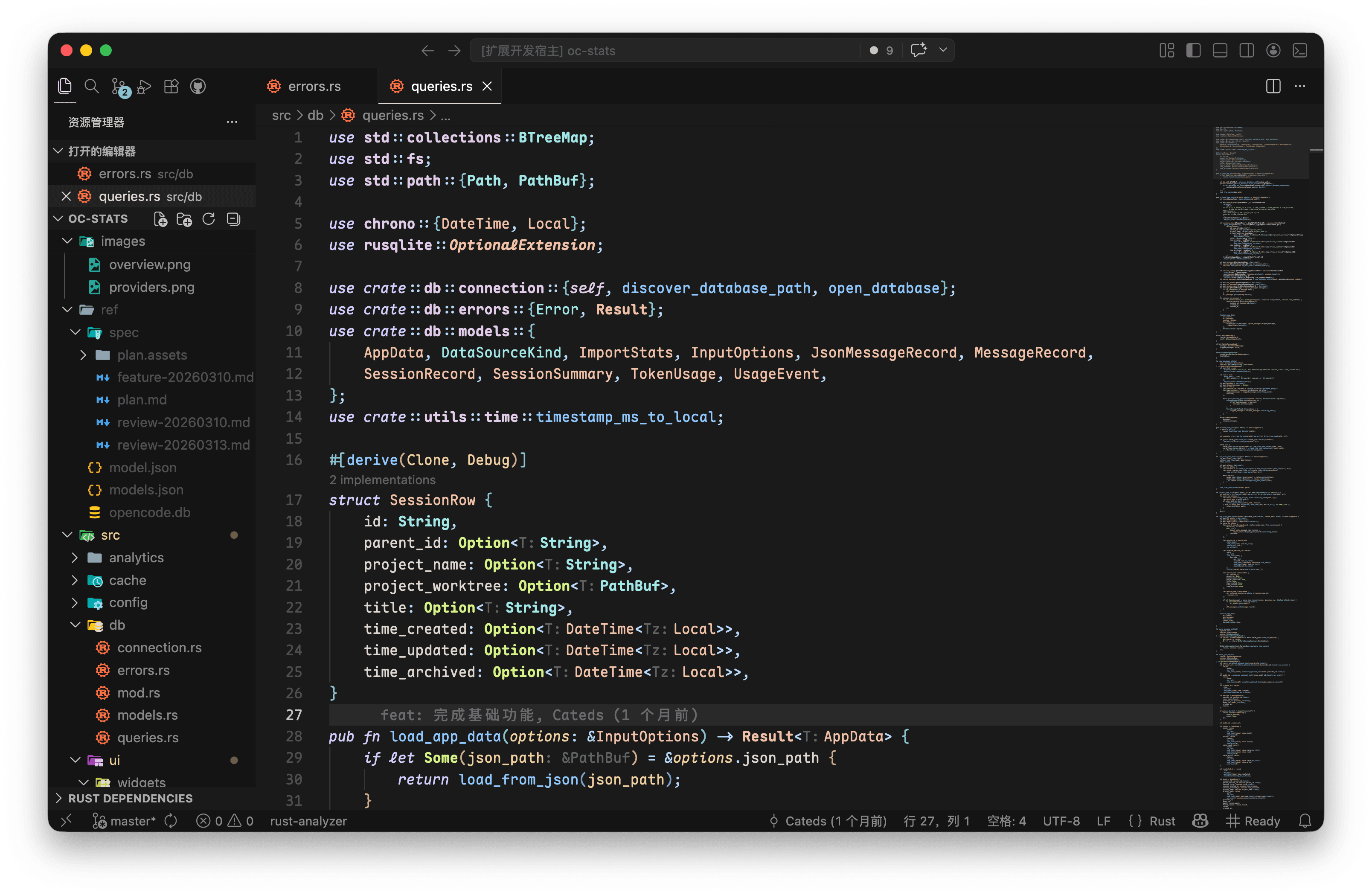 |
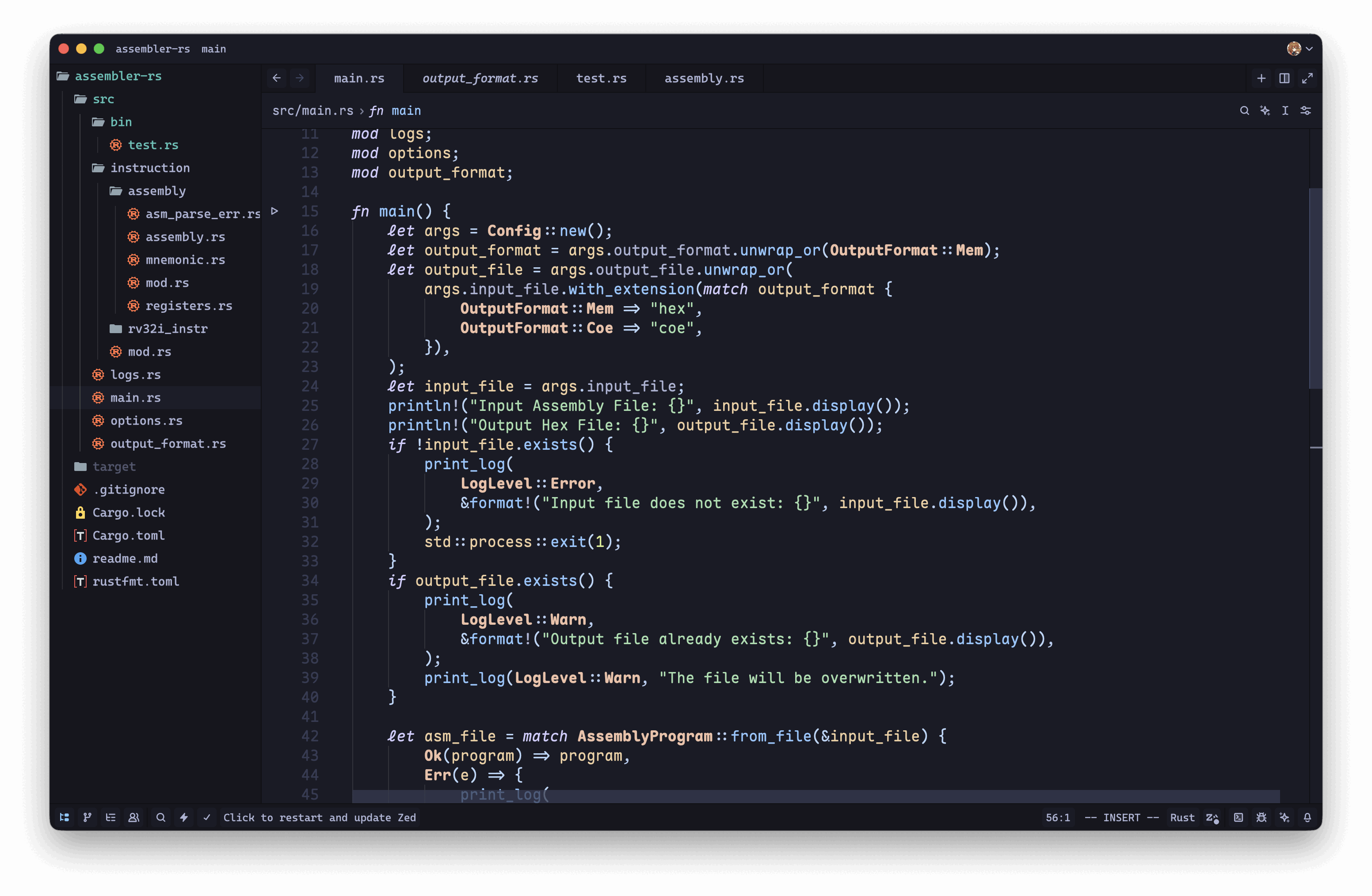
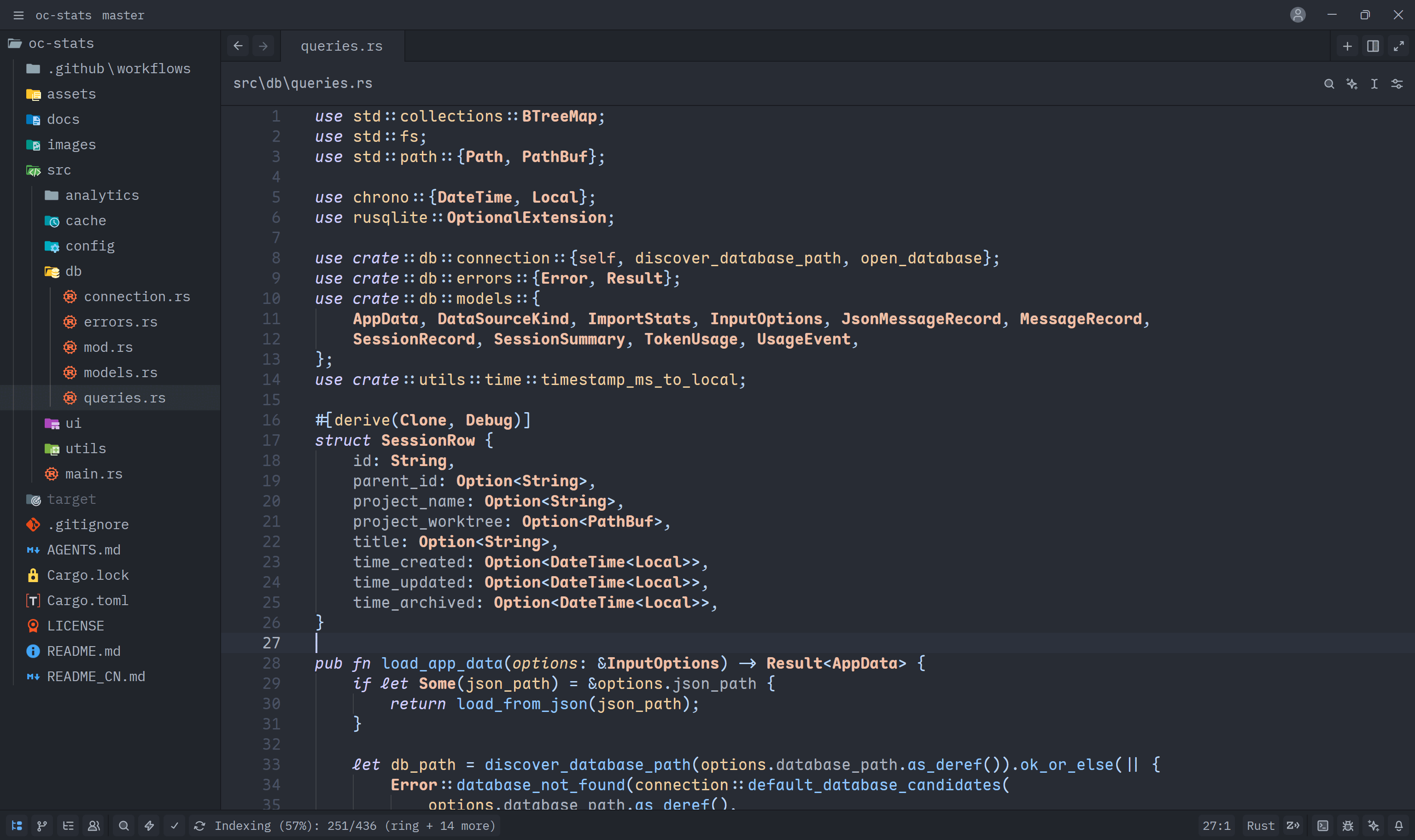
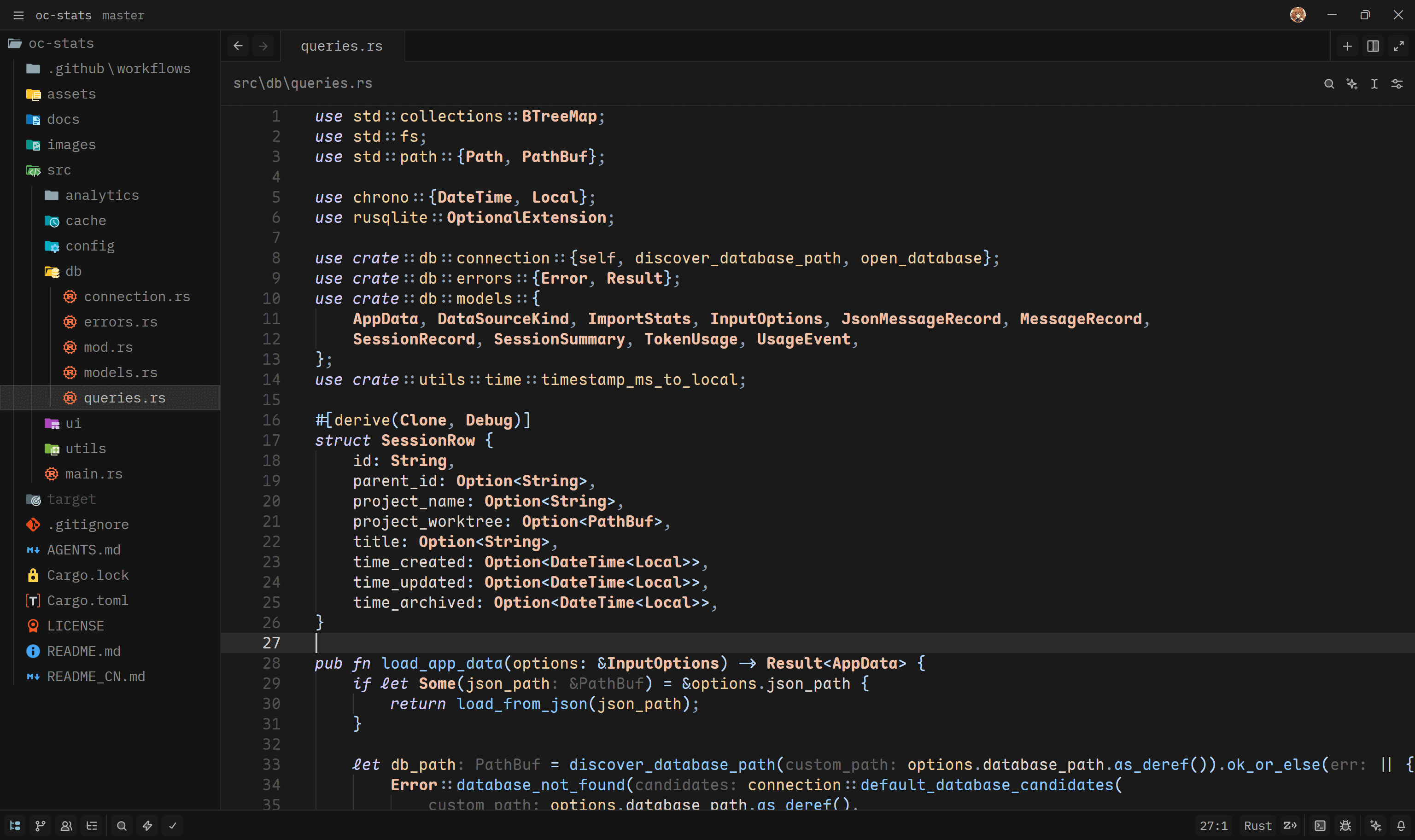
On Zed
| Tokyo Maple | One Dark Maple | Cursor Dark Maple |
|---|---|---|
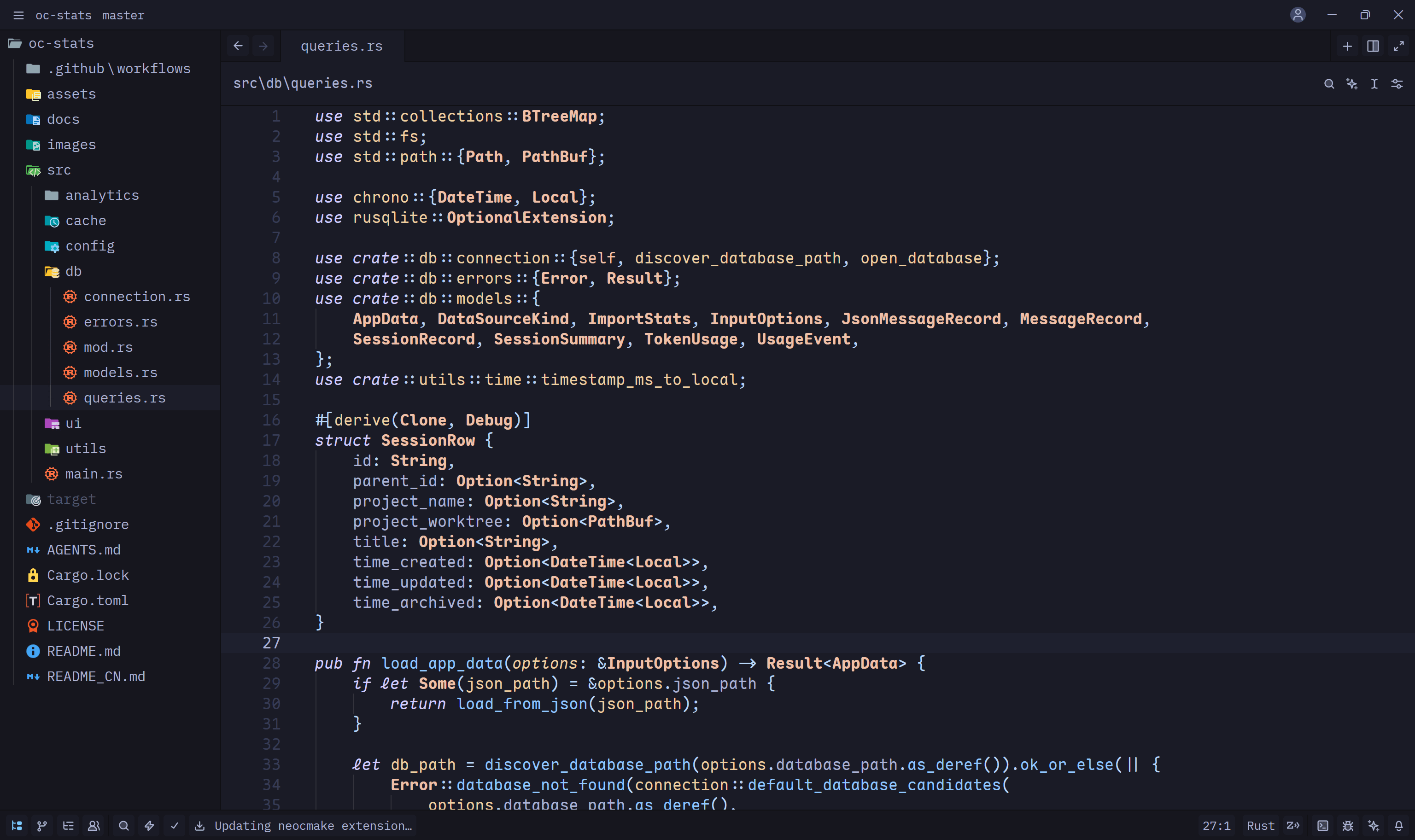 |
 |
 |
Included Themes
| Theme | Base | Description |
|---|---|---|
| Tokyo Maple | Tokyo Night | Original theme with warm, comfortable colors and Maple syntax highlighting |
| One Dark Maple | One Dark Pro | Classic One Dark aesthetic with Maple-style enhancements |
| One Dark Maple Darker | One Dark Pro | Darker variant of One Dark Maple for reduced eye strain |
| Cursor Dark Maple | Cursor Dark | Cursor IDE's signature dark theme with Maple refinements |
| Cursor Shadow Maple | Cursor Dark | Cursor Dark Maple with One Dark Pro coloring logic for depth and focus |
Features
UI Enhancements (All Themes)
- Enhanced text contrast in multiple areas, such as Sidebar and Activity Bar foreground colors
- Changed the originally bluish git unstaged indicator color to a more greenish hue
- Brightened the foreground colors of Inlay Hint, Code Lens, and Breadcrumb
- Fine-tuned terminal colors
- Removed most dark borders, using color contrast to emphasize boundaries
- Changed the color scheme of title bar, tabs, terminal, and Activity Bar to match the editor's light colors
- Added color-changing effect to Status Bar during debugging
- Added transparency to drag effects
Syntax Highlighting (Maple Style)
- Fine-tuned syntax highlighting based on Maple Theme
- Removed underline effects for parameters in Maple Theme
- Added underline styles to mutable variables, functions, methods, and mutable Self parameters, consistent with the Default Dark Modern theme
Credit
- One Dark Pro: Base theme for One Dark Maple variants
- Tokyo Night (VSCode): Base theme for Tokyo Maple
- Tokyo Night (Zed): Reference for Zed color scheme
- Cursor Dark (VSCode): Base theme for Cursor Dark Maple
- Maple Theme (VSCode): Syntax highlighting style reference
- Maple Theme (Zed): Zed syntax highlighting reference
License
MIT