supertheme4
A dark theme for ZED editor inspired by Sublime Text's Marina theme, specifically designed for web development.
Overview
supertheme4 brings the elegant aesthetics of Sublime Marina to ZED editor with a carefully crafted dark color palette. This theme features sophisticated blue-grey backgrounds with vibrant accent colors that provide excellent contrast and readability for modern web development.
Features
- 🌊 Marina-inspired design - Captures the essence of Sublime Text's beloved Marina theme
- 💻 Web dev optimized - Tailored syntax highlighting for HTML, CSS, JavaScript, and modern web frameworks
- 👁️ Eye-friendly - Carefully balanced colors reduce strain during extended coding sessions
- 🎨 Rich syntax highlighting - Distinct colors for different code elements with excellent contrast
- 🌙 Dark theme - Perfect for low-light environments and late-night coding
Color Palette
The theme features a sophisticated color scheme with:
- Background: Deep blue-grey (
#2e3842) - Syntax colors: Soft blues, greens, purples, and warm oranges
- Accent colors: Carefully chosen for maximum readability and visual appeal
Installation
- Open ZED editor
- Go to Extensions
- Search for "supertheme4"
- Click Install
- Go to Settings → Theme and select "supertheme4"
Manual Installation
- Clone this repository
- Copy the extension to your ZED extensions directory
- Restart ZED
- Select the theme in Settings → Theme
Screenshots
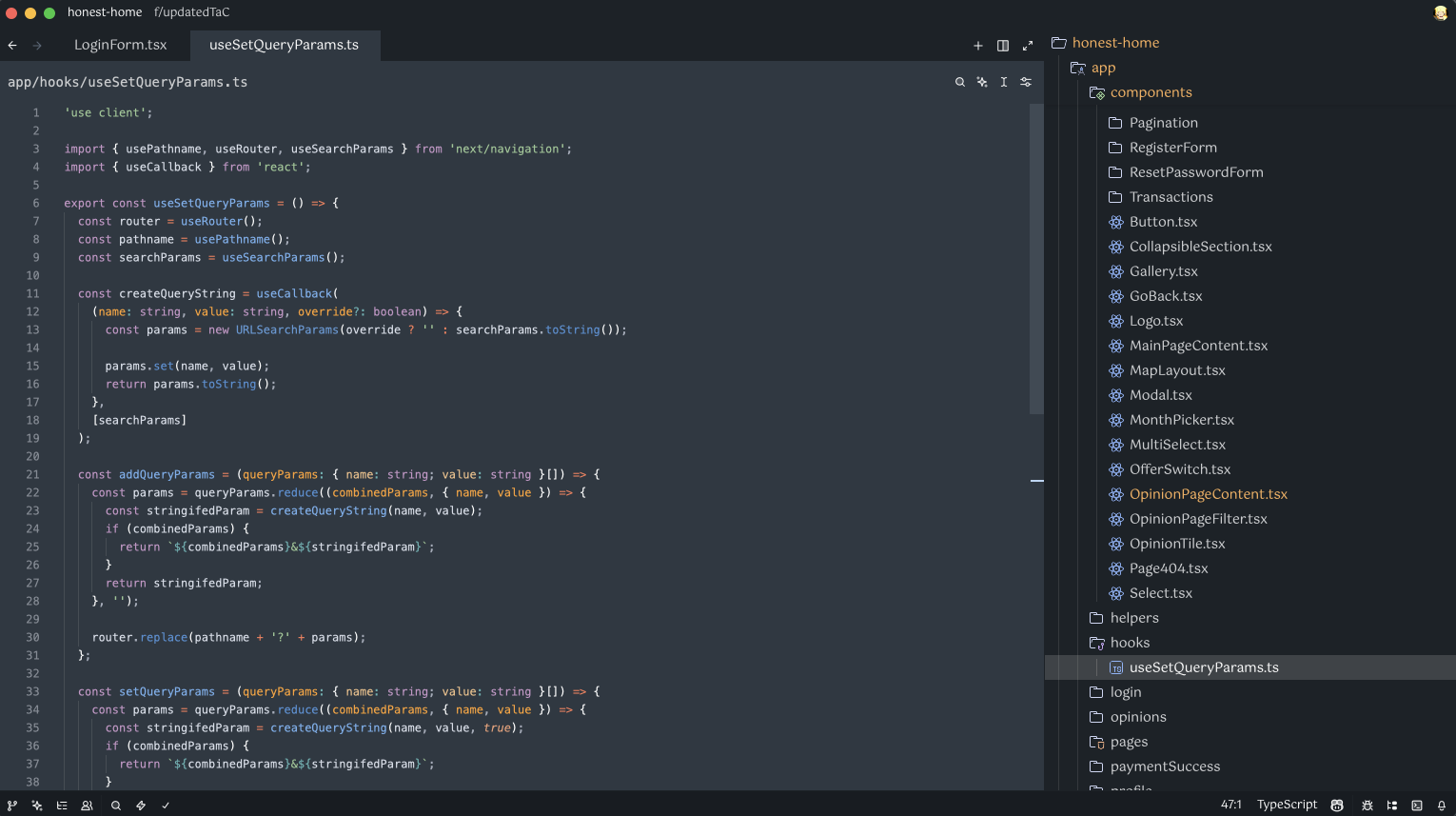
supertheme4 theme showcasing syntax highlighting for web development
Contributing
Contributions are welcome! Feel free to:
- Report issues
- Suggest improvements
- Submit pull requests
Repository
Author
Created by superkacper4 (kucza06@wp.pl)
License
This project is open source. Check the license file for details.
Inspired by Sublime Text's Marina theme • Made with ❤️ for the ZED community