Superset Theme for Zed
A warm, carefully crafted color theme for the Zed editor, ported from superset.sh. Includes dark and light variants.


Preview
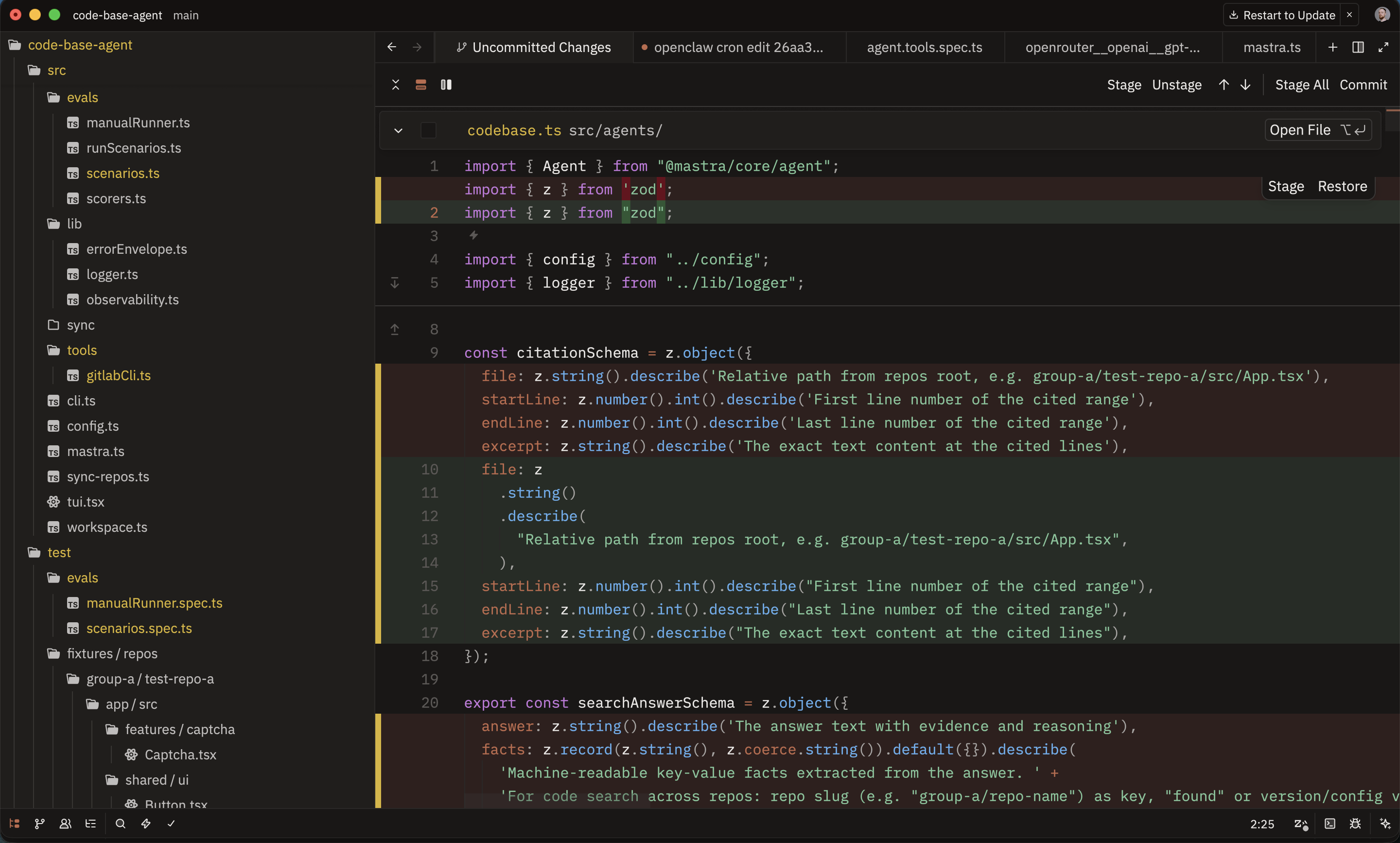
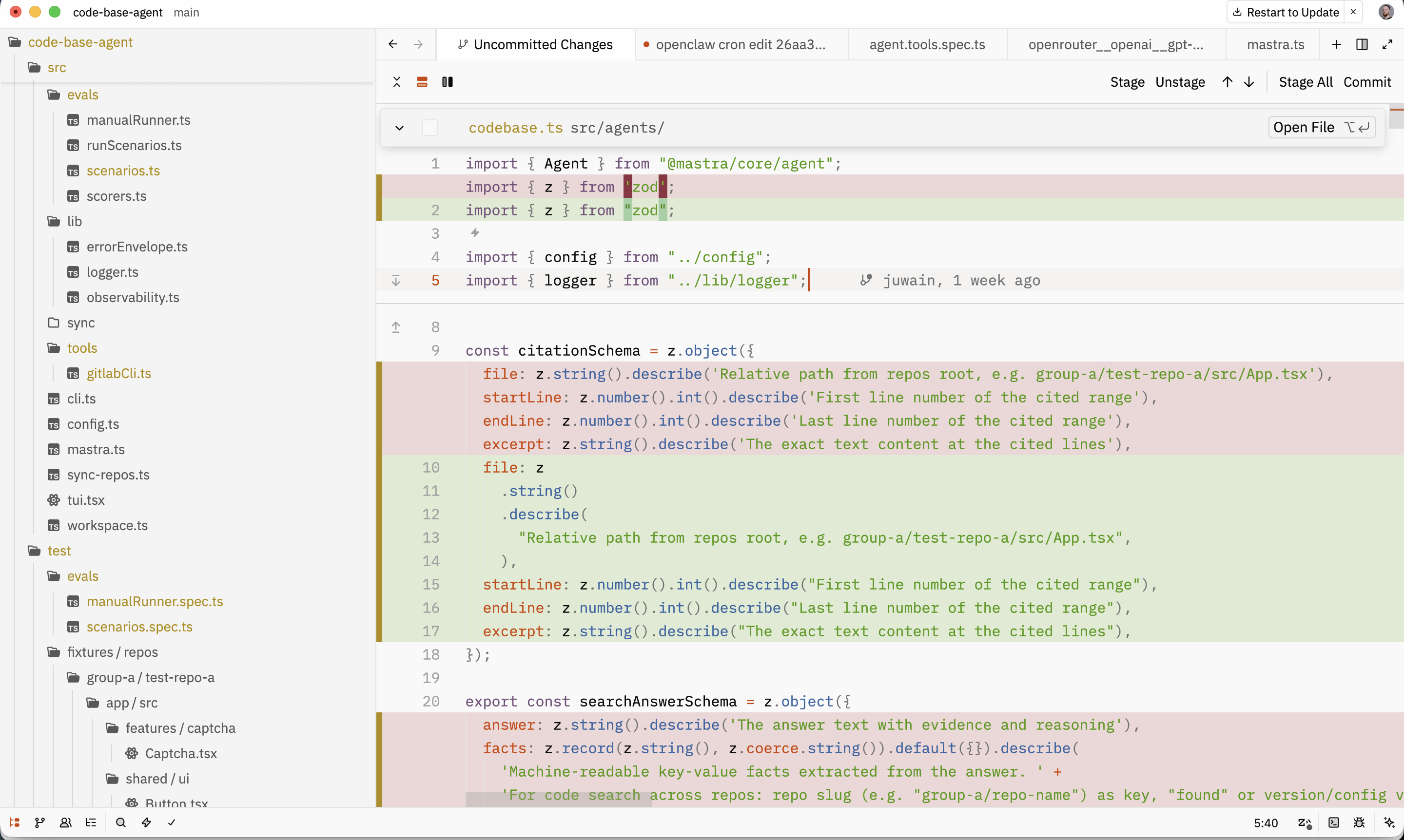
Installation
Copy the theme files to your Zed themes directory:
mkdir -p ~/.config/zed/themes
cp superset-dark.json superset-light.json ~/.config/zed/themes/
Then open Zed and select the theme via Cmd+K Cmd+T (macOS) or Ctrl+K Ctrl+T (Linux).
Palette
Dark
| Role | Color | Preview |
|---|---|---|
| Background | #151110 |
 |
| Foreground | #eae8e6 |
 |
| Accent | #c06a4c |
 |
| Red | #c75c5c |
 |
| Green | #7ec699 |
 |
| Yellow | #dab530 |
 |
| Blue | #61afef |
 |
| Purple | #c678dd |
 |
| Cyan | #56b6c2 |
 |
Light
| Role | Color | Preview |
|---|---|---|
| Background | #fefefe |
 |
| Foreground | #0a0a0a |
 |
| Accent | #d04200 |
 |
| Red | #b52020 |
 |
| Green | #4e9a06 |
 |
| Yellow | #b08d08 |
 |
| Blue | #3465a4 |
 |
| Purple | #75507b |
 |
| Cyan | #06989a |
 |
License
MIT