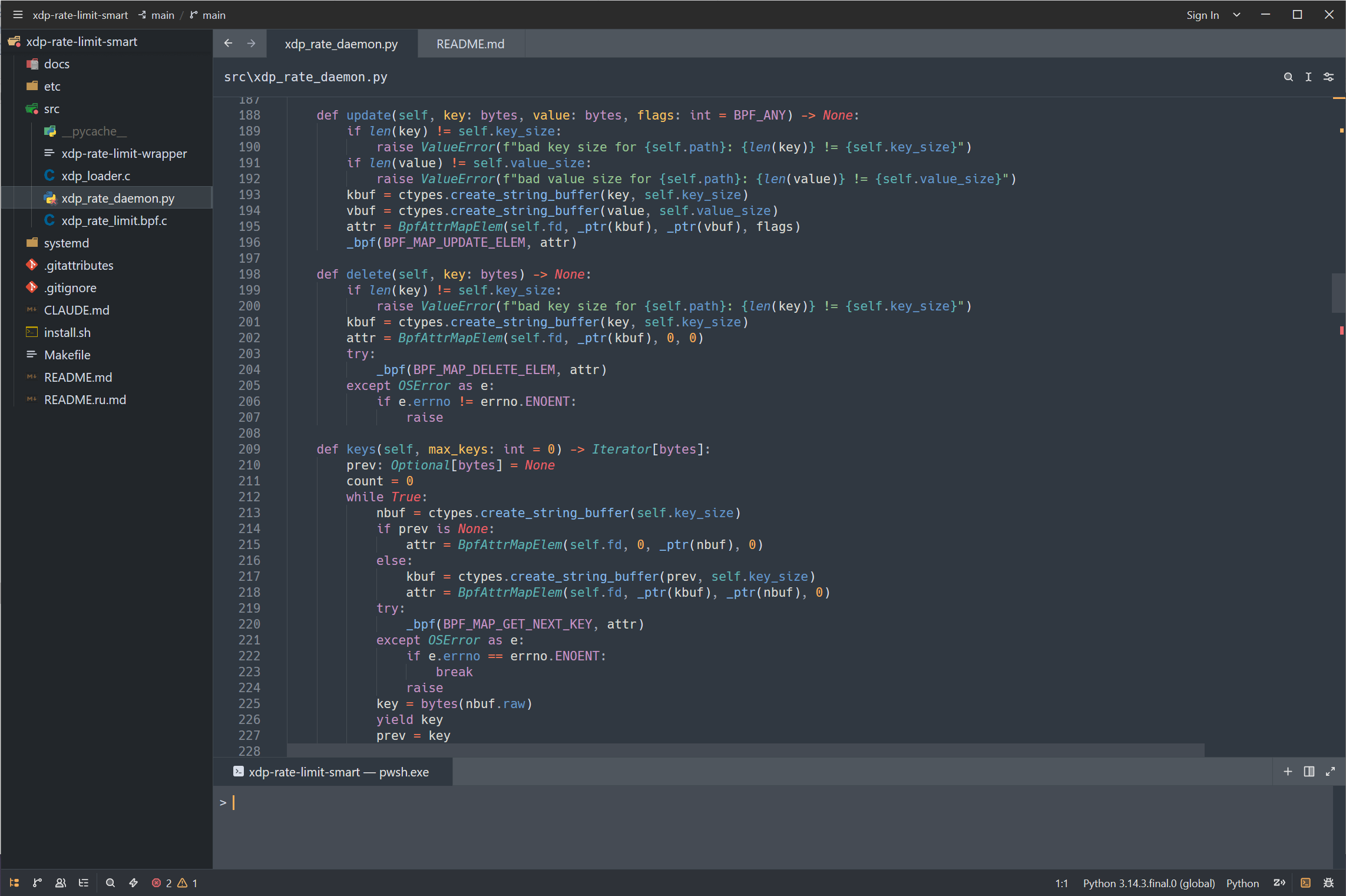
Sublime Text 4 Colorful — Zed theme
A dark theme for the Zed editor, adapted as closely as possible from the VS Code theme Sublime Text 4 Colorful Theme by Enubia — that VS Code theme is the basis for this port.
That VS Code theme is itself a fork of the original Sublime Text 4 Theme by @EmilijanMB, enhanced with a Colorful / Semantic highlighting version.
The Zed syntax layer additionally leans on the Mariana palette to fill in token roles that Zed exposes but the original theme did not map directly.
Install
From the Zed extension registry
Open the extensions view (Cmd/Ctrl+Shift+X), search for Sublime Text 4
Colorful and install it.
Manually
Copy themes/sublime-text-4-colorful.json into your Zed themes folder:
- Windows:
%APPDATA%\Zed\themes\ - macOS / Linux:
~/.config/zed/themes/
As a dev extension
Clone this repository, then run zed: install dev extension from the
command palette and point it at the repository root.
Finally, pick Sublime Text 4 Colorful via the theme selector
(Cmd/Ctrl+K Cmd/Ctrl+T) or in settings.json:
{
  "theme": "Sublime Text 4 Colorful"
}
Notes on fidelity
Zed and VS Code use different theming models, so a few things are mapped rather than copied 1:1:
- Panels use Zed's single
panel.background, set to the VS Code sidebar color (#22262a); the terminal keeps its lighterterminal.background. - Types / classes are teal italic (
#5fb4b4), matching how VS Code renders them with semantic highlighting enabled. - Bright terminal colors are derived from the base ANSI palette (+0.10
lightness in HSL, hue and saturation unchanged). The source theme defines its
ansiBright*entries identically to the base ones, which leaves bold terminal output indistinguishable from normal output; this port lightens them instead. - Import module names stay in Zed's generic
variablecolor — Zed's Python grammar gives them no dedicated capture, so the theme cannot target them separately (unlike VS Code, where they pick up a namespace scope).
Credits
- Original VS Code theme: Sublime Text 4 Colorful Theme by Enubia — a fork of the original Sublime Text 4 Theme by @EmilijanMB, enhanced with a Colorful / Semantic highlighting version.
- Zed adaptation in this repository.