💠 Solidity Language Support for Zed
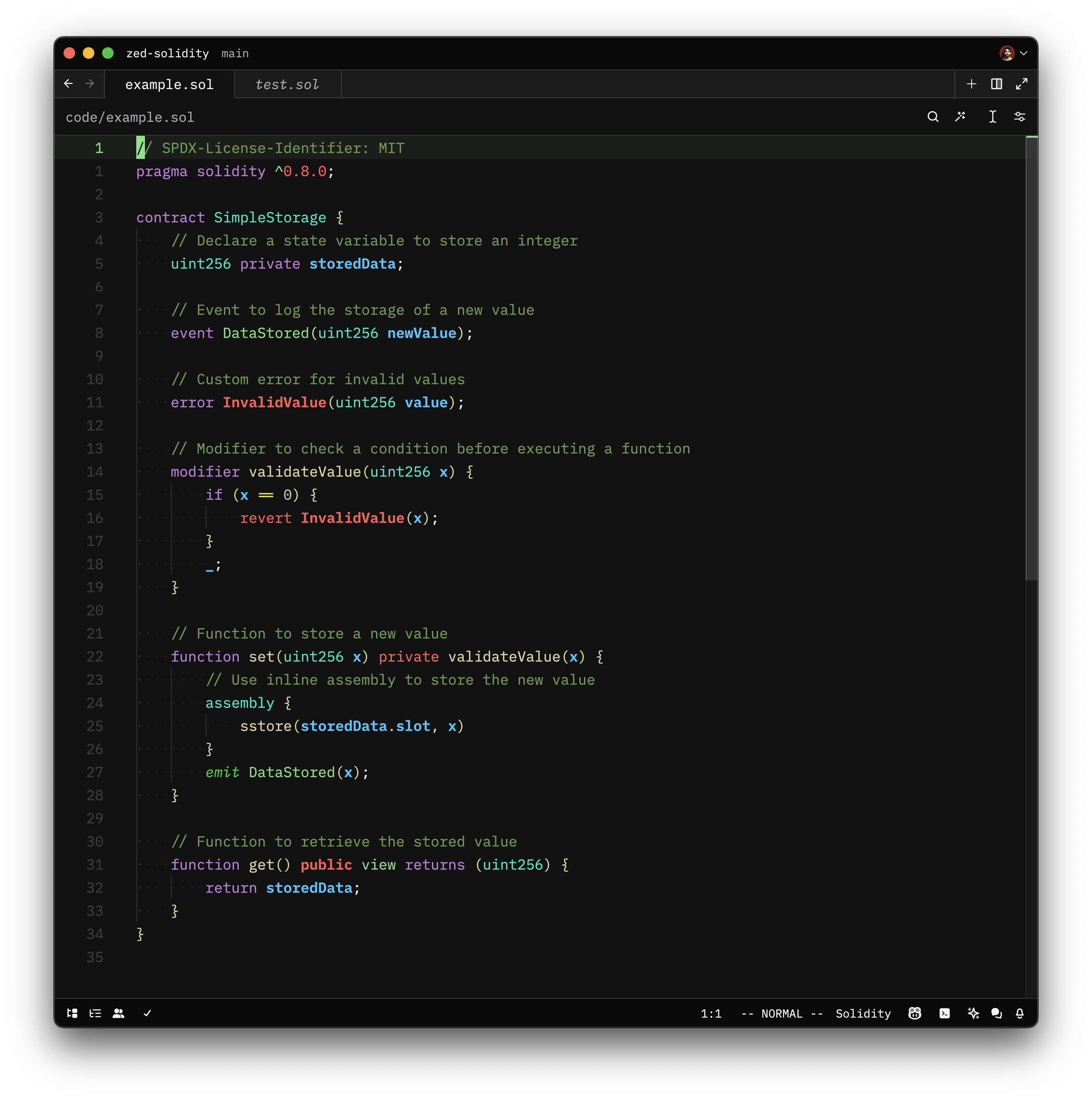
Enhance Zed with Solidity language support, including syntax highlighting and language server features such as diagnostics and more!
Features
Solidity (.sol)
- Syntax highlighting via tree-sitter-solidity
- Diagnostics, completions, go-to-definition, and other LSP features via @nomicfoundation/solidity-language-server
- Code outline, indentation, and bracket matching
Yul (.yul)
- Syntax highlighting via tree-sitter-yul, including recognition of EVM builtins
- Code outline, indentation, and bracket matching
- No LSP support (the Nomic Foundation language server does not support standalone
.yulfiles)
Tip
For the best experience, it is highly recommended to use XY-Zed. This extension has been built on top of the XY-Zed theme, ensuring that all colors are thoughtfully chosen to provide intelligent syntax highlighting.
Tasks
Example tasks for different test frameworks can be found in .zed/tasks.json.
How to set up Foundry to run tests via a runnable (the play button next to tests in the UI) and via keyboard shortcut.
Example task that connect with the definitions in runnables.scm via tags.
[
  // Individual test.
  {
    "label": "forge test: $ZED_SYMBOL",
    "command": "forge",
    "args": ["test", "--match-test", "$ZED_SYMBOL", "-vvvvv"],
    "tags": ["solidity-test"],
    "reveal": "always",
    "use_new_terminal": false
  },
  // Contract test.
  {
    "label": "forge test: $ZED_SYMBOL (contract)",
    "command": "forge",
    "args": ["test", "--match-contract", "$ZED_SYMBOL", "-vvvvv"],
    "tags": ["solidity-contract-test"],
    "reveal": "always",
    "use_new_terminal": false
  }
]
Example keymap to run Forge test for the symbol under the cursor.
[
  {
    "context": "Editor && extension==sol",
    "bindings": {
      "alt-g": ["task::Spawn", { "task_name": "forge test: $ZED_SYMBOL" }]
    }
  }
]
🛠️ Development Setup
1. Clone the repository
git clone https://github.com/zarifpour/zed-solidity2. Uninstall the existing extension
If you have the existing extension installed, you need to uninstall it before installing the development version.
3. Load the extension
- Open
zed: extensions. - Click
Install Dev Extension. - Select the
zed-soliditydirectory.
4. Rebuild the extension as needed
As you make changes to the extension, you may need to rebuild it. To do so:
- Open
zed: extensions. - Click the
Rebuildbutton next to the extension.
🎸 Contributing
Contributions are welcome!
To contribute:
- Fork the repo and create a new branch.
- Make changes and test them.
- Submit a pull request with a clear description.
Check open issues for areas needing improvement. Thanks for helping improve Solidity support in Zed!
🏆 Acknowledgments
- @JoranHonig for providing the tree-sitter-solidity repository.
- @meetmangukiya and @tomholford for inspiration with their PRs to the main Zed repo.
Made with 🩵 by Daniel Zarifpour
