Santi020k Theme
Calm contrast and a consistent violet language across your tools.



Monorepo for the Santi020k Theme family: a calm violet theme system spanning VS Code, Zed, Chrome, Codex, JetBrains IDEs, Raycast, Slack, Xcode, terminals, shared brand packages, and static product websites.
Theme family · VS Code · Terminal · iPhone · Obsidian · Neovim · npm · Documentation · Releases · Contributing
The brand source of truth is docs/brand-guidelines.md. Read it before changing colors, product names, screenshots, icons, website copy, store metadata, or shared assets.
Explore: Workspaces · Quick Start · Common Commands · Working On The Theme Family · Documentation Map
One palette, your whole workspace
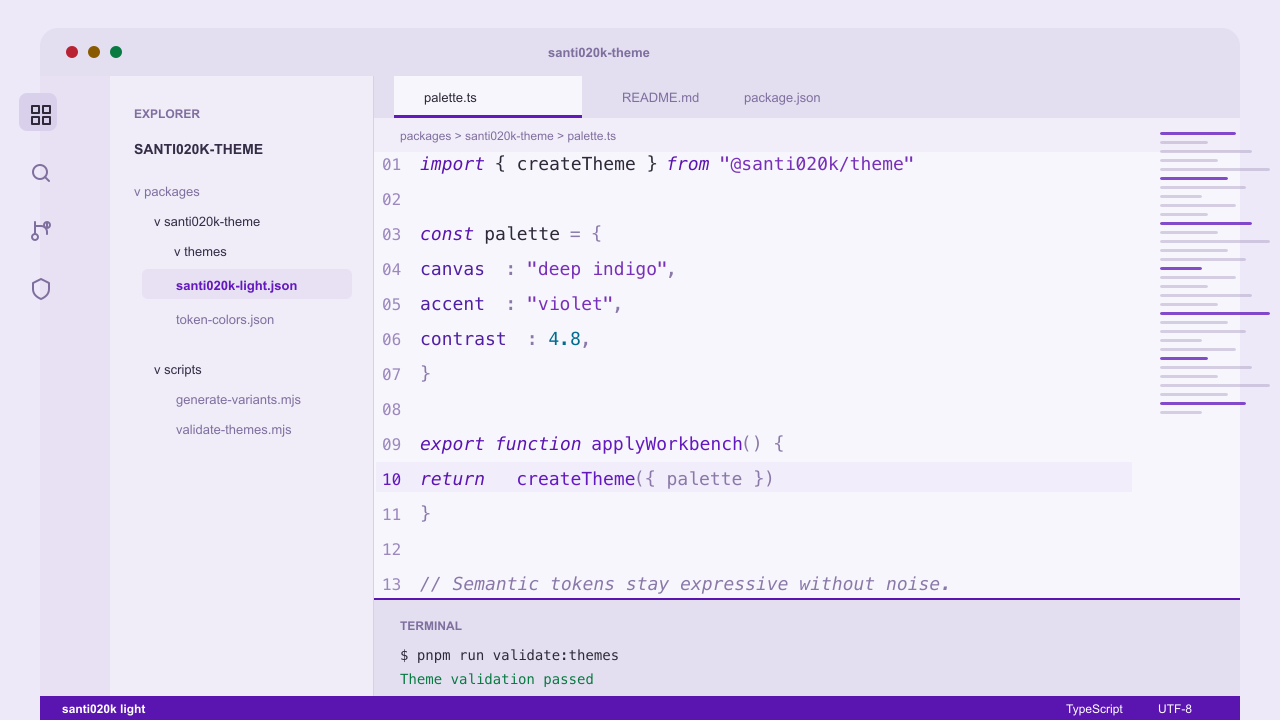
Dark and light screenshots captured in VS Code. Explore every variant →
| Make it yours | Start here |
|---|---|
| VS Code and compatible editors | Marketplace · Open VSX · dark, light, high contrast, bold, and italic variants |
| Your terminal | Guided setup · Installation guide · colors, Starship prompts, and managed shell integration |
| More tools | Zed · Chrome · Codex · JetBrains · Xcode · Raycast · Slack |
| Your own interface | Shared tokens and assets · Theme helpers · Lumen UI |
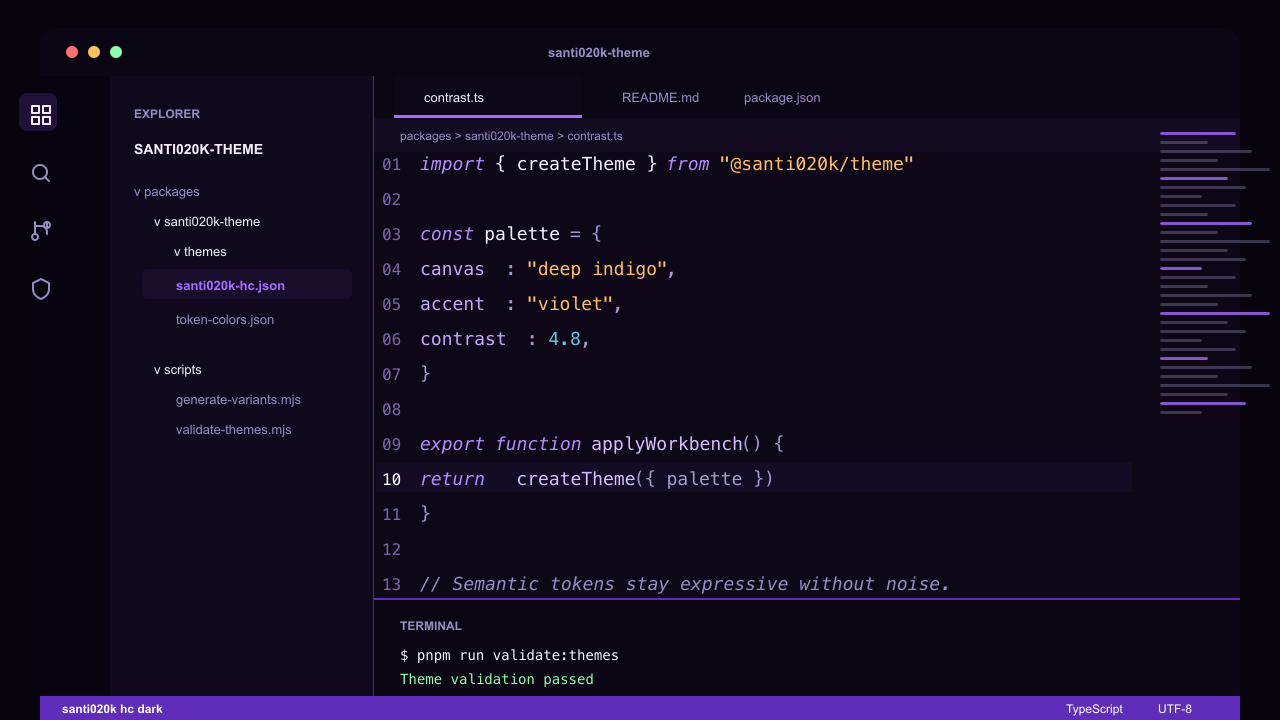
Compare high-contrast variants
| High-contrast dark | High-contrast light |
|---|---|
 |
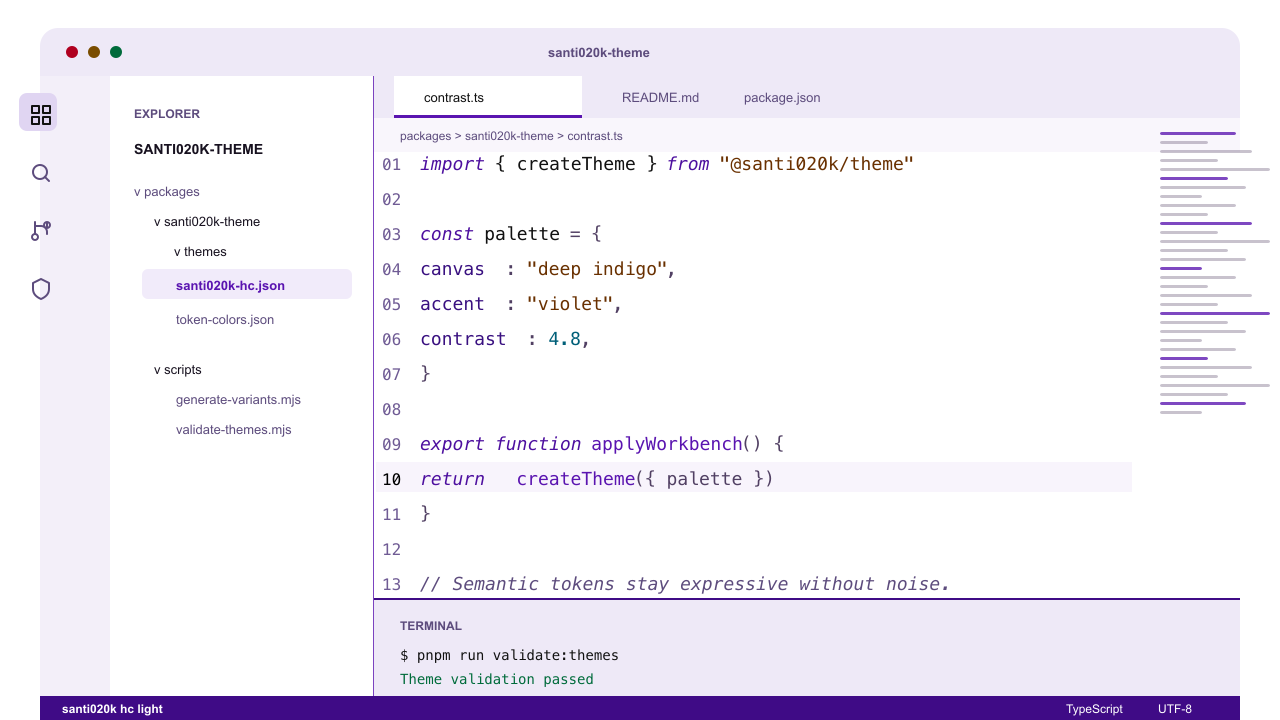 |
The high-contrast variants strengthen borders and separation while retaining the violet identity.
Workspaces
| Workspace | Purpose |
|---|---|
packages/santi020k-theme |
Published VS Code extension with dark, light, high-contrast, bold, and italic variants |
packages/santi020k-chrome-theme |
Chrome Web Store theme package, synced from the VS Code palette |
packages/santi020k-zed-theme |
Generated Zed theme family synced from the VS Code palette |
packages/santi020k-codex-theme |
Copy-ready dark and light custom theme presets derived from the VS Code palette |
packages/santi020k-terminal-theme |
Generated terminal color schemes and prompt presets |
packages/santi020k-raycast-theme |
Shareable Raycast Theme Studio JSON and one-click dark/light import URLs |
packages/santi020k-slack-theme |
Paste-ready Slack custom themes with legacy import strings and semantic role maps |
packages/santi020k-jetbrains-theme |
Installable dark/light UI and editor theme plugin for JetBrains IDEs and Android Studio |
packages/santi020k-obsidian-theme |
Generated dark/light Obsidian theme for desktop and mobile, distributed as a manual-install ZIP |
packages/santi020k-neovim-theme |
Native Neovim colorscheme with syntax, Tree-sitter, LSP and terminal colors |
packages/santi020k-xcode-theme |
Native dark/light Xcode editor and debug-console color themes |
packages/theme |
Public @santi020k/theme package for tokens, website CSS, assets, metadata, and Chrome mapping helpers |
packages/theme-core |
Public @santi020k/theme-core helper package for package-neutral token generation, asset lookup, and site behavior primitives |
apps/website |
Consolidated theme family site for theme.santi020k.com, including every product route and Terminal documentation |
apps/*-website |
Product page source modules retained during consolidation; these are composed into apps/website and are not deployed separately |
Quick Start
pnpm install
pnpm run validate
Use the Node minimum declared in package.json and pnpm 10.34.6.
Common Commands
| Command | What it does |
|---|---|
pnpm run validate |
Builds packages, checks spelling, validates themes and marketplace metadata, tests, lints, and packages the VS Code extension |
pnpm run validate:themes |
Validates the VS Code theme JSON files |
pnpm run validate:marketplace |
Checks VS Code extension marketplace readiness |
pnpm run validate:chrome |
Lints, validates contrast, and dry-runs Chrome packaging |
pnpm run validate:terminal |
Validates generated terminal presets |
pnpm run validate:zed |
Builds and checks the generated Zed theme family |
pnpm run validate:codex |
Validates generated dark and light Codex presets |
pnpm run validate:raycast |
Regenerates and validates Raycast themes and import URLs |
pnpm run validate:slack |
Regenerates and validates Slack themes and legacy import strings |
pnpm run validate:jetbrains |
Packages and validates the JetBrains/Android Studio plugin |
pnpm run validate:xcode |
Regenerates and validates native Xcode color themes |
pnpm run package:extension |
Builds and packages the VS Code extension as a VSIX |
pnpm run package:chrome |
Builds Chrome Web Store zip files |
pnpm run site:dev |
Starts the consolidated theme-family website on port 4174 |
pnpm run site:build |
Builds the consolidated website and synchronized product routes |
pnpm run site:preview |
Previews the consolidated production build locally |
pnpm run changeset |
Creates a release changeset |
pnpm run commit |
Opens the conventional commit prompt |
Working On The Theme Family
- Start brand-sensitive work in
docs/brand-guidelines.md. - Keep VS Code dark and light theme changes paired unless the task is explicitly single-variant.
- Keep Chrome manifests synced from the VS Code theme through
pnpm run sync:themes. - Keep website copy concrete, developer-facing, and aligned with the published domains.
- Add a changeset for user-visible package, docs, release, website, or theme changes.
Documentation Map
docs/architecture.mdexplains the repo architecture.packages/santi020k-theme/README.mdis the marketplace-facing VS Code extension README.packages/santi020k-chrome-theme/README.mdcovers Chrome theme development and Web Store packaging.packages/santi020k-codex-theme/README.mddocuments the saved Codex preset.packages/santi020k-raycast-theme/README.md,packages/santi020k-slack-theme/README.md,packages/santi020k-jetbrains-theme/README.md, andpackages/santi020k-xcode-theme/README.mddocument the additional application ports.packages/theme/README.mddocuments shared tokens and assets.packages/theme-core/README.mddocuments lower-level shared helper APIs.apps/website/README.mdandapps/website/WEBSITE.mdcover the consolidated static site.
Find your next step
| Resource | Use it for |
|---|---|
| Brand guidelines | Canonical identity and cross-surface conventions. |
| Architecture | Package responsibilities and runtime boundaries. |
| Contributing | Contributor setup and validation workflow. |
| Security policy | Private vulnerability reporting and support boundaries. |
Feedback and community
Found a hard-to-read token or a platform mismatch? Report a bug with your app version, theme variant, steps, and a screenshot without private content. Suggest an improvement or browse existing issues before opening a duplicate.
Please report vulnerabilities privately using the security policy.
License
MIT. See LICENSE. Created and maintained by Santiago Molina.
Open Graph generation uses the published @santi020k/og 1.2.0 package. The shared renderer supplies the updated preset composition and safer image handling while preserving the project's brand and existing image paths. Validate the generated images before release.
Phone and editor additions
The iPhone setup guide pairs existing Halo and Contour phone artwork. Obsidian and Neovim use generated native files and direct website download bundles. Run pnpm run validate:obsidian and pnpm run validate:neovim for focused checks. See verification and distribution notes for native validation and publication boundaries.
Light and dark wallpaper pairs
The gallery also includes Studio and Orbit banners
and square covers, each in light and dark. Their separately composed artwork downloads as
2160 × 720 wide banners or 1200 × 1200 covers in PNG, JPG, or WEBP. Masters and prompts live
in artwork/banners-v1/; scripts/generate-banner-downloads.mjs generates website exports.
All eight current wallpaper designs, including Dune and Veil, remain in the main gallery.
All eight paired gallery designs include a paired macOS HEIC download. Visit the
appearance guide for Mac setup and iPhone
Shortcuts instructions. iPhone switching uses locally saved wallpaper pairs; it is not installed
by the Mac file. On macOS, regenerate with pnpm run generate:appearance and validate with
pnpm run validate:appearance. Source artwork and generated-file fingerprints are recorded in
artwork/appearance/manifest.json.