Pop Theme for Zed

A port of the Pop!_OS design language for the Zed Editor.
About
This theme brings the warm browns, electrifying teals, and scintillating tangerines of System76's Pop!_OS to Zed. It is based on the color scheme originally ported to VS Code by ArtisanByteCrafter.
Gallery
01 Pop Dark
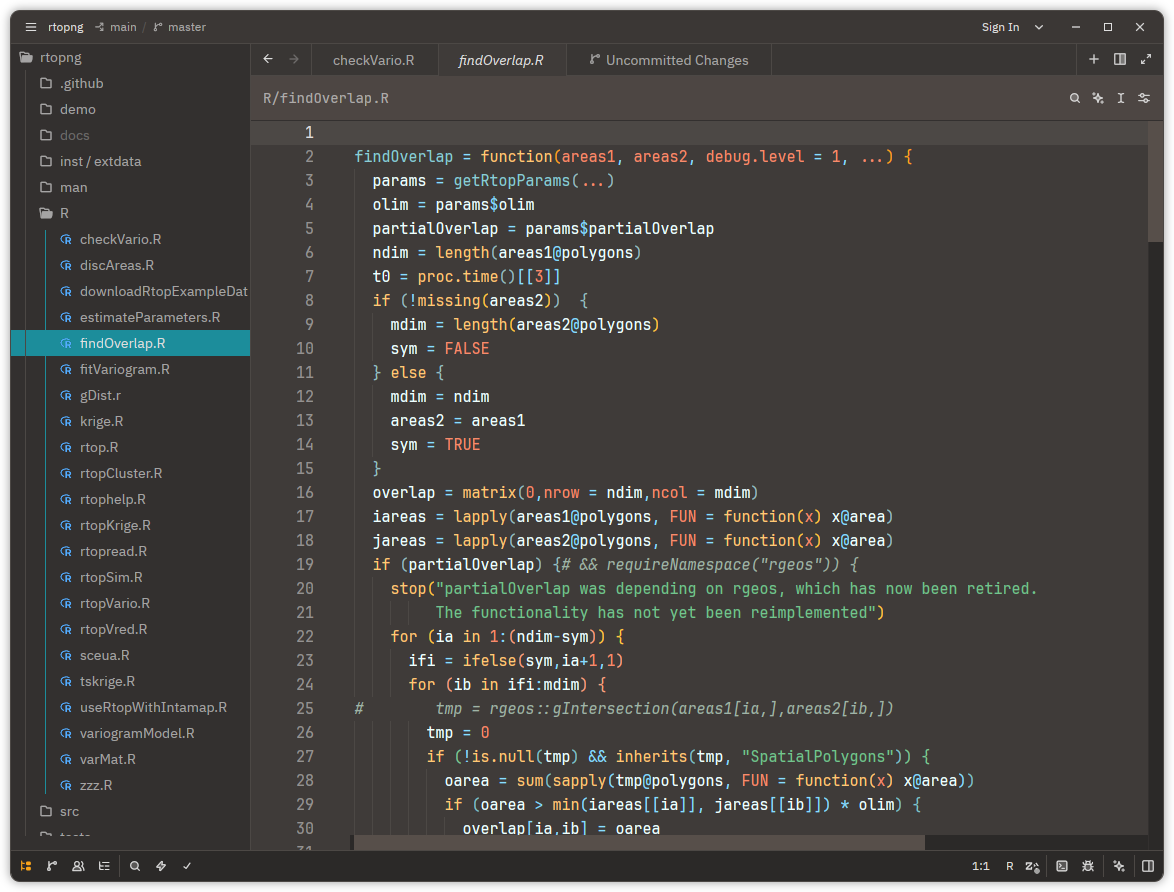
02 Pop Light
TBA
Tips
Pop Theme works much better with Zed's built-in bracket colorisation (so-called "rainbow" brackets). Enable it globally in your settings.json:
{
  "colorize_brackets": true
}
Installation
Zed Extensions (not yet available):
- Open Zed
- Press
Cmd+Shift+P(macOS) /Ctrl+Shift+P(Linux/Windows) - Type "extensions" and select Extensions: Install Extensions
- Search for "Pop Theme"
- Click Install
Manual installation
- Copy
pop-theme.jsonto~/.config/zed/themes/. - In Zed navigate to
Settings→Theme→Pop Dark/Light.
See also
- VS Code Pop Theme — The original VS Code port by @ArtisanByteCrafter
- Pi Pop Theme — The Pi Coding Agent theme
Acknowledgements
- @ArtisanByteCrafter — The original VS Code port of the Pop!_OS theme
- System76 — Creators of Pop!_OS and the original design language
- This project has made use of AI-assisted pair programming using
Kimi-K2.5andPi
License
MIT License. See LICENSE.