oxide for zed
Where function meets form.



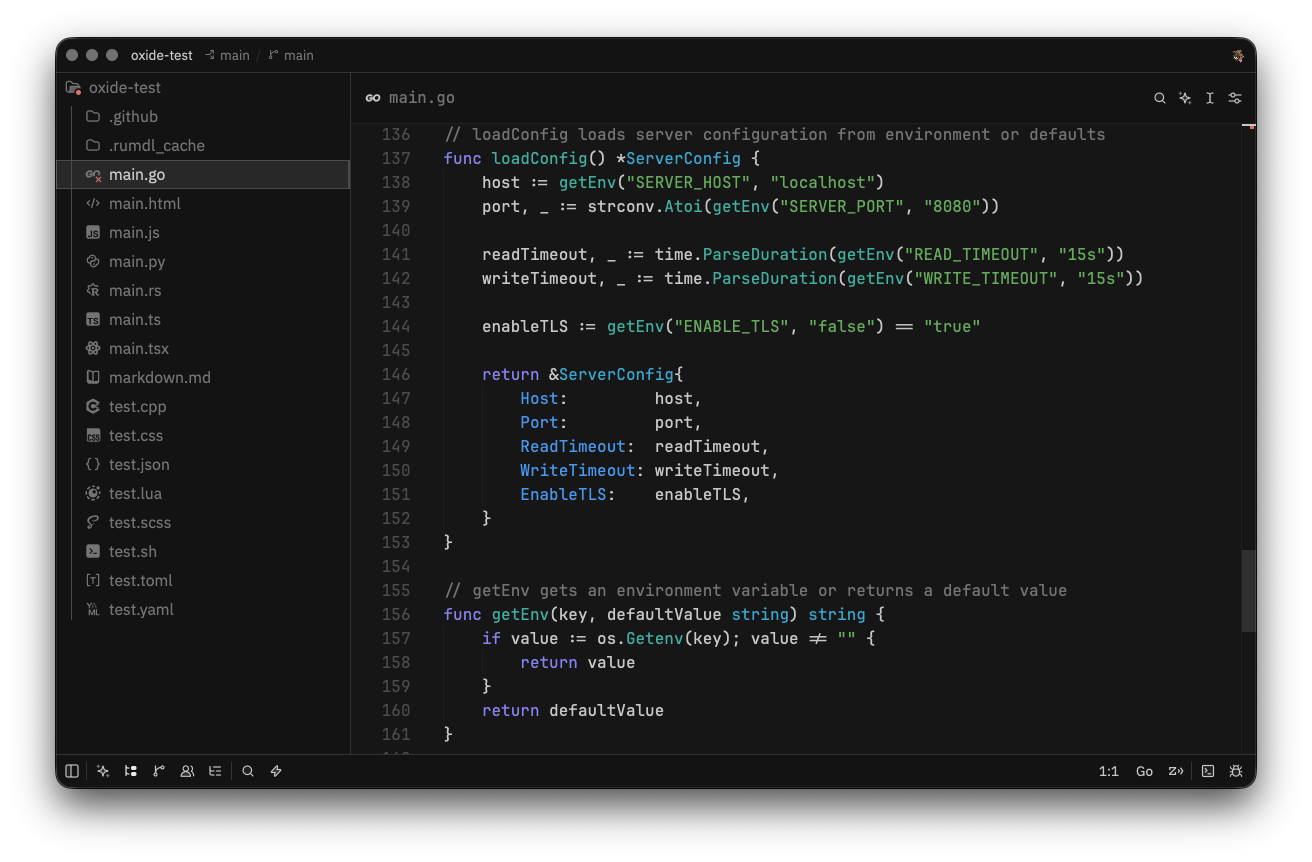
oxide for Zed, a high-performance, multiplayer code editor.
Installation
Via Zed Extensions (Recommended)
Install from the Zed extension store:
- Open Zed's Extensions with
cmd-shift-x(macOS) orctrl-shift-x(Linux/Windows). - Search for
Oxideand click Install. - Run
theme selector: togglefrom the command palette and selectOxide.
Development Install
- Clone this repository.
- Open Zed's command palette with
cmd-shift-p. - Run
zed: install dev extension. - Select this repository directory.
- Select
Oxidefrom the theme picker.
Configuration
Set the theme in Zed settings:
{
  "theme": "Oxide"
}
Contributing
PRs welcome. Make sure colors match the palette in the main repo.
Credits
- Port Creator: @jakmaz
- Current Maintainer: @jakmaz
- Contributors: See contributors list
License
MIT License - see LICENSE for details.
Copyright © 2026-present oxidescheme