




One Dark Pro Enhanced brings the most popular Visual Studio Code theme to the Zed editor, offering a carefully crafted dark theme that enhances code readability and reduces eye strain during long coding sessions.
Features
🎨 Multiple Theme Variants:
- One Dark Pro (Classic)
- One Dark Pro Darker
- One Dark Pro Flat
- One Dark Pro Mix
- One Dark Pro Night Flat
✨ Optimized for Zed:
- Carefully adapted color schemes
- Enhanced syntax highlighting
- Consistent UI elements
- Terminal colors optimization
Preview
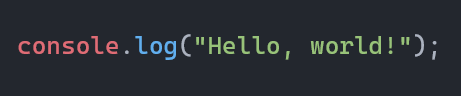
This theme has been developed with a focus on providing a visually appealing and highly functional coding environment. One of the key elements of this theme is its carefully curated color palette, designed to enhance the overall aesthetic and user experience.
Important
The complete collection of previews has been relocated to a dedicated file, which you can find at the following address: PREVIEWS.md. This move was made to improve organization and make the previews easier to access.
Installation
- Open Zed
- Go to Settings (⌘ + ,)
- Navigate to Extensions
- Search for "One Dark Pro Enhanced"
- Click Install
Usage
- Open Zed Settings (⌘ + ,)
- Go to Themes
- Select one of the One Dark Pro variants:
- One Dark Pro
- One Dark Pro Darker
- One Dark Pro Flat
- One Dark Pro Mix
- One Dark Pro Night Flat
Contributing
Contributions are welcome! If you'd like to contribute:
- Fork the repository
- Create your feature branch (
git checkout -b feature/amazing-feature) - Commit your changes using conventional commits (
git commit -m 'feat: add some amazing feature') - Push to the branch (
git push origin feature/amazing-feature) - Open a Pull Request
For more information on contributing, please refer to our Contributing Guidelines.
License
This project is licensed under the Apache License 2.0 - see the LICENSE file for details.
Credits
Made with ❤️ for the Zed community