Nstlgy Dark Theme for Zed
An elegant dark theme with vibrant syntax highlighting inspired by the integrated code playground theme created by Josh W Comeau for his courses and blogs.
Preview
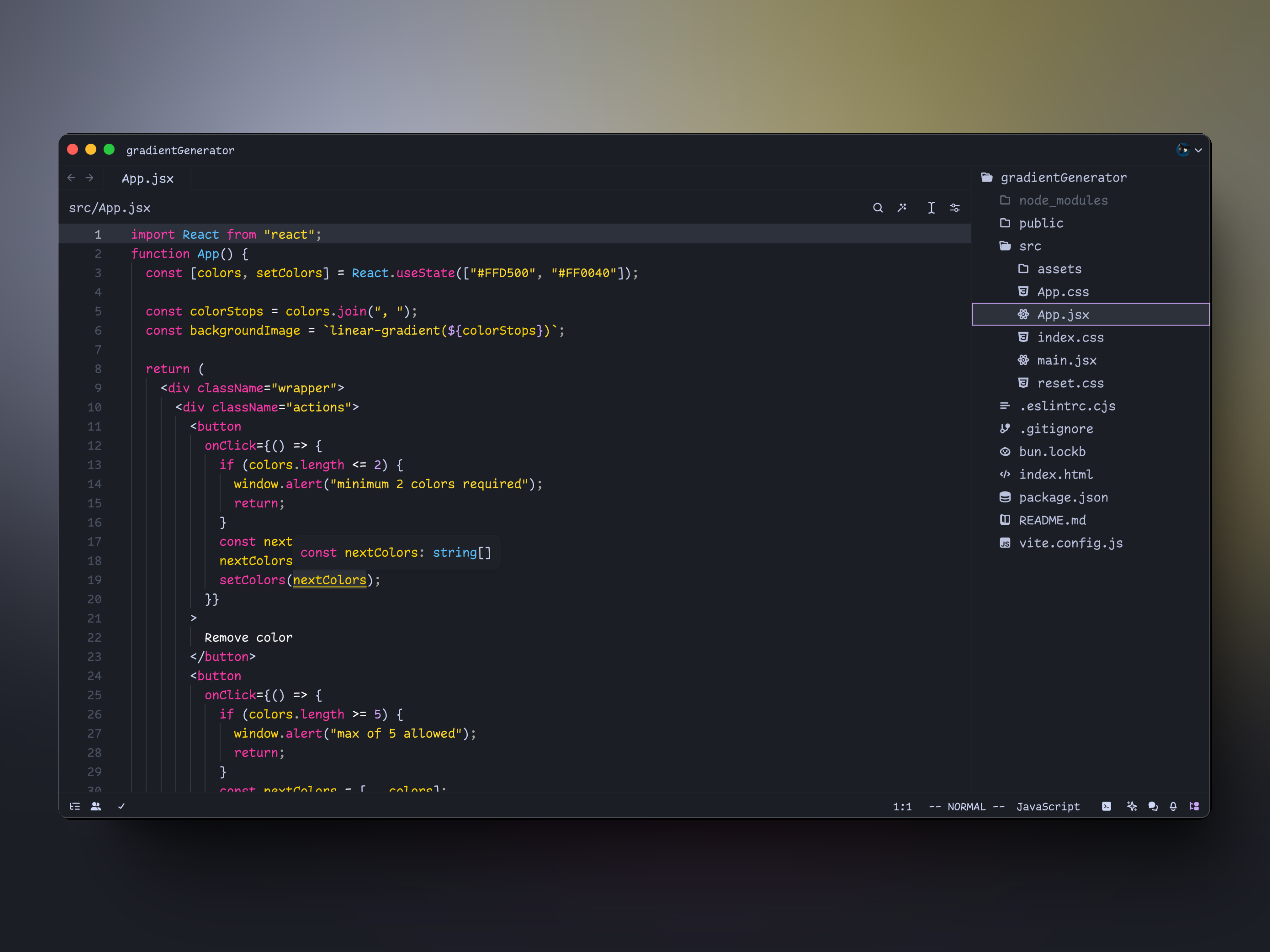
Nstlgy Dark Theme
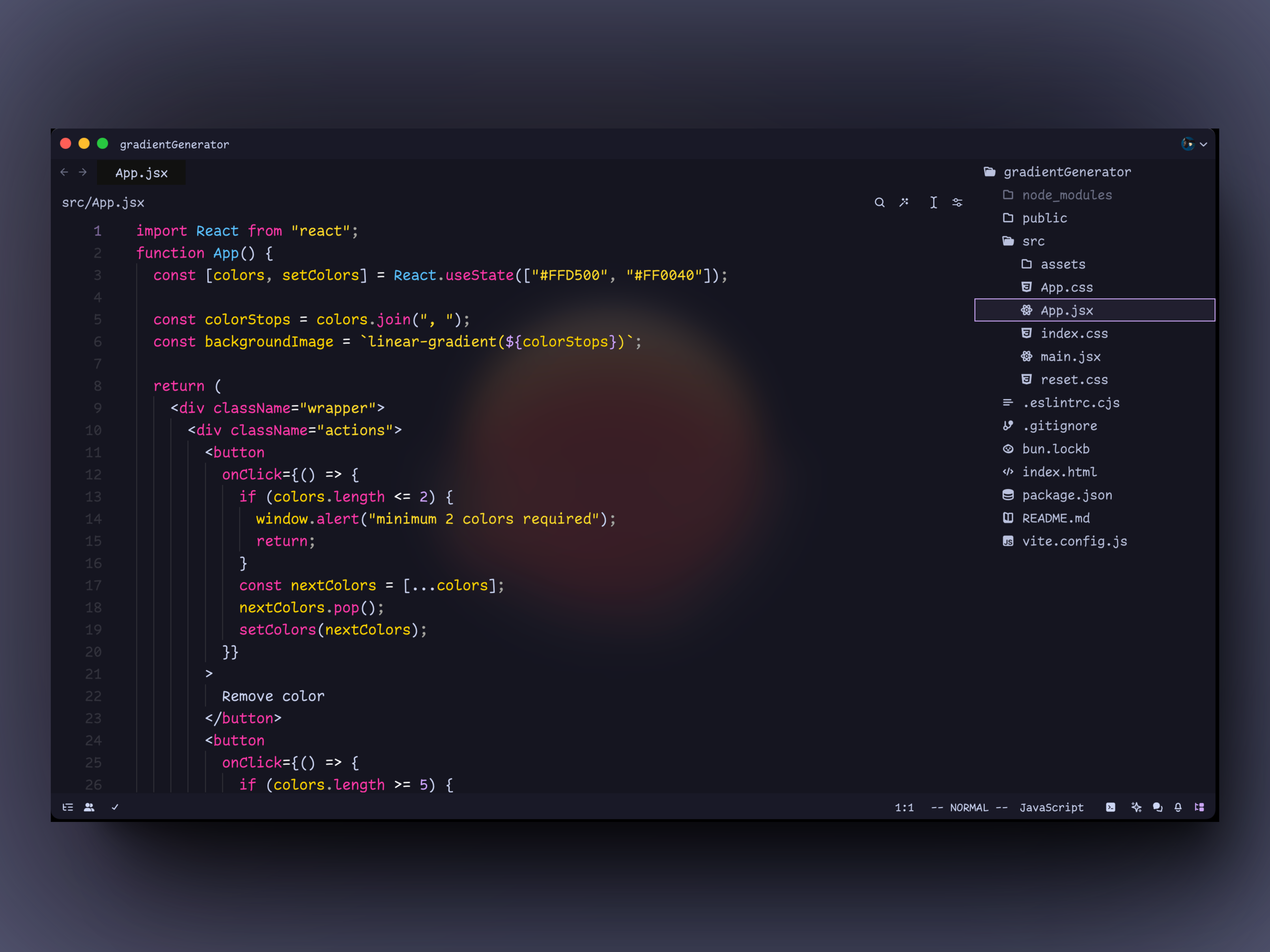
Nstlgy Glass Dark Theme
Installation
Using Zed's Extension Manager
- Open Zed.
- Press
cmd+shift+pand choose zed: extensions. - Search for Nstlgy Dark Theme and install it.
- Select
Nstlgy Dark(orNstlgy Glass Dark) fromSettings→Theme.
Manual Installation
- Copy
nstlgy-dark.jsonto~/.config/zed/themes/. - Open Zed and navigate to
Settings→Theme→Nstlgy Dark.
Issues
This theme is currently under development, and syntax highlighting may not work as expected. If you encounter any issues, please let me know.
License
This project is licensed under the MIT License.