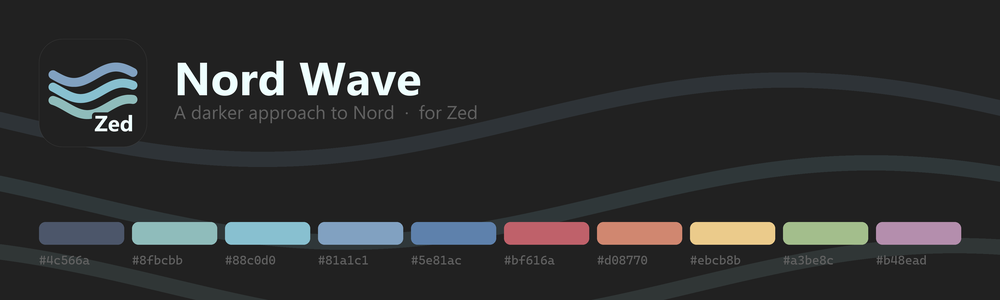
A Zed port of Nord Wave — Dimitrios Lytras' darker take on the Nord theme for VS Code.
Nord Wave drops Nord's blue-tinted Polar Night (#2e3440) for a flat neutral #212121, then keeps
the full Nord accent palette on top. This port reproduces both the UI chrome and the syntax
highlighting on Zed's theme schema.
Install
From source
git clone https://github.com/R1N-K0/zed-nord-waveThen in Zed: zed: extensions → Install Dev Extension → pick the cloned folder.
Select the theme with theme selector: toggle → Nord Wave.
Palette
| Role | Colour | |
|---|---|---|
| Background (editor, sidebar, tabs, status bar, title bar) | #212121 |
|
| Line numbers, indent guides, rulers | #424242 |
|
| Muted text (inactive tabs, status bar, sidebar) | #616161 |
|
| Editor foreground / variables | #d8dee9 |
Nord 4 |
| Punctuation | #eceff4 |
Nord 6 |
| UI foreground (titles, inputs) | #eeffff |
|
| Comments | #4c566a |
Nord 3 |
| Types, classes, attributes | #8fbcbb |
Nord 7 |
| Accent, functions | #88c0d0 |
Nord 8 |
| Keywords, operators, tags | #81a1c1 |
Nord 9 |
| Preprocessor, interpolation | #5e81ac |
Nord 10 |
| Errors, deletions | #bf616a |
Nord 11 |
| Decorators | #d08770 |
Nord 12 |
| Cursor, warnings, escapes | #ebcb8b |
Nord 13 |
| Strings, additions | #a3be8c |
Nord 14 |
| Numbers, bracket match | #b48ead |
Nord 15 |
Building
themes/nord-wave.json is generated — don't edit it by hand. Colours live in the palette and
mapping tables in scripts/build_theme.py; name, author and version live in package.json. Change
either and re-run:
python scripts/build_theme.py # or: npm run buildZed's schema requires name and author on the theme family, so the build injects them from
package.json rather than leaving them to drift in the generated file. The build also warns if
extension.toml has fallen out of sync with package.json.
The artwork in assets/ is generated from the same palette, so it can't drift from the theme.
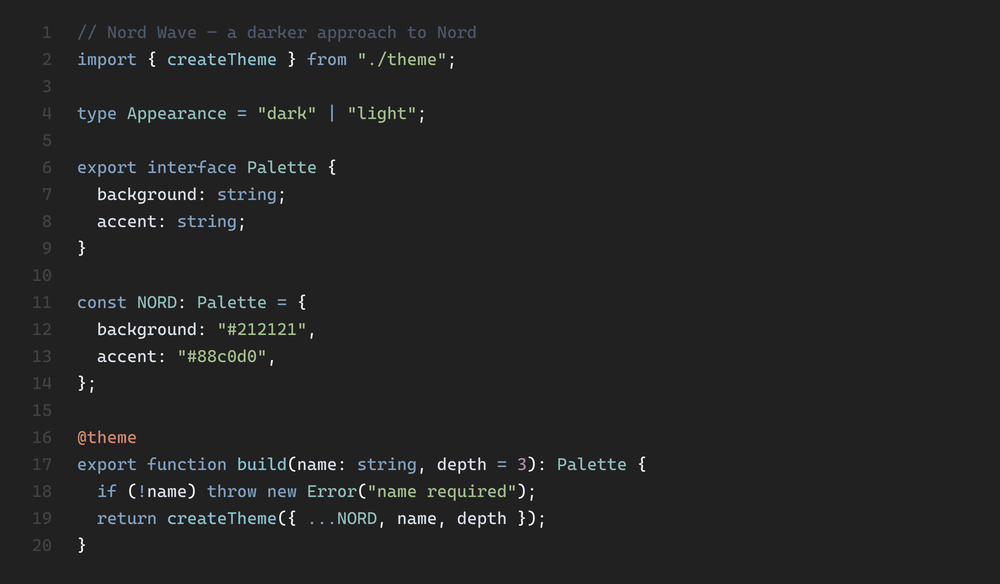
assets/syntax.png is a rendered specimen of the palette, not a screenshot of Zed.
Porting notes
VS Code and Zed do not describe a theme the same way, so a handful of values are adaptations rather than direct copies. They are listed here so nothing is a surprise.
Deliberate deviations
- Warning colour. Upstream sets
editorWarning.foregroundto#a3be8c(green), which reads as a slip — every other warning affordance in the theme (inputValidation.warningBorder,editorGutter.modifiedBackground) is#ebcb8b. This port uses#ebcb8bforwarning. - Active tab. VS Code marks the active tab with a
#88c0d0underline (tab.activeBorder); Zed's schema has no equivalent. Both tab backgrounds stay#212121as upstream, and the active tab is distinguished by foreground contrast (#eeffffvs#616161), which is what upstream does too. - Scrollbar hover. Upstream's
scrollbarSlider.hoverBackgroundis less opaque than its resting state, with the accent reserved foractiveBackground. Zed has no active state, so hover maps to the accent (#88c0d0) instead. - Focus border. Upstream disables it outright (
focusBorder: #ffffff00). Zed leans on focus borders for pane and panel navigation, so this port uses#88c0d0— the same colour upstream uses fornotebook.focusedCellBorder.
Scopes Zed distinguishes and VS Code did not
Zed's tree-sitter captures are finer-grained than the TextMate scopes upstream targets. Where a capture has no counterpart in the source theme it follows canonical Nord:
constant→#8fbcbb(upstream leaves bare constants at the default foreground)string.special.symbol,symbol→#8fbcbbhint(inlay hints) →#5e81acterminal.ansi.dim_*→ each ANSI colour blended 55% toward the background
Language-specific rules that could not be preserved
Upstream styles some scopes differently per language. Zed applies one syntax map across all languages, so these were resolved once:
- Object-literal keys are
#d8dee9(upstream's TypeScript rule). Upstream's JavaScript rule paints them#88c0d0. - Semicolons are
#eceff4along with the rest of punctuation. Upstream singles outpunctuation.terminatoras#81a1c1.
Licence and credits
The mapping, build script and documentation in this repository are MIT licensed. The upstream theme is MIT licensed too, so the whole chain — Nord, Nord Wave, this port — is MIT.
- Original VS Code theme: dimitrisnl/nord-wave by Dimitrios Lytras, MIT licensed. Thanks to Dimitrios for the theme, for blessing this port and for adding the licence. This is an unaffiliated community port.
- Nord by Arctic Ice Studio and Sven Greb, MIT licensed. The accent colours are the Nord palette.
See LICENSE for the full text.