Nightcall ✨
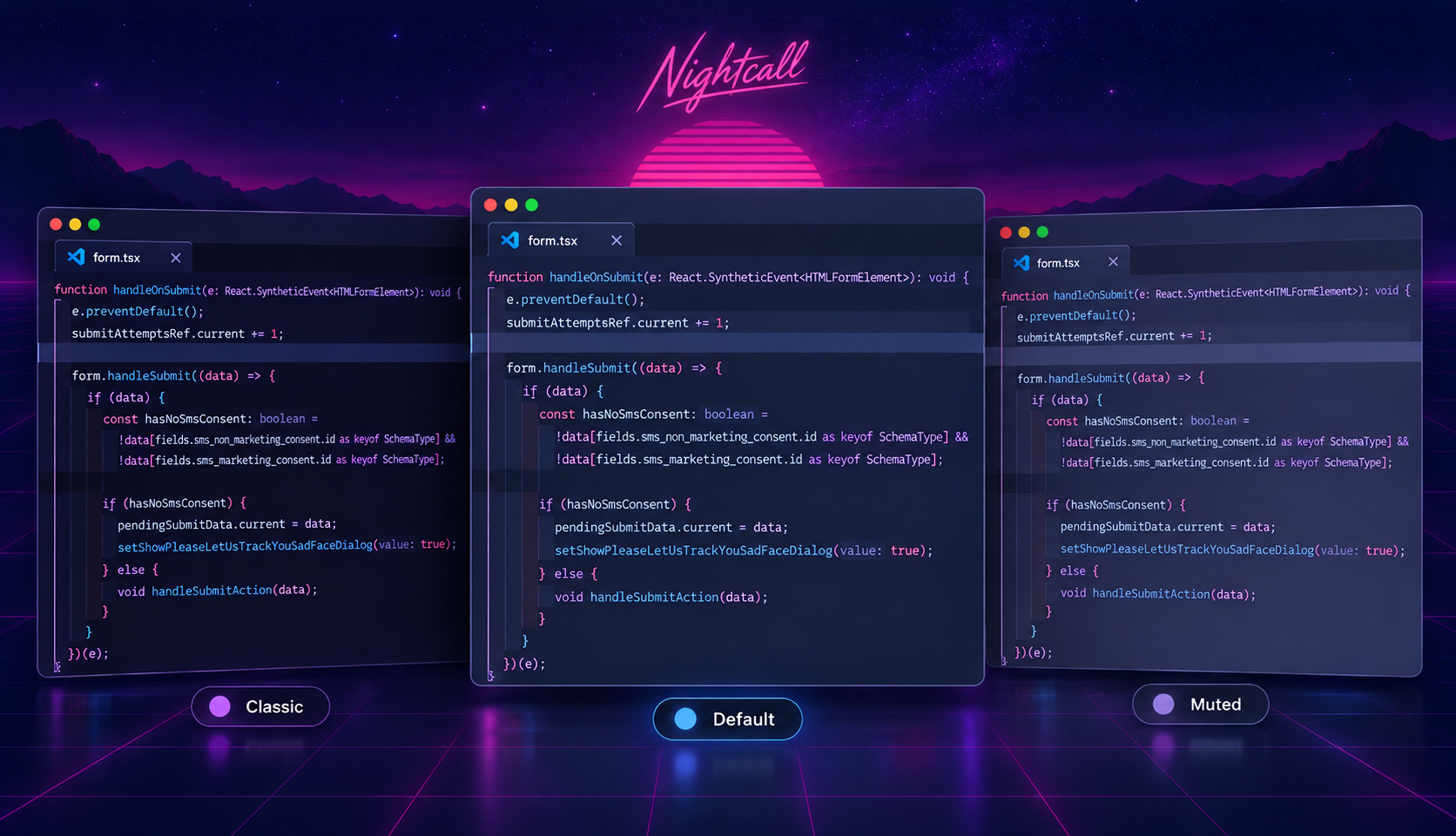
A mellow yet colorful Visual Studio Code theme built around vibrant shades of pink, purple, and blue.
Designed for productive coding sessions spent reviewing 1,000 lines of AI-generated abstractions to fix the one-line problem I started with building exciting and personally fulfilling things, completely unbothered by the state of the industry or your future employment prospects.
Installation
- Open the Extensions view in VS Code (
⇧⌘Xon macOS). - Search for Nightcall.
- Select the extension and click Install.
- Open the Command Palette (
⇧⌘P) and run Preferences: Color Theme. - Select Nightcall.
Theme Variants
Choose between the balanced default theme, the lighter and softer Muted theme, and the darker Classic theme, with optional typography and layout variations.
Nightcall (Default)
The balanced default color palette.
- Standard – With selective italics.
- No Italics – Without italics, if you must.
- Borderless – With layout borders hidden.
Nightcall Muted
The lighter, muted color palette.
- Standard – With selective italics.
- No Italics – Without italics.
- Borderless – With layout borders hidden.
Nightcall Classic
The darker, mostly original Nightcall color palette.
- Standard – With selective italics.
- No Italics – Without italics, you monster.
The italic variants use italics selectively for comments, control flow, imports and exports, declarations, and contextual keywords such as this, self, and super.
Focused and actively selected list rows use bright lavender backgrounds with dark text and match highlights. Floating suggestions and hover widgets retain light text on dark backgrounds.
Recommended Settings
I personally use Dank Mono. I've tried other fonts, but I always come back to this one.
After installing it, add the following to your VS Code settings:
{
  "editor.fontFamily": "'Dank Mono', Menlo, Monaco, 'Courier New', monospace",
  "editor.fontLigatures": true
}
Optional: Indent Rainbow
These colors pair well with the Indent Rainbow extension:
{
  "indentRainbow.colors": [
    "rgba(126, 144, 255, 0.05)",
    "rgba(187, 154, 247, 0.05)",
    "rgba(250, 166, 216, 0.05)",
    "rgba(255, 126, 199, 0.05)",
    "rgba(218, 188, 254, 0.05)"
  ]
}
iTerm2 Color Presets
Color presets for each theme variant are also available:
In iTerm2, open Settings, select a profile, open Colors, then choose Color Presets... and Import....
Zed Themes
Nightcall is available as a theme for Zed.
- Open the Command Palette and run zed: extensions.
- Search for Nightcall and install the theme extension.
- Open the Command Palette and run theme selector: toggle.
- Choose Nightcall, Nightcall Muted, or Nightcall Classic.
Feedback
This is mostly a fun creative outlet for me, and I’m trying not to take it too seriously. VS Code also has an absurd number of languages, syntax rules, UI states, and obscure little corners I may never encounter, so despite my best efforts, I may have missed some things.
If you see anything that looks unintentional, or insufficiently Nightcall-y, please open an issue. Including the language or file type and, when possible, a screenshot.
Also, it is not lost on me that, here in the year of our Lord 2026, most people are either rotating between the same two or three Very Popular Themes™ or have moved on to the latest Very Popular Non-VS Code Editor™. If you’re still here, reading this and installing Nightcall, just know that I love you. 🫶