Mountain for Zed
A port of the Mountain theme for the Zed editor, built on the Fuji color palette.
Preview
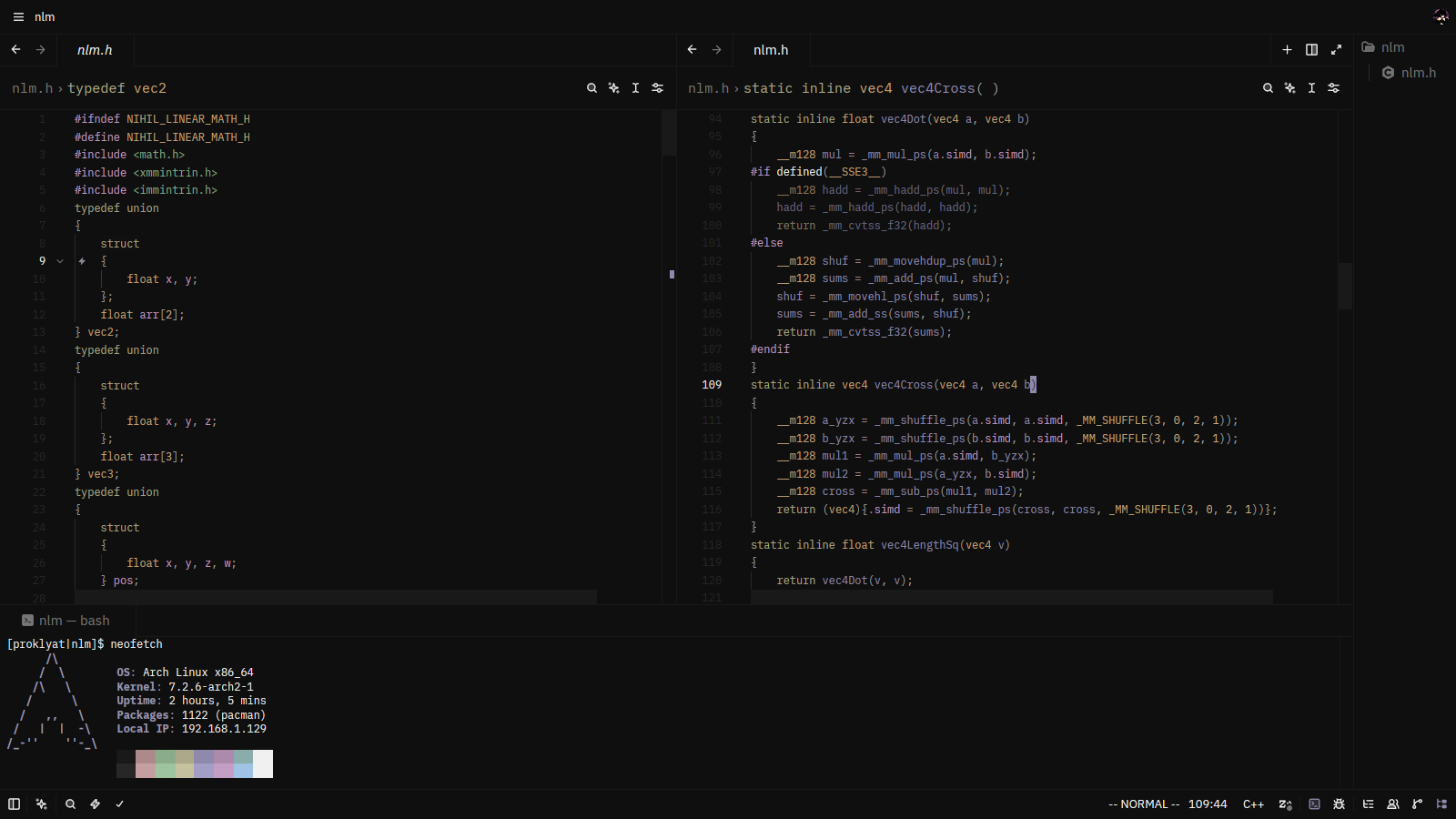
Installation
From the Zed Extension Marketplace
- Open Zed.
- Open the command palette (
Cmd+Shift+Pon macOS,Ctrl+Shift+Pon Linux/Windows). - Run
zed: extensions. - Search for Mountain and click Install.
- Open the theme selector (
theme selector: togglefrom the command palette) and choose Mountain.
Manually
- Clone this repository:
git clone https://github.com/xproklyatx/mountain-theme.git
- Copy the theme file(s) into your Zed themes directory.
macOS / Linux:
cp themes/*.json ~/.config/zed/themes/
Windows:
copy themes*.json $env:APPDATA\zed\themes\
- Restart Zed and select Mountain from the theme selector.
About
Mountain is a theme inspired by the muted, atmospheric tones of Mount Fuji. This port brings that same palette to Zed, aiming for a comfortable, low-contrast editing experience that stays readable during long sessions.
Related
- Original theme: mountain-theme/Mountain
- Zed editor: zed.dev
Contributing
Issues and pull requests are welcome. If you spot an inconsistency with the original theme or a color that doesn't look right in a particular language, feel free to open an issue.
License
This project is licensed under the MIT License. It is a port of the original Mountain theme, and the original copyright notice is preserved in the LICENSE file.