Lull
Calm, neutral themes for Zed, inspired by the macOS look. Flat gray backgrounds, no colored chrome, and four clear syntax colors on gray instead of a rainbow.
Variants
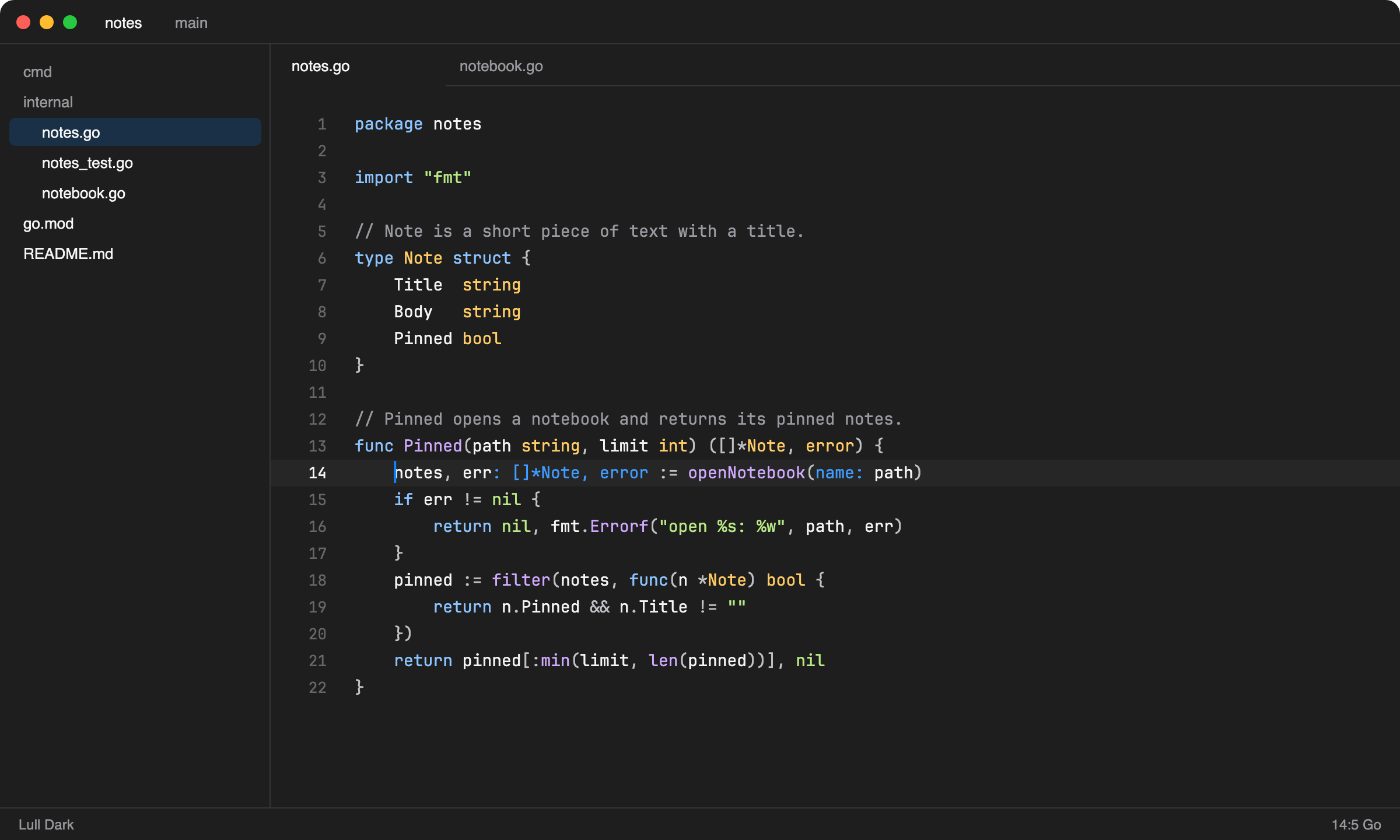
Lull Dark
Background #1e1e1e, the same as the default macOS Terminal.
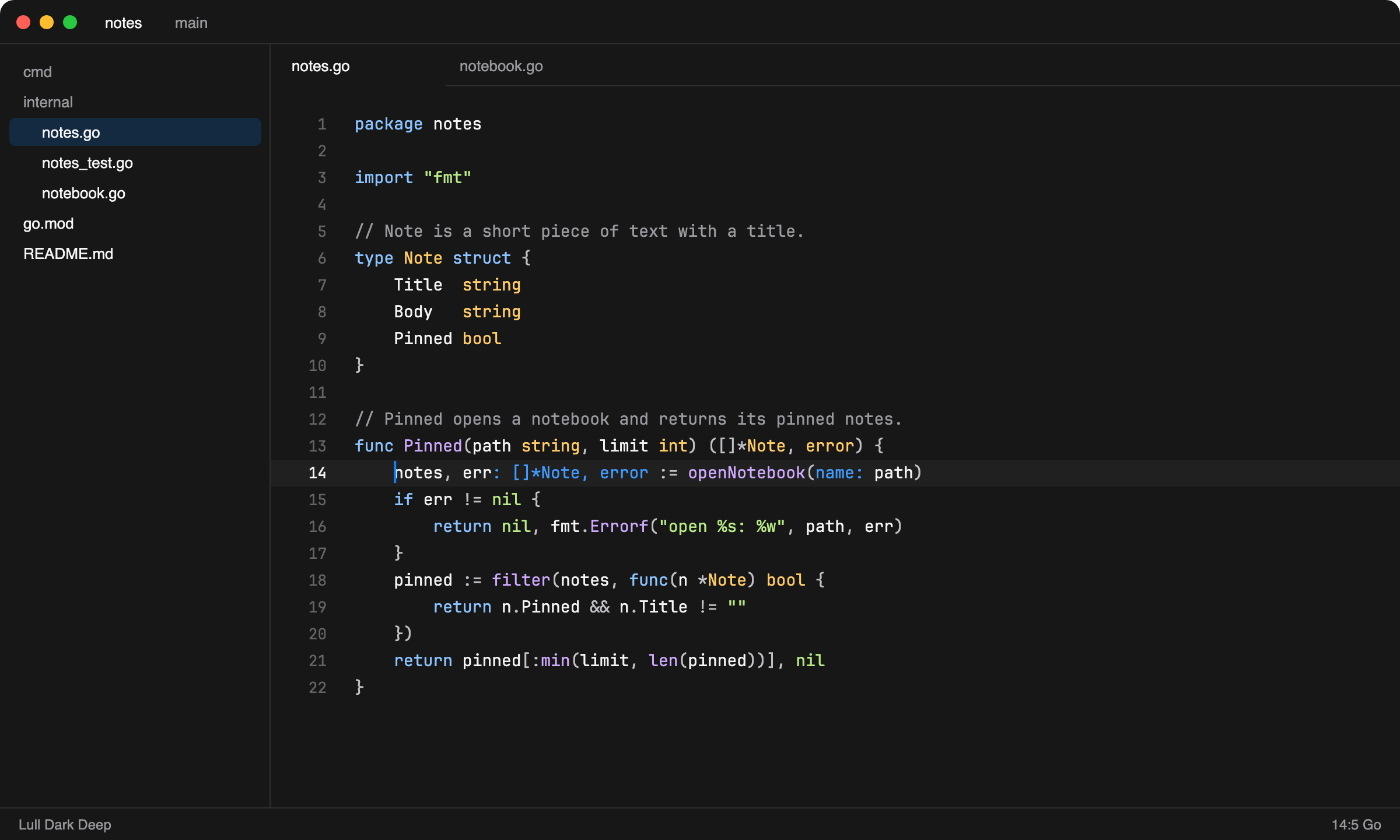
Lull Dark Deep
Background #171717, a little darker.
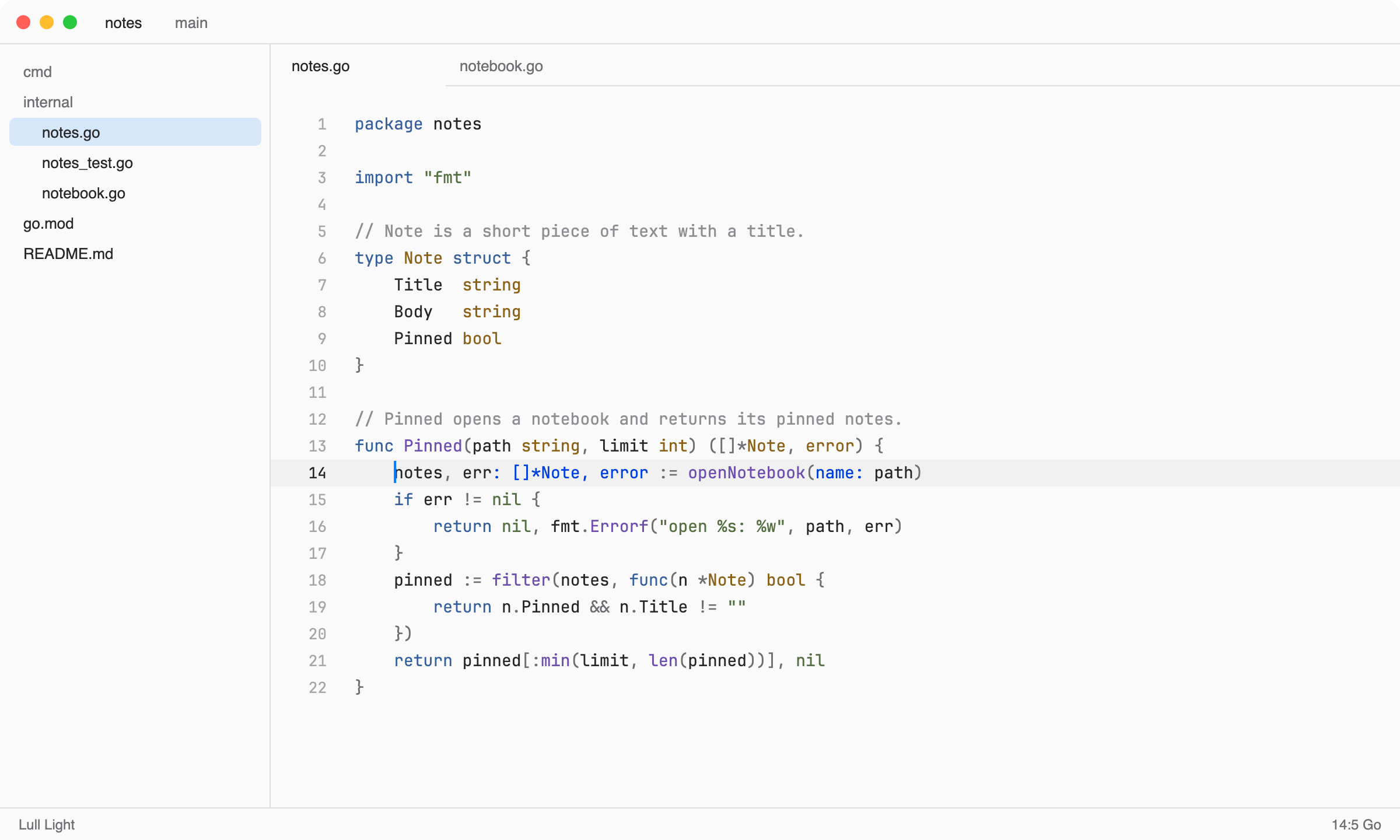
Lull Light
Background #fafafa.
Palette
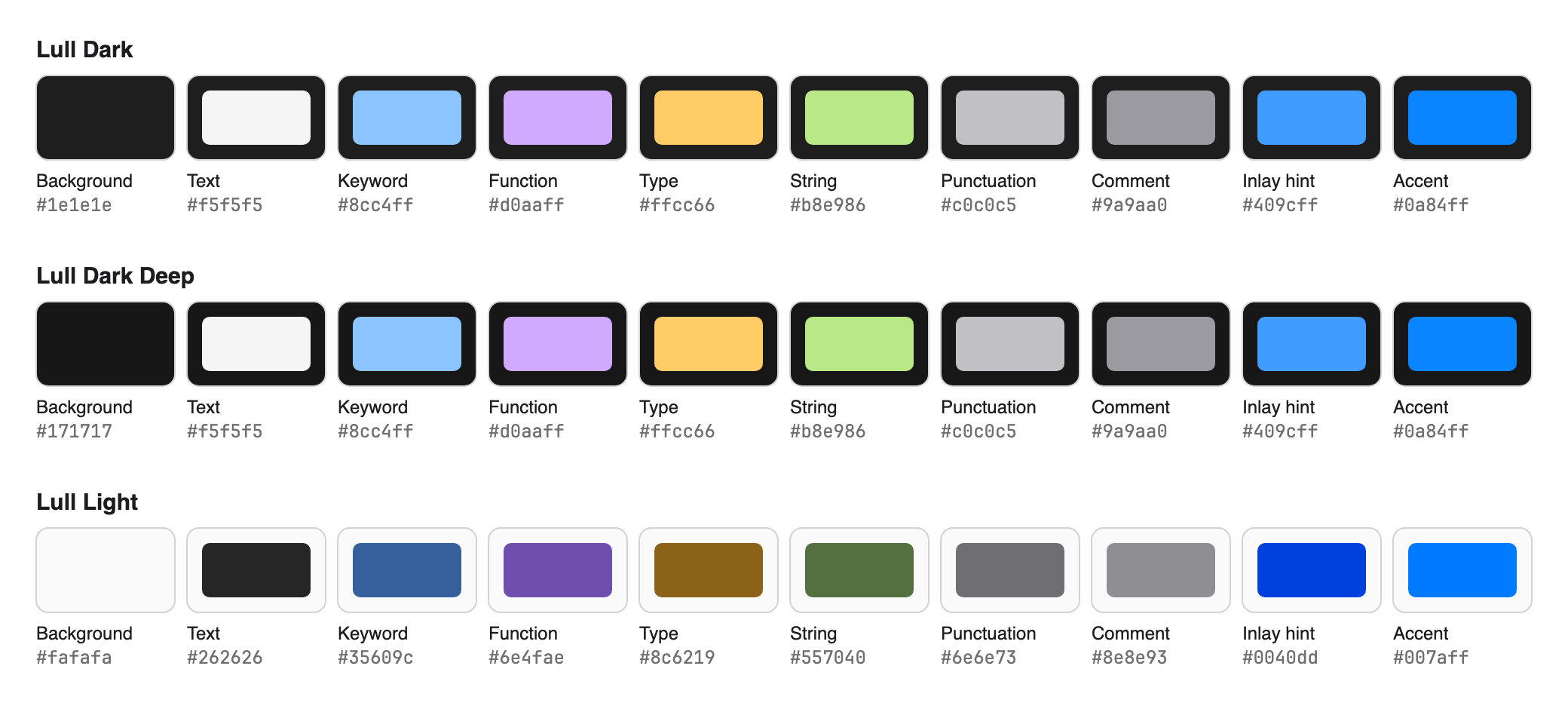
| Token | Dark | Light |
|---|---|---|
| Keywords | #8cc4ff blue |
#35609c |
| Functions | #d0aaff purple |
#6e4fae |
| Types, classes | #ffcc66 gold |
#8c6219 |
| Strings, numbers | #b8e986 green |
#557040 |
| Variables | #f5f5f5 |
#262626 |
| Punctuation | #c0c0c5 |
#6e6e73 |
| Comments | #9a9aa0 |
#8e8e93 |
| Inlay hints | #409cff |
#0040dd |
Install
Open the extensions page in Zed (cmd-shift-x), search for Lull, and
install it. Then pick a variant with theme selector: toggle (cmd-k cmd-t).
Development
The theme file is generated. Edit the palettes in build.py, then run:
python3 build.pyThis writes themes/lull.json. If Lull isn't installed as a dev extension and
~/.config/zed/themes exists, it also installs a copy there so Zed reloads it.
To refresh the README images after changing colors, run:
python3 preview.pyThis draws an editor mockup for each variant and the palette from
themes/lull.json, and renders them to PNG with headless Google Chrome.
License
MIT