KvS Cyberpunk 2077 Theme for Zed
A vibrant, neon-soaked theme for Zed inspired by the aesthetics of Cyberpunk 2077 and the original VS Code 2077 theme.
Preview
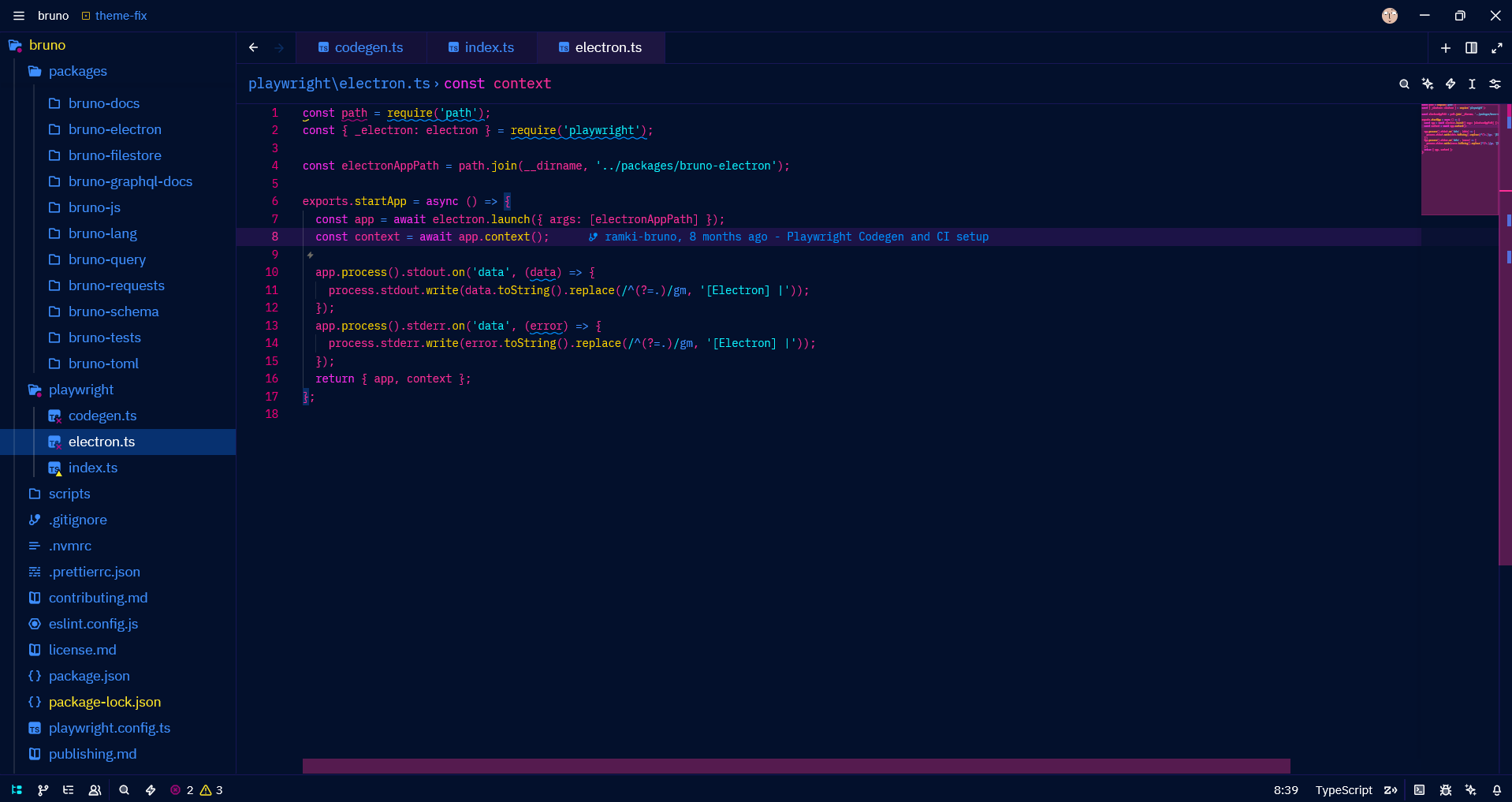
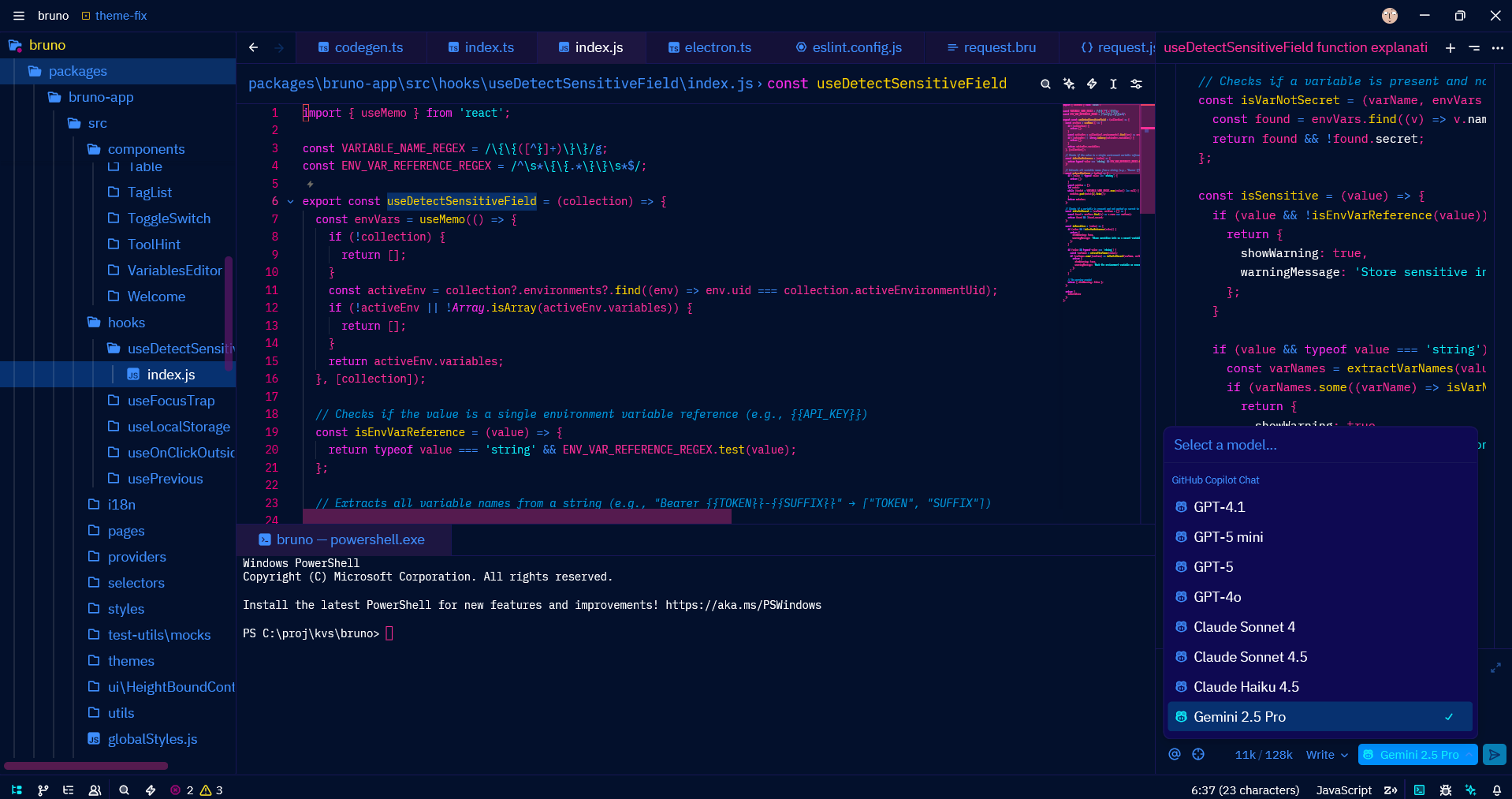
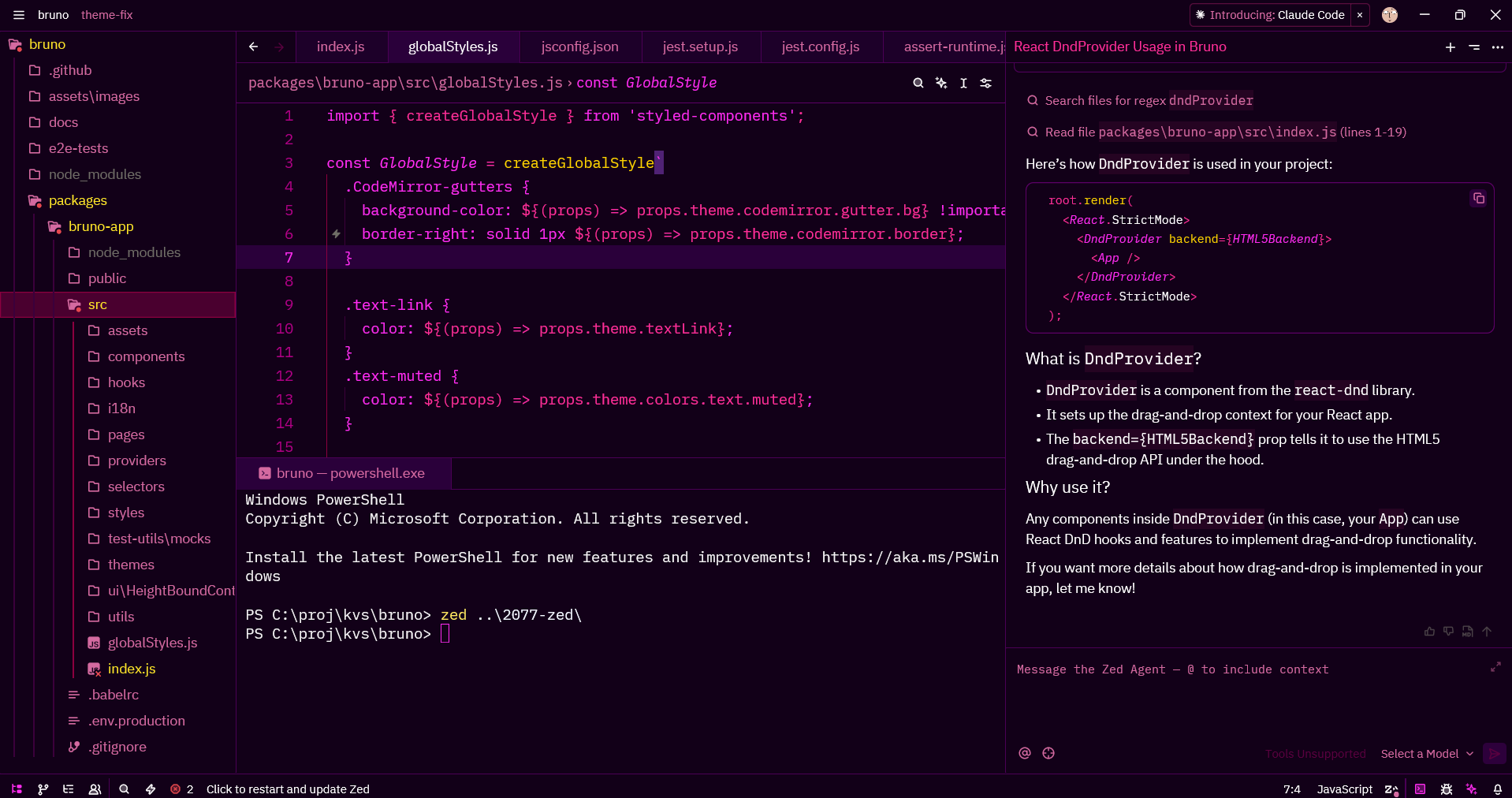
Color Highlights
- Deep blues and purples for backgrounds (
#03102c,#0e0952) - Hot pink and magenta for syntax highlighting (
#ff2e97,#ee0077) - Cyan accents for strings and links (
#0ef3ff) - Golden yellow for functions and numbers (
#ffd400) - Neon scrollbars with pink highlights
Installation
From Zed Extensions
- Open Zed
- Press
Cmd+Shift+P(Mac) orCtrl+Shift+P(Windows/Linux) - Type "Extensions: Install Extensions"
- Search for "KvS Cyberpunk 2077"
- Click Install
Manual Installation
Clone this repository:
git clone https://github.com/notKvS/2077-zed.gitCopy the extension to your Zed extensions directory:
- macOS/Linux:
~/.config/zed/extensions/ - Windows:
%APPDATA%\Zed\extensions\
- macOS/Linux:
Restart Zed
Usage
- Open Zed settings:
Cmd+,(Mac) orCtrl+,(Windows/Linux) - Search for "theme"
- Select KvS Cyberpunk 2077 from the dropdown
Or use the command palette:
- Press
Cmd+KthenCmd+T(Mac) orCtrl+KthenCtrl+T(Windows/Linux) - Select KvS Cyberpunk 2077
Color Palette
| Element | Color | Hex |
|---|---|---|
| Background | Deep Blue | #03102c |
| Surface | Purple | #0e0952 |
| Primary Text | White | #ffffff |
| Editor Foreground | Hot Pink | #ff2e97 |
| Accent | Cyan | #0ef3ff |
| Functions | Yellow | #ffd400 |
| Keywords | Magenta | #ff2cf1 |
| Strings | Cyan | #0ef3ff |
| Comments | Blue | #0098df |
Features
- Full syntax highlighting for popular languages
- Carefully crafted terminal colors (ANSI 16-color palette)
- High contrast for better readability
- Themed UI elements (scrollbars, borders, tabs)
- Optimized for long coding sessions
Development
To modify or contribute to this theme:
- Fork this repository
- Edit
themes/KvS-2077.jsonto customize colors - Update the version in
extension.toml - Test locally by copying to your Zed extensions directory
- Submit a pull request
Credits
- Author: notKvS
- Inspired by: VS Code 2077 theme
- Game: Cyberpunk 2077 by CD Projekt Red
License
This project is licensed under the GNU General Public License v3.0 - see the LICENSE file for details.
Changelog
0.0.2
- Added missing terminal ANSI black color definitions
- Updated extension ID for better compatibility
0.0.1
- Initial release
- Complete Cyberpunk 2077 color scheme
- Support for all major syntax elements