🌊 Kansō Zed Theme 🌊
Kansō is an elegant evolution of the original Kanagawa theme.
A dark theme that invites focus, not attention.


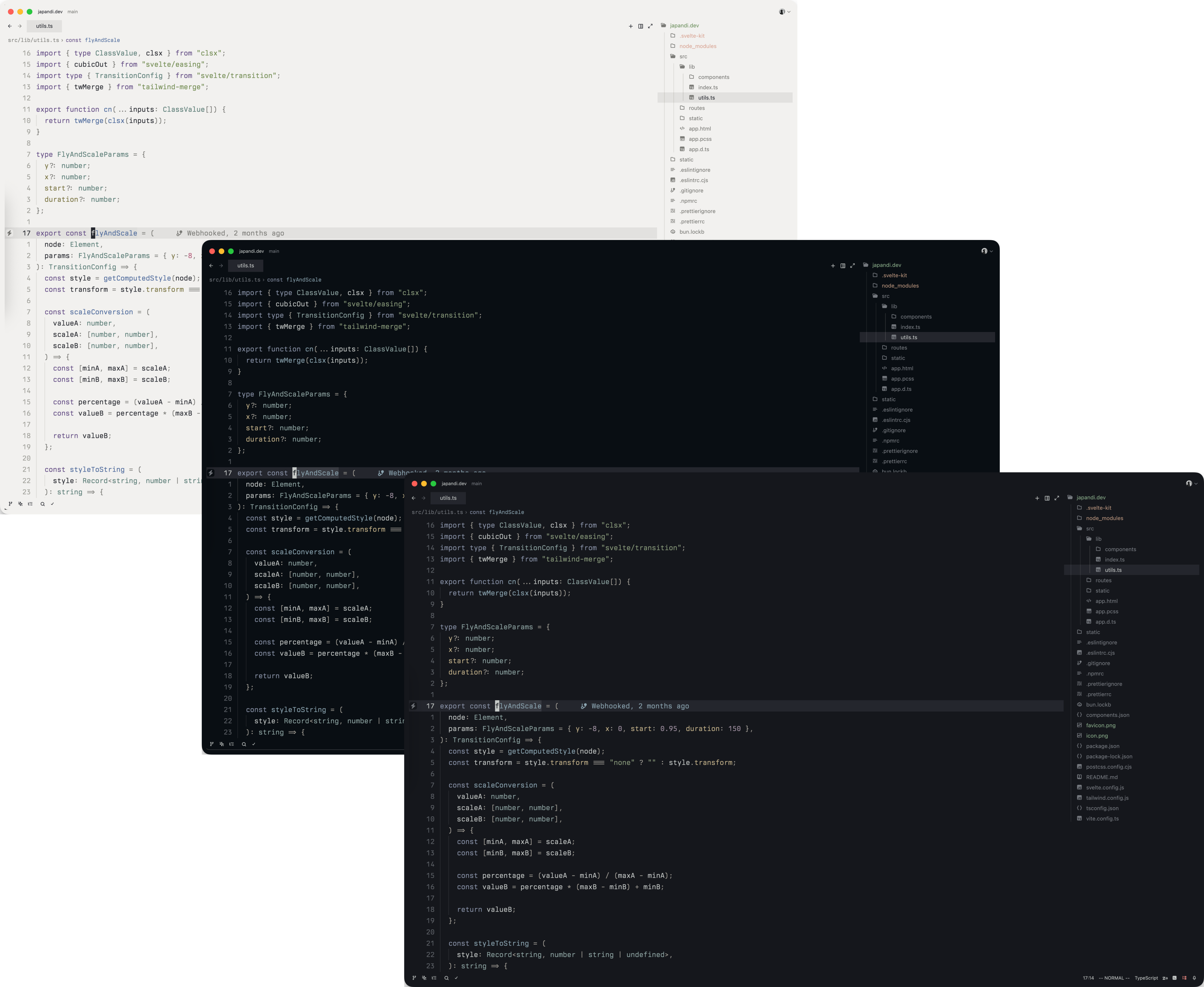
✨ Features
- 🎨 Three beautiful theme variants to match your mood and environment
- 👁️ WCAG 2.1 AA compliant for comfortable code readability
- 🧠 Thoughtful color selections for improved syntax highlighting
- 🔍 Balanced visual hierarchy to reduce visual noise
- 🌙 Comfortable contrast levels for reduced eye strain
📦 Installation
- Open Zed
- Open the command palette (Cmd+Shift+P or Ctrl+Shift+P)
- Type "zed: extensions"
- Search for "Kanso Theme"
- Click "Install"
🎨 Themes
Kansō comes in three beautiful variants:
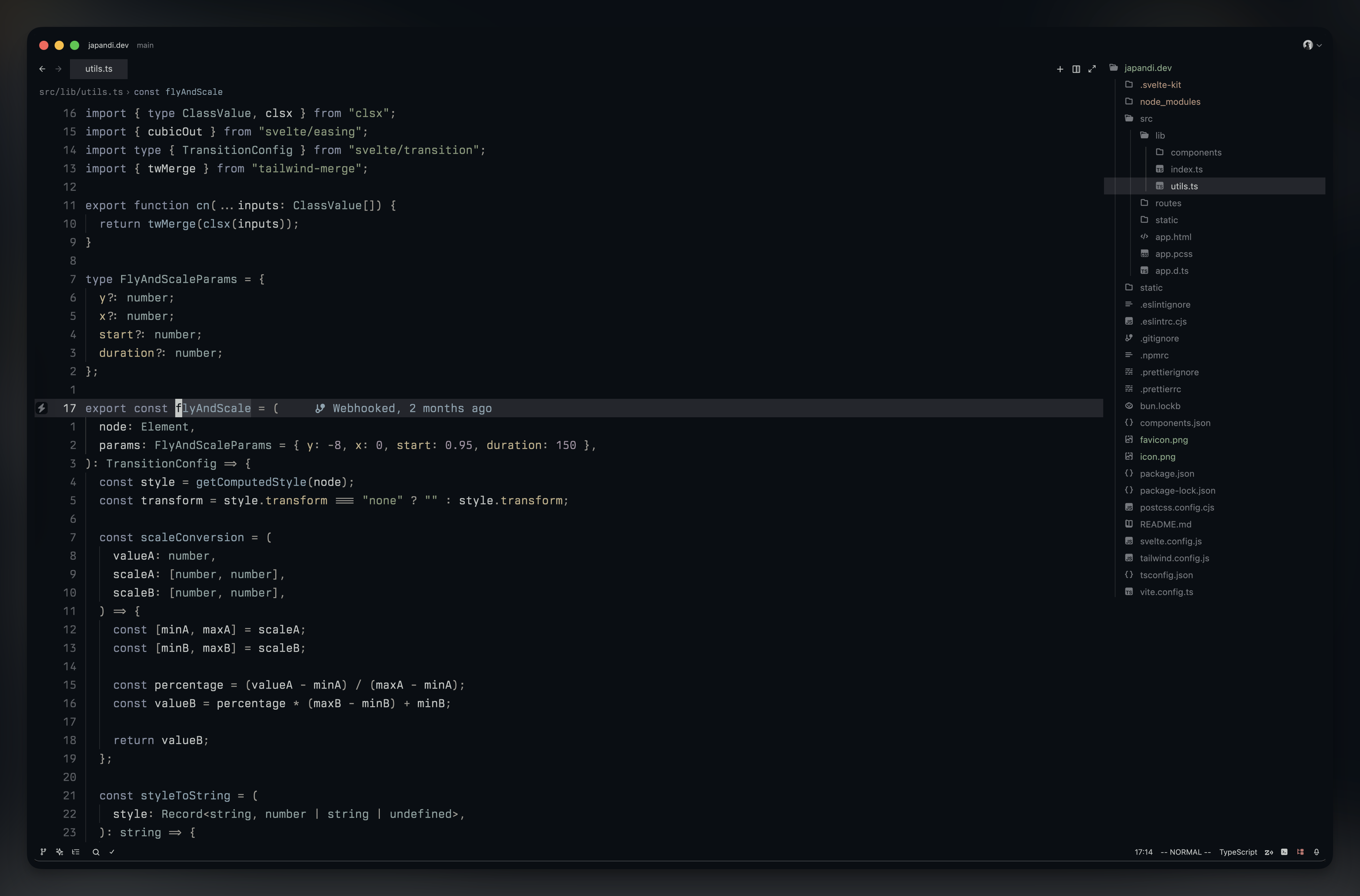
✧ Zen ✧
Deep & rich dark theme for focused coding.
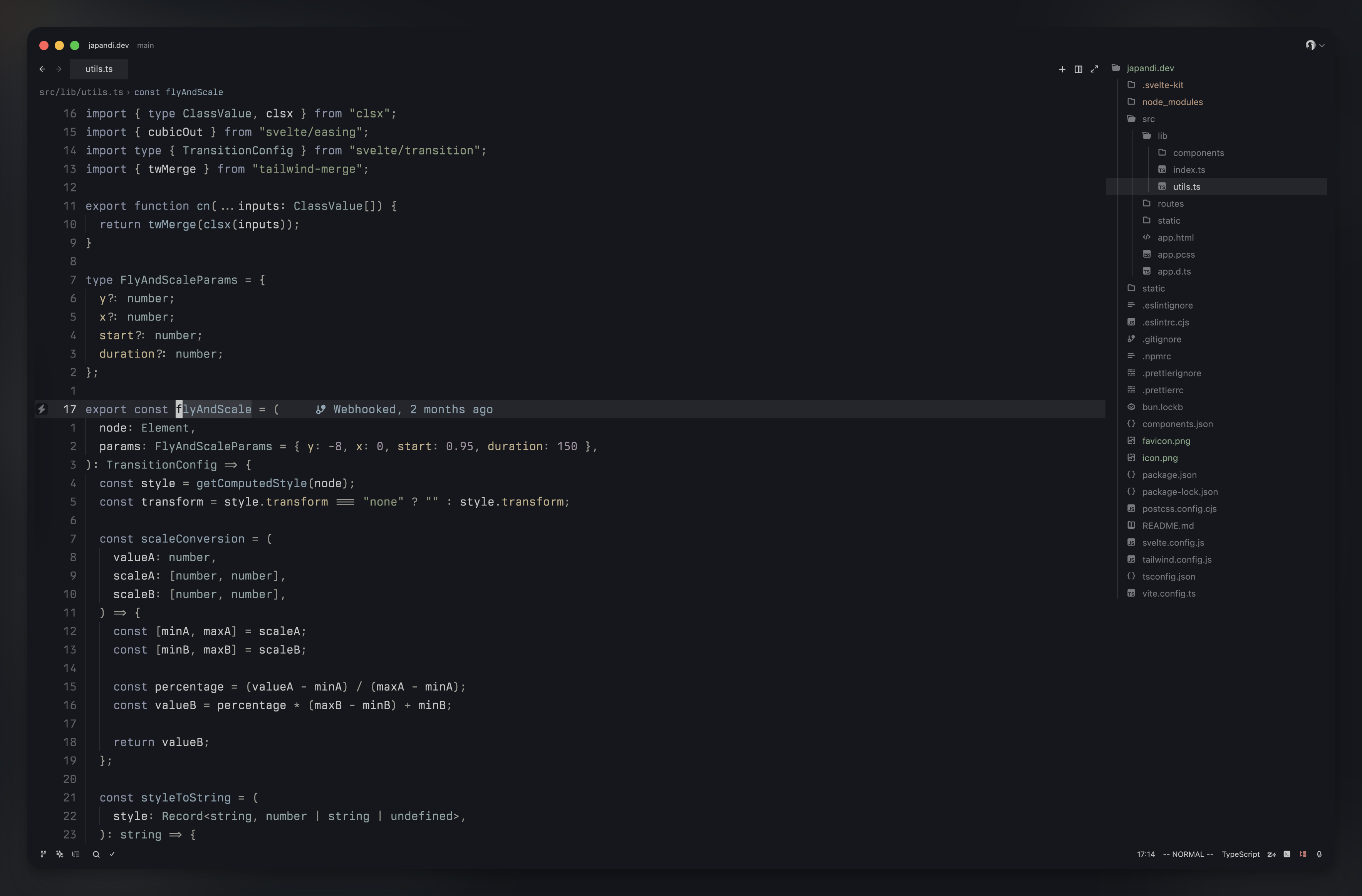
✧ Ink ✧
Balanced theme with elegant contrast.
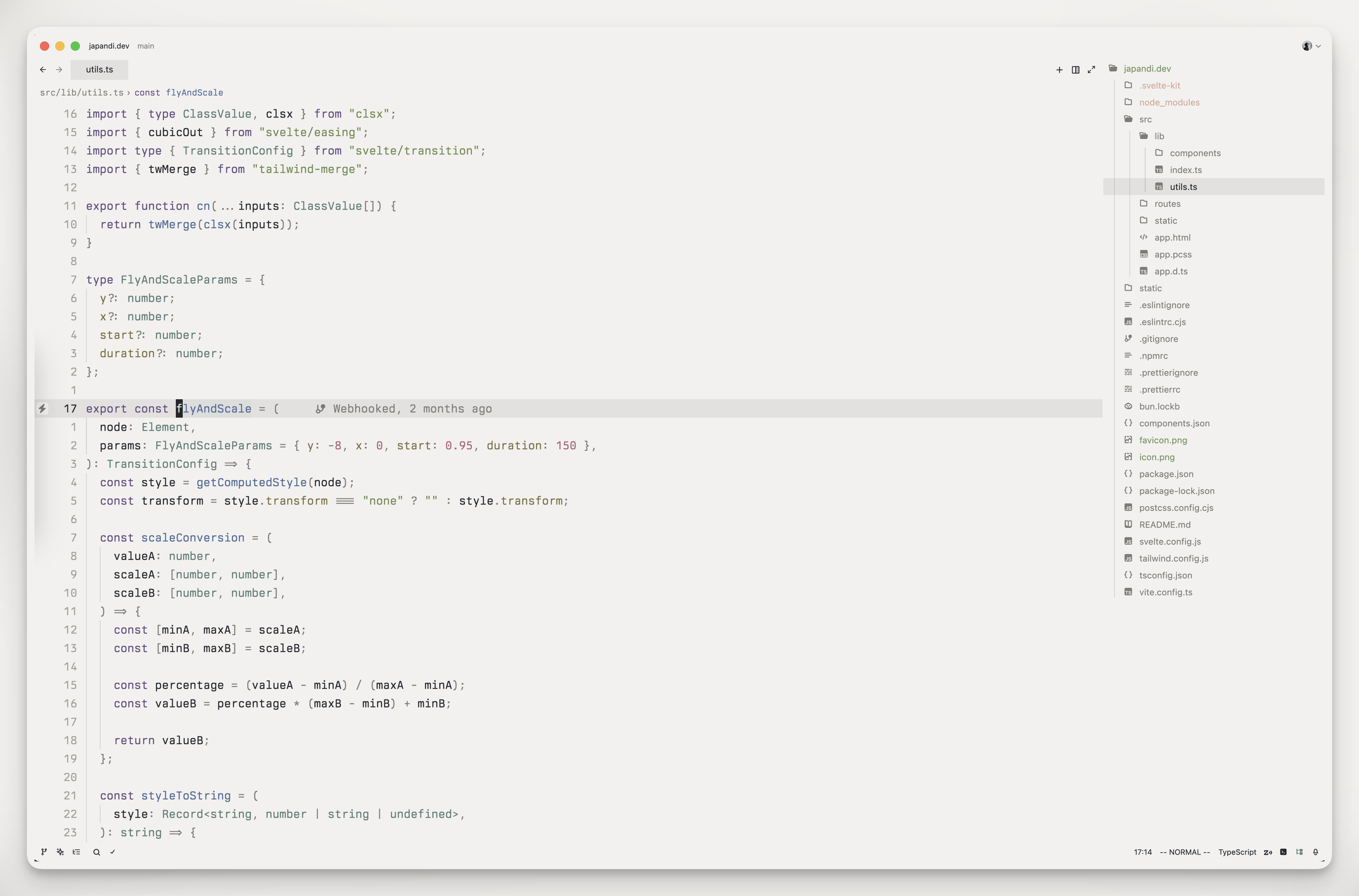
✧ Pearl ✧
Light theme for daytime productivity.
🔤 Font recommendations
For the best experience, a high-quality font is recommended:
- Berkeley Mono (Paid)
- Iosevka (Free)
- Monaspace (Free)
🧩 Extras
Check out these matching themes for other applications:
💎 Credits
The theme is inspired by the Kanagawa theme.
- rebelot for the original Kanagawa Neovim theme
- metapho-re for the VS Code theme template
📄 License
This project is licensed under the MIT License - see the LICENSE file for details.