JetBrains Themes for Zed Editor
A color theme extension for the Zed editor based on JetBrains IDE color schemes. This theme brings the familiar and comfortable look of JetBrains IDEs (IntelliJ IDEA, PyCharm, WebStorm, RustRover, etc.) to your Zed editor experience.
Theme Previews
JetBrains Islands Dark
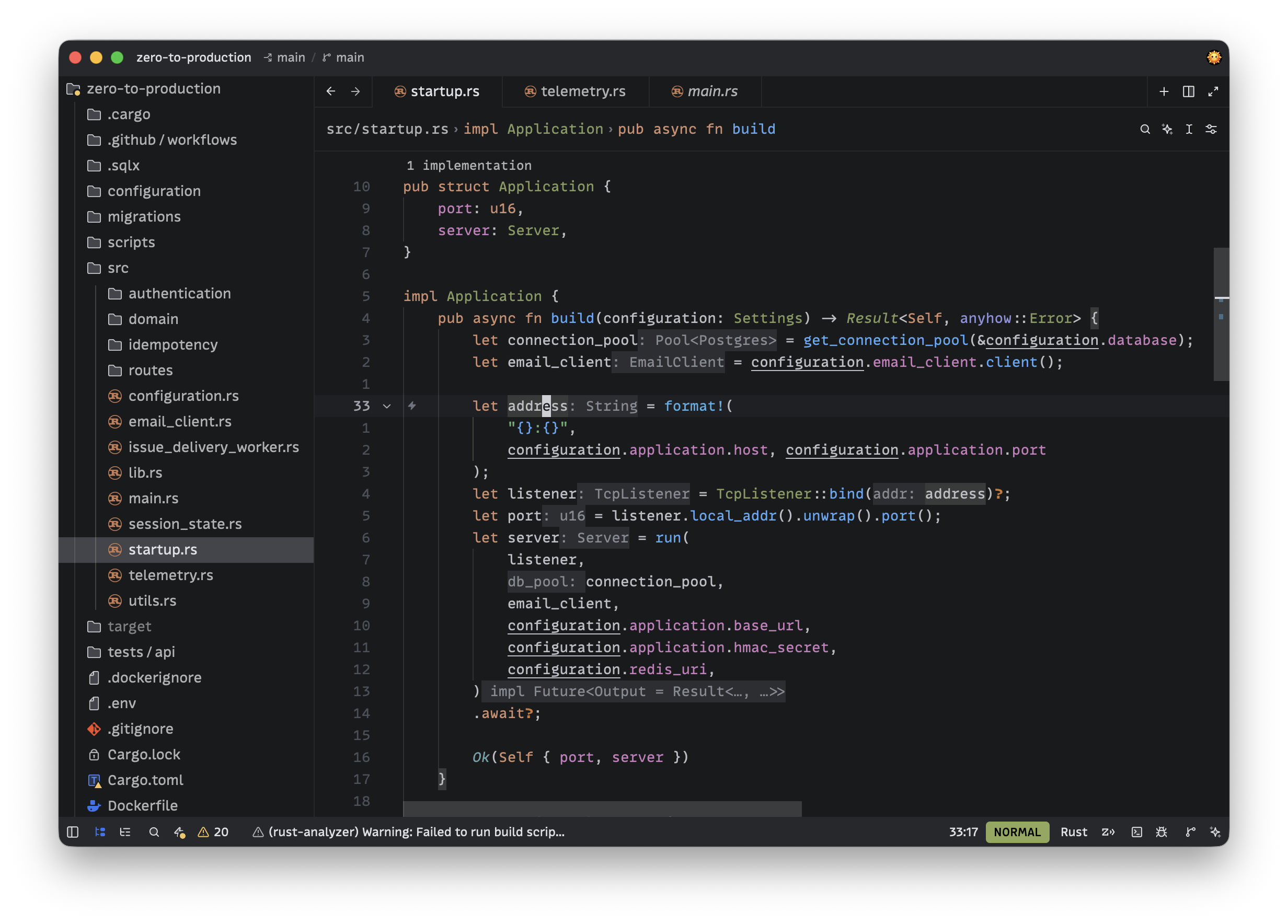
JetBrains Dark
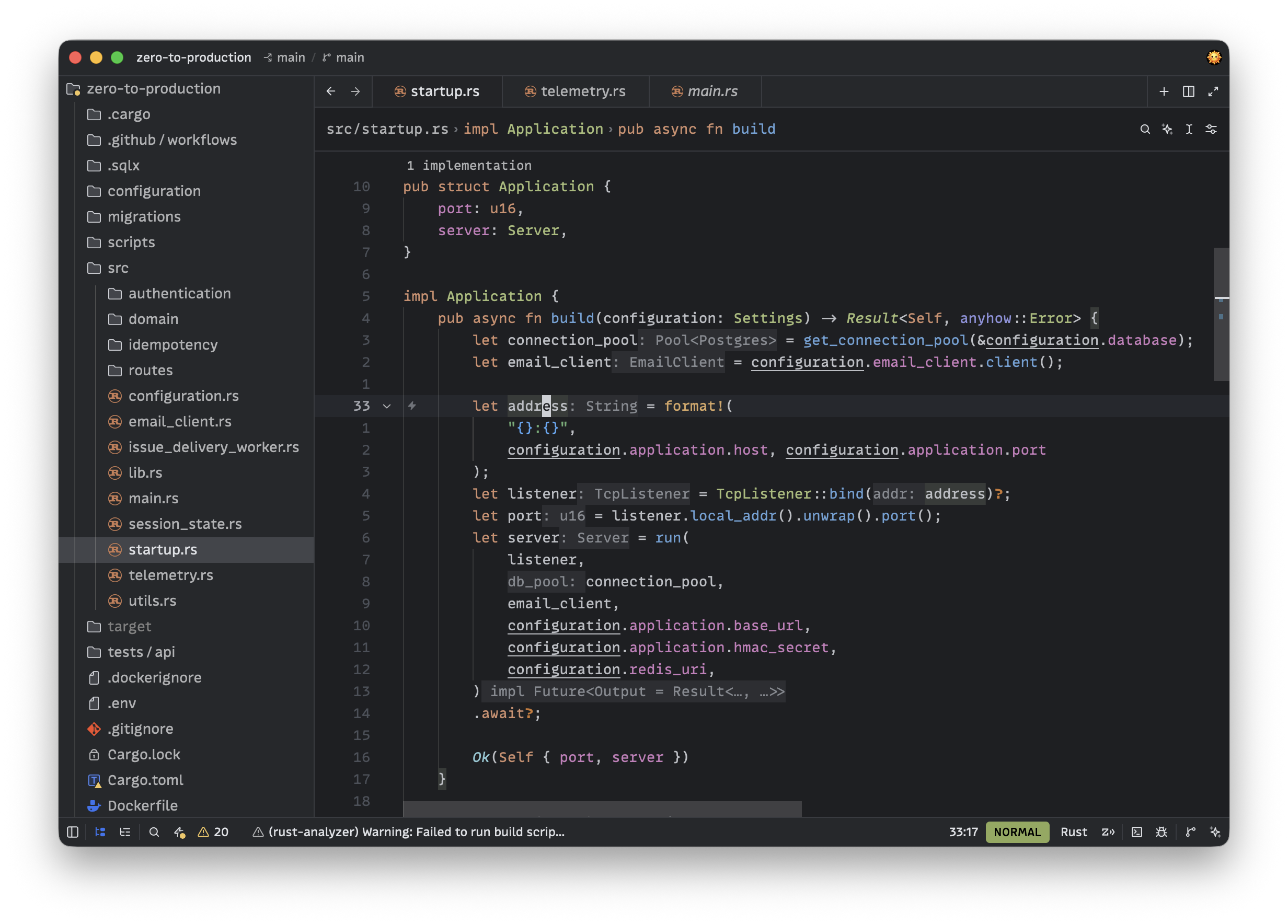
JetBrains Islands Light
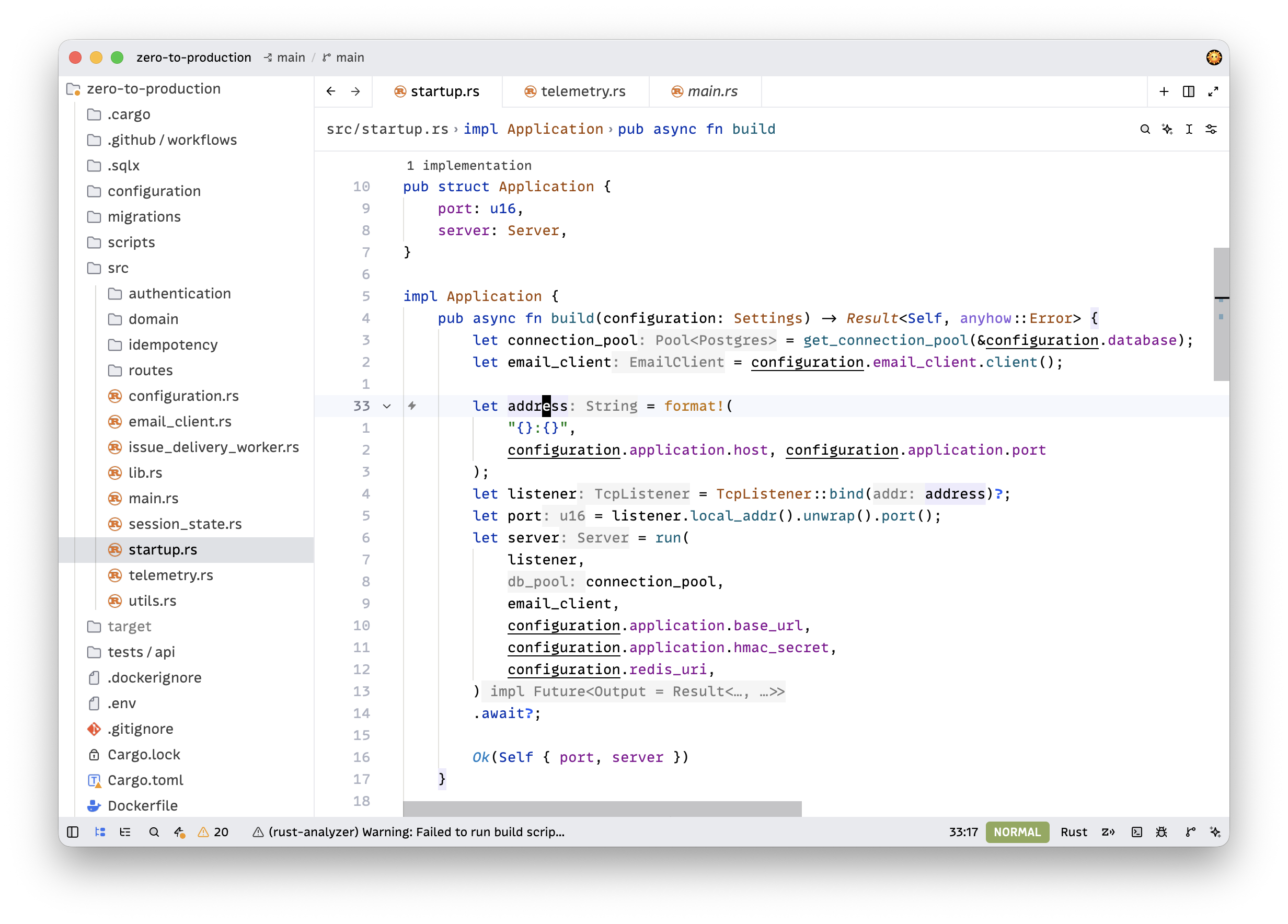
JetBrains Light
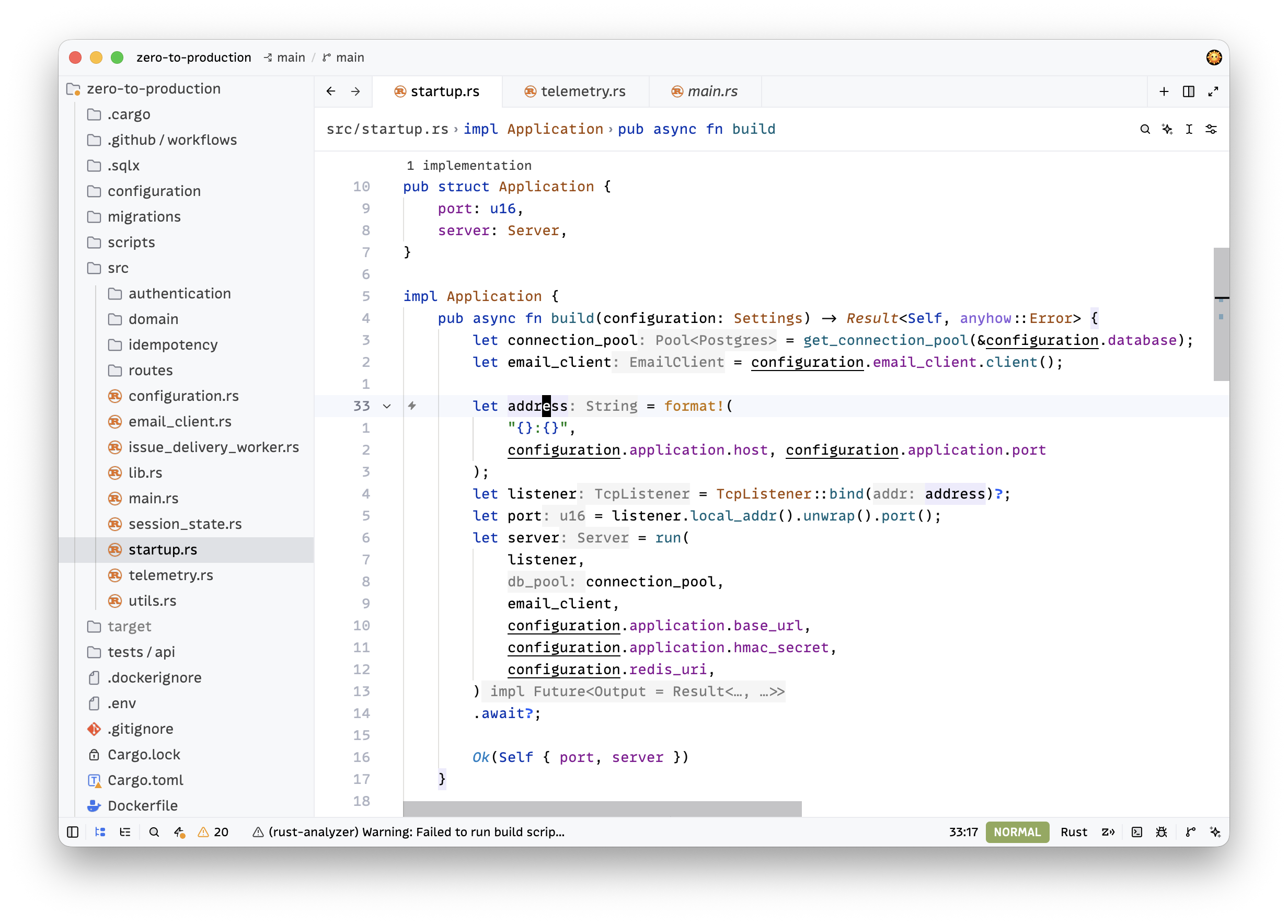
Features
- Includes 4 theme variants: JetBrains Dark, JetBrains Light, JetBrains Islands Dark, JetBrains Islands Light
- Carefully crafted color palette based on JetBrains IDE themes
- Optimized for code readability and extended coding sessions
- Syntax highlighting that follows JetBrains color conventions
Installation
To install the theme in Zed editor, open the extension page and click Install in Zed.
Alternatively, you can install it from within the Zed editor:
- Open Zed editor
- Press
Cmd+Shift+P(macOS) orCtrl+Shift+P(Linux/Windows) to open the command palette - Type "extensions" and select Extensions: Install Extensions
- Search for "JetBrains"
- Click Install on the JetBrains Themes extension
Activating the Theme
After installation, you can activate the theme:
- Press
Cmd+KthenCmd+T(macOS) orCtrl+KthenCtrl+T(Linux/Windows) - Select one of the available variants from the theme selector:
- JetBrains Dark — classic dark theme
- JetBrains Light — classic light theme
- JetBrains Islands Dark — dark theme with a softer, tinted palette
- JetBrains Islands Light — light theme with a softer, tinted palette
Automatic Theme Switching
You can configure Zed to automatically switch between light and dark themes based on your system theme. Add the following to your Zed settings (Cmd+, or Ctrl+, to open settings):
"theme": {
  "mode": "system",
  "light": "JetBrains Light",
  "dark": "JetBrains Islands Dark"
}
With this configuration, the theme will automatically match your operating system's appearance settings.
Semantic Tokens
This theme supports semantic tokens for enhanced syntax highlighting powered by language servers. Semantic tokens provide more accurate and context-aware coloring — for example, distinguishing mutable variables, trait methods, macros, and more.
Note: The rules below are primarily tailored for Rust (rust-analyzer). Other languages may benefit from semantic tokens as well, but these specific rules target Rust-specific token types and modifiers.
To enable semantic tokens, add the following to your Zed settings (Cmd+, or Ctrl+,):
"semantic_tokens": "combined",
"global_lsp_settings": {
  "semantic_token_rules": [
    {
      "token_type": "variable",
      "token_modifiers": ["mutable"],
      "underline": true
    },
    {
      "token_type": "selfKeyword",
      "token_modifiers": ["mutable"],
      "underline": true
    },
    {
      "token_type": "parameter",
      "token_modifiers": ["mutable"],
      "underline": true
    },
    {
      "token_type": "namespace",
      "token_modifiers": ["procMacro", "attribute"],
      "style": ["string"]
    },
    {
      "token_type": "enum",
      "token_modifiers": ["procMacro", "attribute"],
      "style": ["string"]
    },
    {
      "token_type": "namespace",
      "token_modifiers": ["crateRoot"],
      "style": ["namespace.crateRoot"]
    },
    {
      "token_type": "attributeBracket",
      "style": ["attribute"]
    },
    {
      "token_type": "operator",
      "token_modifiers": ["attribute"],
      "style": ["attribute"]
    },
    {
      "token_type": "derive",
      "token_modifiers": ["defaultLibrary"],
      "style": ["type.interface"]
    },
    {
      "token_type": "derive",
      "token_modifiers": ["library"],
      "style": ["function"]
    },
    {
      "token_type": "operator",
      "token_modifiers": ["controlFlow"],
      "style": ["operator.controlFlow"]
    },
    {
      "token_type": "macro",
      "style": ["function.special"]
    },
    {
      "token_type": "procMacro",
      "style": ["function.special"]
    },
    {
      "token_type": "builtinType",
      "style": ["type.builtin"]
    },
    {
      "token_type": "method",
      "token_modifiers": ["trait"],
      "font_style": "italic"
    },
    {
      "token_type": "typeParameter",
      "style": ["type.parameter"]
    },
    {
      "token_type": "selfTypeKeyword",
      "style": ["keyword"]
    },
    {
      "token_type": "formatSpecifier",
      "style": ["keyword"]
    }
  ]
}