IR Black Theme for Zed
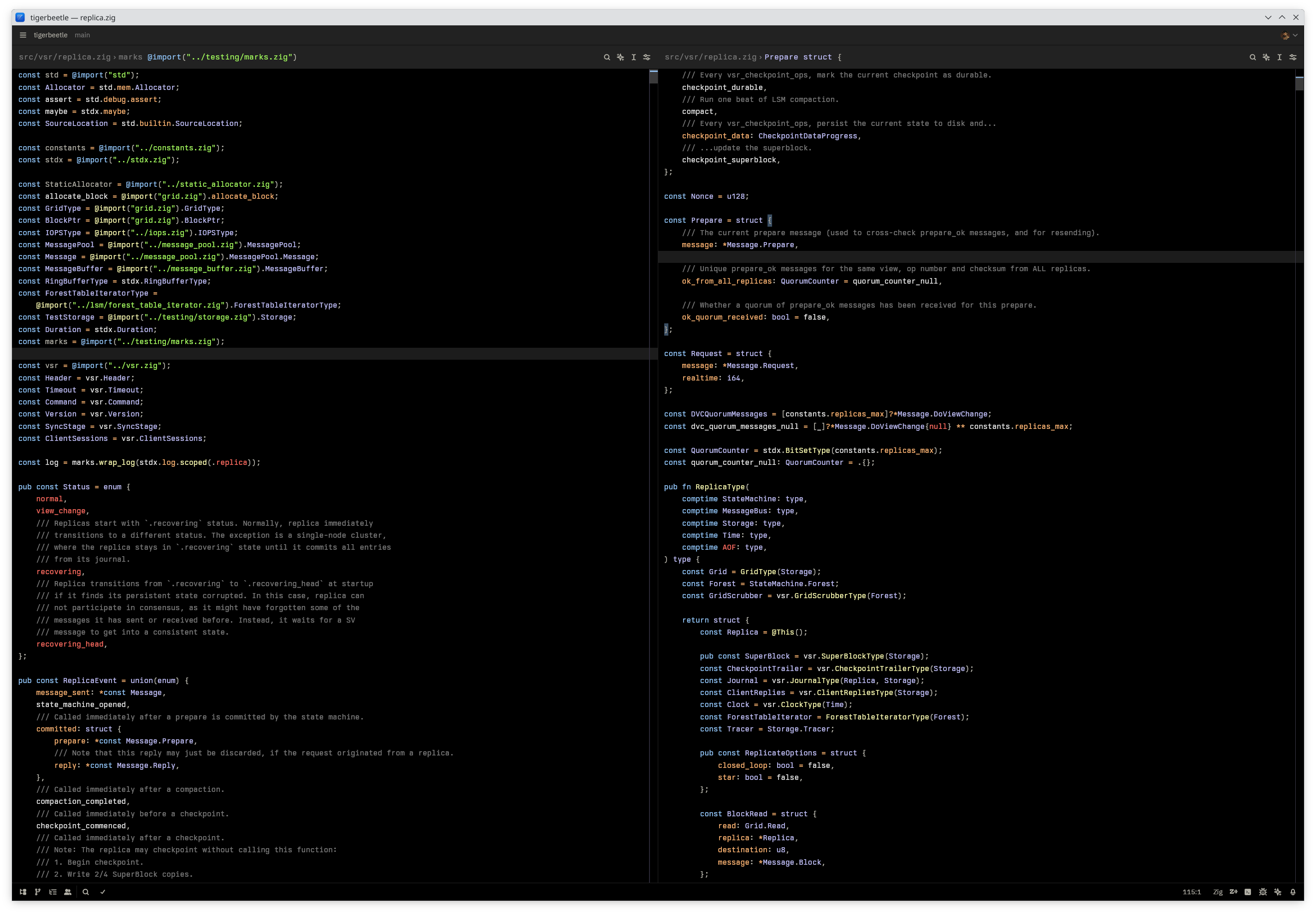
A dark theme for Zed inspired by the classic IR_Black theme, featuring a pure black background with vibrant syntax highlighting colors.
Installation
Via Zed Extensions
- Open Zed
- Open the command palette (
Cmd+Shift+P/Ctrl+Shift+P) - Search for "zed: extensions"
- Search for "IR Black"
- Click Install
Contributing
Contributions are welcome! If you find any issues or have suggestions for improvements:
- Fork the repository
- Create a feature branch (
git checkout -b feature/amazing-feature) - Make your changes
- Commit your changes (
git commit -m 'Add some amazing feature') - Push to the branch (
git push origin feature/amazing-feature) - Open a Pull Request
License
This project is licensed under the MIT License - see the LICENSE file for details.
Credits
- Original IR_Black theme by Todd Werth
Enjoy coding with IR Black theme! 🖤
If you like this theme, please consider giving it a ⭐ on GitHub.