IntelliJ Light Theme for Zed
For those of us who unapologetically use light themes. Rarely spotted, often mocked, but never extinct!
This light theme for Zed replicates the default light theme that comes standard with IntelliJ IDEA / Android Studio.
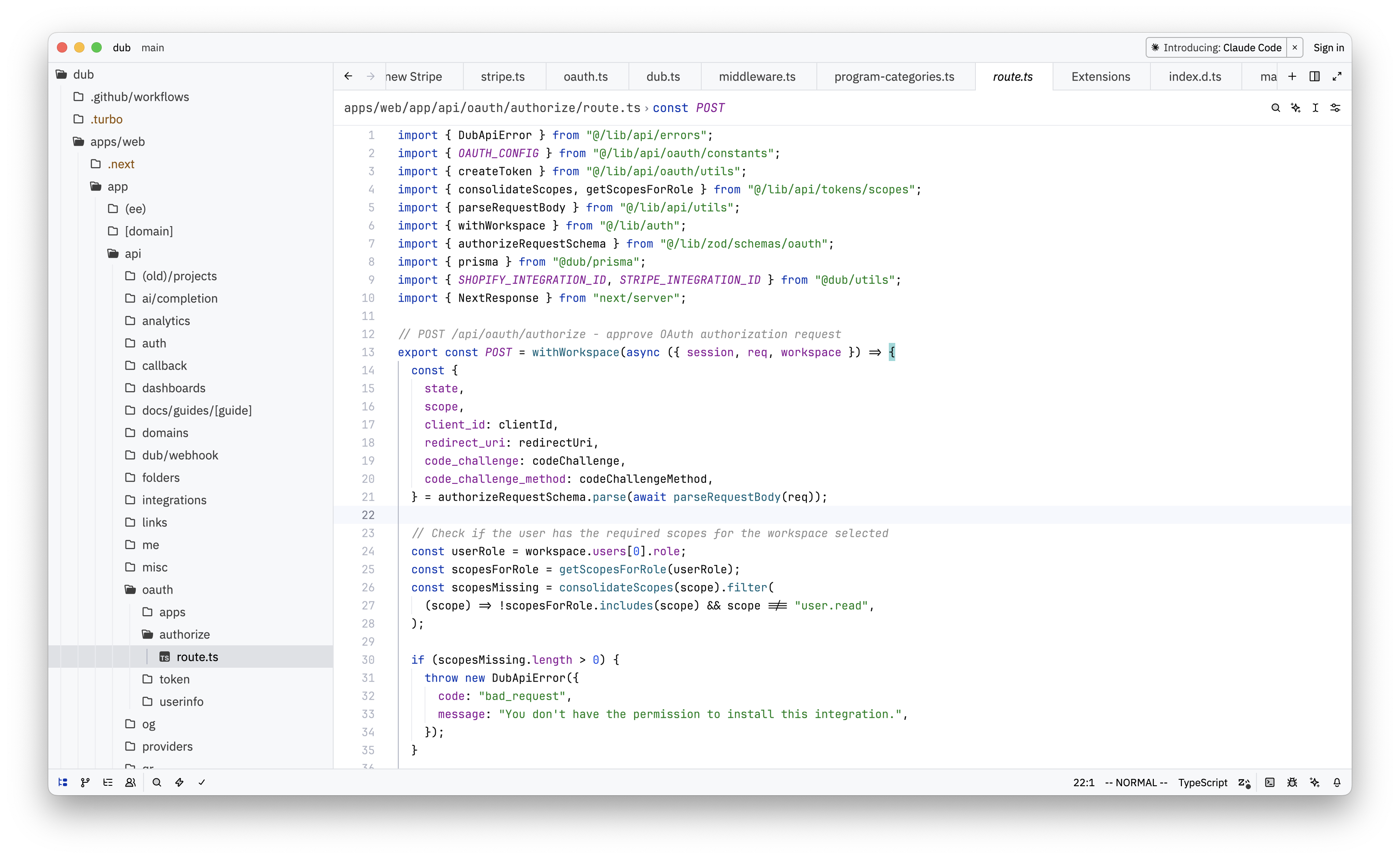
Installation
- Clone this repository
- In Zed, open the command palette (Cmd+Shift+P) / (Ctrl+Shift+P)
- Run
zed: install dev extension - Select the cloned folder
Installing JetBrains Mono
JetBrains Mono is the default font that comes standard with IntelliJ IDEA / Android Studio. Download it from:
After installing the font, set the font in your Zed settings.json:
  "buffer_font_family": "JetBrains Mono",
  "buffer_font_weight": 300, // Optional
Disclaimer
This project is not affiliated with, endorsed by, or sponsored by JetBrains. "JetBrains", "IntelliJ", and "Android Studio" are trademarks of their respective owners. This theme is an independent creation that aims to replicate the visual appearance of the IntelliJ IDEA / Android Studio default light theme for use in the Zed editor.