Zed Hivacruz Theme
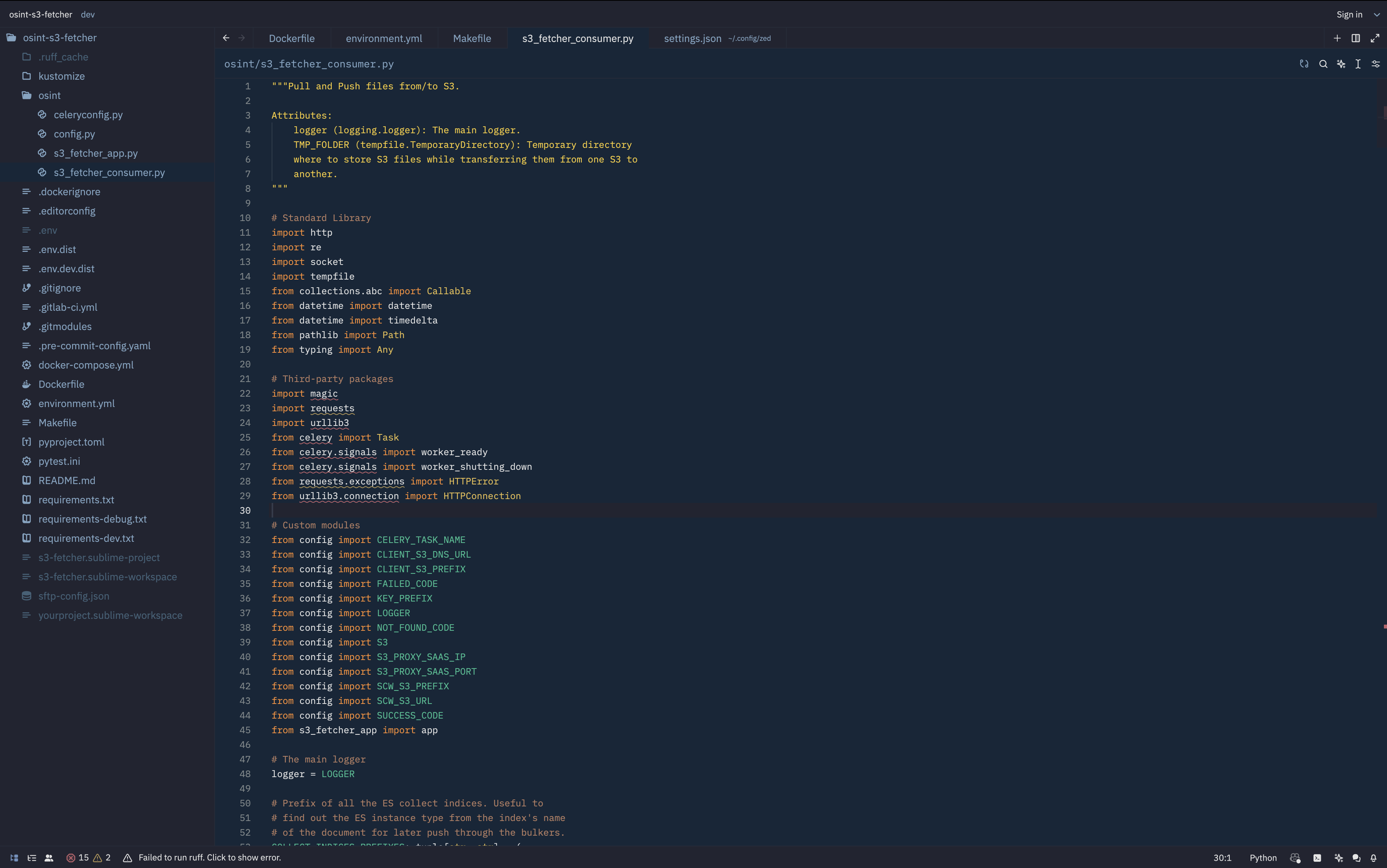
A dark blue theme for Zed.
Installation
Place hivacruz.json in ~/.config/zed/themes, restart Zed and select it from the command palette (Cmd+Shift+P) or (Cmd+K Cmd+T).
Also this theme was added to Zed extensions.
Configuration
Here is the Zed configuration used that could be seen on the screenshot:
{
  "icon_theme": "Material Icon Theme",
  "collaboration_panel": {
    "button": false
  },
  "linked_edits": false,
  "git": {
    "inline_blame": {
      "enabled": false
    }
  },
  "ui_font_size": 14,
  "buffer_font_size": 12,
  "base_keymap": "SublimeText",
  "buffer_font_family": "RobotoMono Nerd Font Mono",
  "ui_font_family": ".SystemUIFont",
  "theme": {
    "mode": "system",
    "light": "Hivacruz",
    "dark": "Hivacruz"
  },
  "indent_guides": {
    "enabled": true,
    "line_width": 1,
    "active_line_width": 1,
    "coloring": "indent_aware",
    "background_coloring": "disabled"
  },
  "show_wrap_guides": true,
  "terminal": {
    "font_family": "RobotoMono Nerd Font Mono",
    "font_size": 11
  },
  "cursor_blink": true
}
Same theme in other apps
I made similar themes with the same colors for different applications. Here there are:
- Sublime Text theme: https://github.com/kinoute/hivacruz-sublime-theme
- VSCode Theme: https://github.com/kinoute/vscode-hivacruz-theme
- iTerm2: https://github.com/kinoute/hivacruz-itermcolors
- Nova: https://github.com/kinoute/hivacruz-nova-theme
- Typora Theme: https://github.com/kinoute/typora-hivacruz-theme
Credits
- Created by Yann Defretin.
- Colors inspired by Coda 2.5's Panic Palette by Cabel Sasser.