💚 Hipster Green Theme for Zed
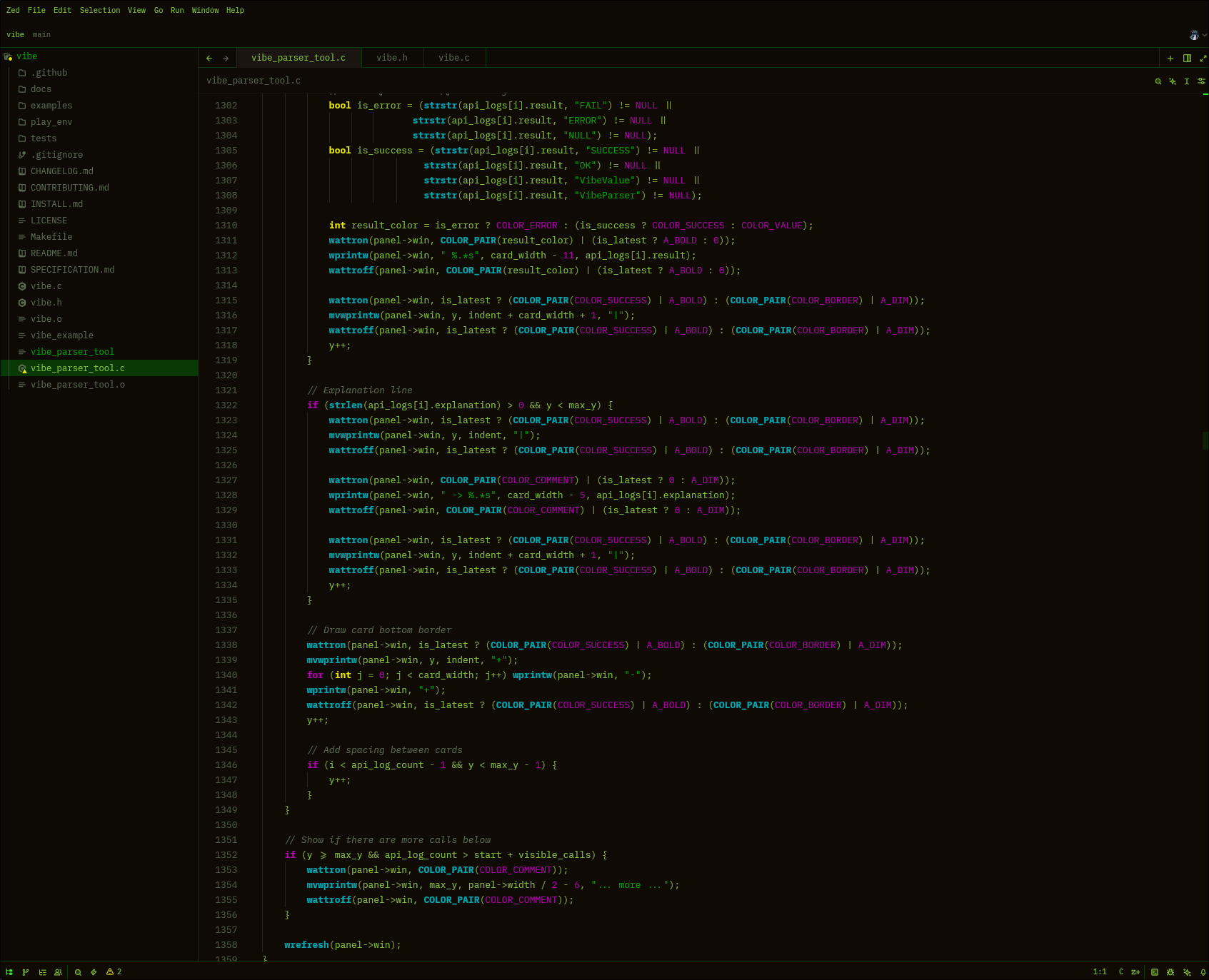
An exact port of Tabby/iTerm2's Hipster Green color scheme for Zed. This vibrant terminal-inspired theme brings the classic green-on-black aesthetic with modern syntax highlighting and excellent readability.
Color Palette
- Primary Green (#84c138) - Main text and code
- Bright Cursor (#23ff18) - Cursor and primary accents
- Light Green (#86a93e) - Strings and emphasis
- Selection (#083905) - Text selection background
- Background (#100b05) - Deep dark brown/black base
- Cyan (#00a6b2) - Functions and properties
- Yellow (#e5e500) - Types and warnings
Features
⚡ Excellent Contrast - All text is highly readable with proper contrast ratios 🎨 Complete Coverage - Consistent styling across all UI elements and syntax 👁️ Eye-Friendly - Perfect for long coding sessions without strain 🌟 Classic Terminal Aesthetic - Vibrant green terminal vibes 🔧 Language Support - Optimized syntax highlighting for HTML, JavaScript, Python, Rust, Go, C++, and more
Screenshots
General UI
Installation
From Zed Extensions (Recommended)
- Open Zed
- Open the command palette (
Cmd+Shift+PorCtrl+Shift+P) - Run "zed: Extensions"
- Search for "Hipster Green Theme"
- Click Install
- Select "Hipster Green Dark" from Theme Selector (
Cmd+K Cmd+T)
Manual Installation
- Clone or download this repository
- Place
hipster-green.jsonin~/.config/zed/themes/ - Restart Zed
- Select "Hipster Green Dark" from Theme Selector
Credits
Created by Ayush Bhat - An exact port of Tabby/iTerm2's Hipster Green color scheme.
License
MIT License - Feel free to modify and share!
Bringing retro terminal vibes to modern code editors 💚