HC Monokai - Zed Theme
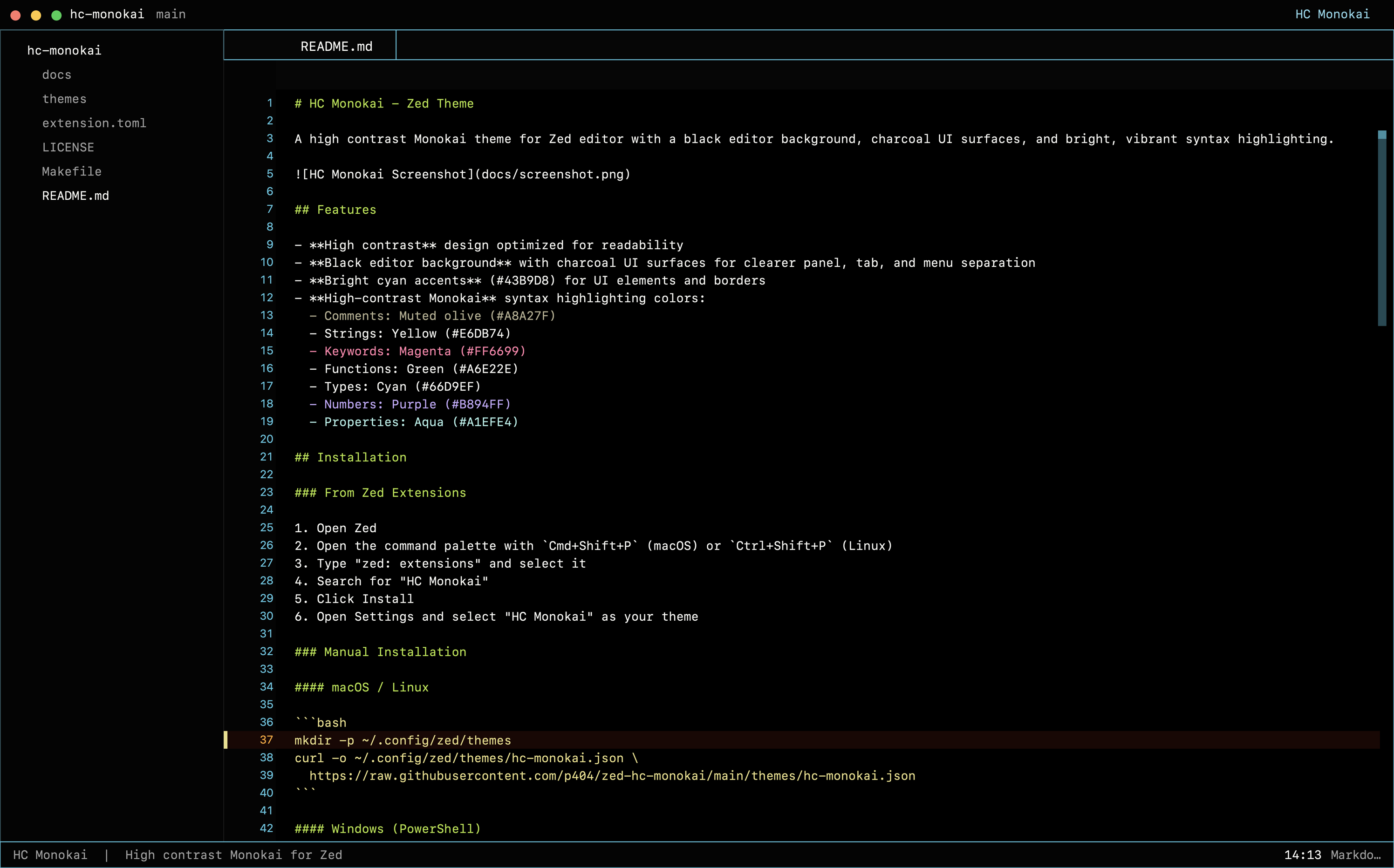
A high contrast Monokai theme for Zed editor with a black editor background, charcoal UI surfaces, and bright, vibrant syntax highlighting.
Features
- High contrast design optimized for readability
- Black editor background with charcoal UI surfaces for clearer panel, tab, and menu separation
- Bright cyan accents (#43B9D8) for UI elements and borders
- High-contrast Monokai syntax highlighting colors:
- Comments: Muted olive (#A8A27F)
- Strings: Yellow (#E6DB74)
- Keywords: Magenta (#FF6699)
- Functions: Green (#A6E22E)
- Types: Cyan (#66D9EF)
- Numbers: Purple (#B894FF)
- Properties: Aqua (#A1EFE4)
Installation
From Zed Extensions
- Open Zed
- Open the command palette with
Cmd+Shift+P(macOS) orCtrl+Shift+P(Linux) - Type "zed: extensions" and select it
- Search for "HC Monokai"
- Click Install
- Open Settings and select "HC Monokai" as your theme
Manual Installation
macOS / Linux
mkdir -p ~/.config/zed/themes
curl -o ~/.config/zed/themes/hc-monokai.json \
  https://raw.githubusercontent.com/p404/zed-hc-monokai/main/themes/hc-monokai.json
Windows (PowerShell)
New-Item -ItemType Directory -Force -Path "$env:USERPROFILE\AppData\Roaming\Zed\themes"
Invoke-WebRequest -Uri "https://raw.githubusercontent.com/p404/zed-hc-monokai/main/themes/hc-monokai.json" `
  -OutFile "$env:USERPROFILE\AppData\Roaming\Zed\themes\hc-monokai.json"
After installation, open Zed Settings and select "HC Monokai" as your theme.
Color Palette
| Element | Color | Hex |
|---|---|---|
| Background | Black | #000000 |
| Foreground | Warm off-white | #F8F8F2 |
| Accent/Border | Cyan | #43B9D8 |
| Comment | Muted olive | #A8A27F |
| String | Yellow | #E6DB74 |
| Keyword | Magenta | #FF6699 |
| Function | Green | #A6E22E |
| Type | Cyan | #66D9EF |
| Number | Purple | #B894FF |
| Property | Aqua | #A1EFE4 |
| UI Surface | Charcoal | #080808 |
Related
- HC Monokai for VS Code - The original VS Code theme
License
MIT License - see LICENSE