HBuilderX Push Light Theme for Zed
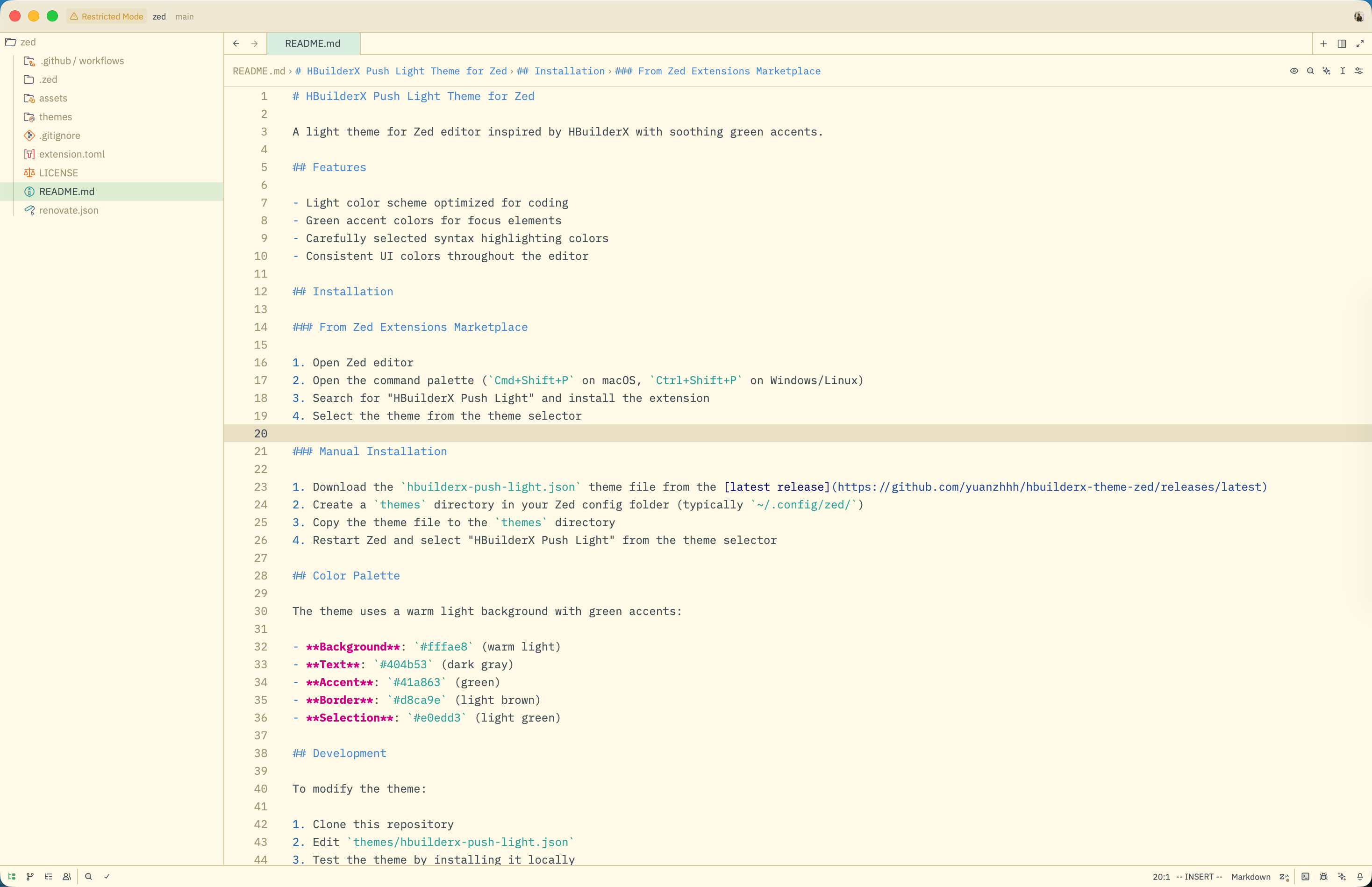
A light theme for Zed editor inspired by HBuilderX with soothing green accents.
Features
- Light color scheme optimized for coding
- Green accent colors for focus elements
- Carefully selected syntax highlighting colors
- Consistent UI colors throughout the editor
Screenshots
Installation
From Zed Extensions Marketplace
- Open Zed editor
- Open the command palette (
Cmd+Shift+Pon macOS,Ctrl+Shift+Pon Windows/Linux) - Search for "HBuilderX Push Light" and install the extension
- Select the theme from the theme selector
Manual Installation
- Download the
hbuilderx-push-light.jsontheme file from the latest release - Create a
themesdirectory in your Zed config folder (typically~/.config/zed/) - Copy the theme file to the
themesdirectory - Restart Zed and select "HBuilderX Push Light" from the theme selector
Color Palette
The theme uses a warm light background with green accents:
- Background:
#fffae8(warm light) - Text:
#404b53(dark gray) - Accent:
#41a863(green) - Border:
#d8ca9e(light brown) - Selection:
#e0edd3(light green)
Development
To modify the theme:
- Clone this repository
- Edit
themes/hbuilderx-push-light.json - Test the theme by installing it locally
License
MIT License. See LICENSE for details.
Author
Created by evansam (evan.yuanzh@gmail.com)
Acknowledgments
- Inspired by HBuilderX editor color scheme
- Built for Zed editor