🦇 Halloween Night – Zed Edition
🍷 A sinister cocktail brewed with the finest vampire blood, a splash of spiced pumpkin juice, crushed spider legs for texture, a dash of clown hair for an eerie twist, and topped with a sprinkle of grave soil for that final touch of dread. Sip... if you dare. Bon appétit!
The beloved Halloween Night theme, now ported to Zed. Originally built for VS Code, this dark Halloween-themed color scheme brings its signature moody purples, blood-red keywords, pumpkin-orange strings, and ghostly whites to your Zed editor.
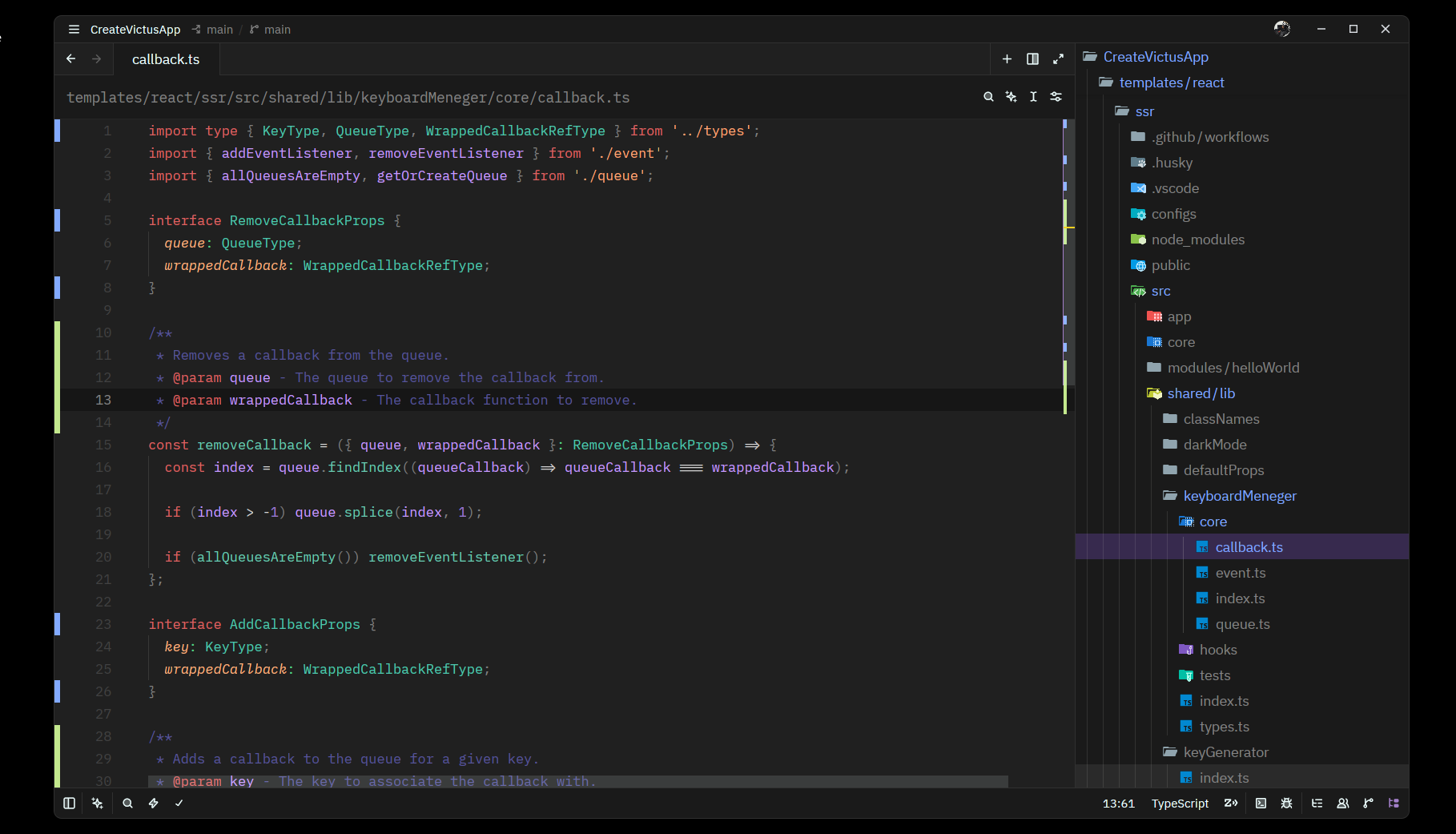
🎁 Bonus Icons
| Icon | Dark App Icon | Light App Icon |
|---|---|---|
 |
 |
 |
| Download | Download | Download |
🚀 Quick Start
Install from Zed Extensions
- Open Zed
- Open the command palette (
Ctrl+Shift+P/Cmd+Shift+P) - Run
zed: extensions - Search for Halloween Night
- Click Install
Install as a Dev Extension (for local development)
- Open Zed
- Open the command palette
- Run
zed: install dev extension - Select this repository's root directory
- Select Halloween Night from the theme selector (
Ctrl+K Ctrl+T/Cmd+K Cmd+T)
Install as a Local Theme
Copy the theme file directly to Zed's themes directory:
mkdir -p ~/.config/zed/themes
cp themes/halloween-night.json ~/.config/zed/themes/
Then restart Zed and select it from the theme selector.
🛠️ Debugging
See the full debugging guide: docs/DEBUG.md
Quick reference:
# Edit theme → install as dev extension → reload
vim themes/halloween-night.json      # 1. Edit
# In Zed: Ctrl+Shift+P → "zed: install dev extension" → pick this dir  # 2. Install
# In Zed: Ctrl+Shift+P → "zed: reload"                                   # 3. Reload
📁 Project Structure
HalloweenNightZed/
├── extension.toml              # Zed extension manifest
├── themes/
│   └── halloween-night.json    # Theme definition
├── assets/
│   ├── icons/                  # Icons for the theme
│   └── screenshots/            # Preview screenshots
├── LICENSE.md                  # MIT License
├── README.md                   # This file
└── .gitignore
🎨 Color Palette
| Role | Color | Hex |
|---|---|---|
| Background | Dark void | #1a1a1a |
| Editor BG | Deep abyss | #202020 |
| Foreground | Ghostly | #eeffff |
| Accent | Vampiric purple | #8669c4 |
| Cursor | Jack-o'-lantern | #ffcc00 |
| Keywords | Blood red | #DB6363 |
| Strings | Pumpkin | #FFA977 |
| Functions | Witch brew | #6ACCB4 |
| Types | Toxic green | #4EC9B0 |
| Variables | Spider silk | #c89cfe |
| Numbers | Potion purple | #9c7cd4 |
| Comments | Graveyard moss | #575599 |
📄 License
MIT – see LICENSE.md