Gafelson Lavender
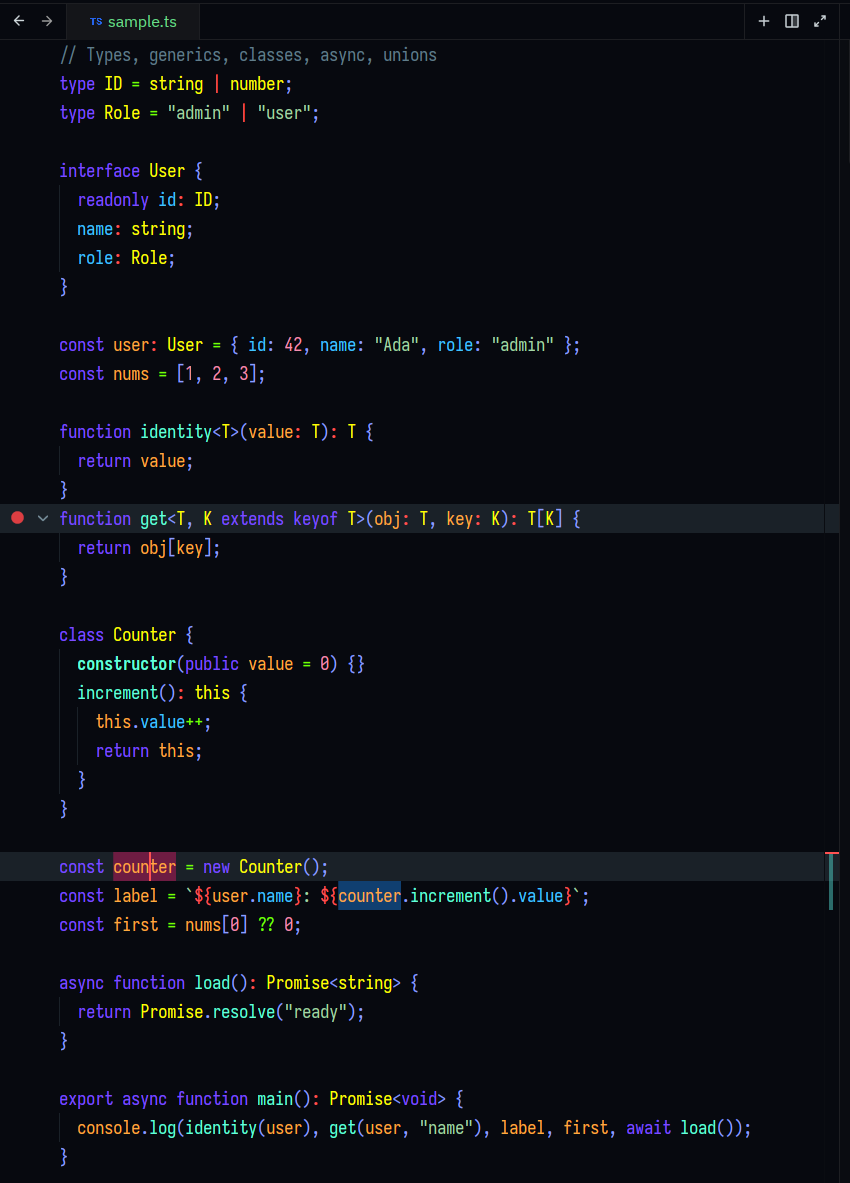
A Zed editor theme — a dark theme blending the native Gafelson structure with Dark Lavender accents.
Install
- Open the Extensions view (
Ctrl/Cmd + Shift + X) - Search for Gafelson Lavender
- Click Install
Development
Only themes/gafelson-lavender.json is edited — everything else is read-only input:
reference/          # source themes — READ ONLY
  dark-lavender-default.json    # VS Code Dark Lavender
  gafelson-dark-nomal.json      # Zed Gafelson
schema/             # official Zed theme schema — READ ONLY
themes/             # THE OUTPUT — the only place to edit
  gafelson-lavender.json
Rules:
- Only edit
themes/gafelson-lavender.json. reference/andschema/are read-only — never change them.- When choosing colors, prefer Gafelson (the native Zed theme) over Dark Lavender.
Validate the JSON:
python3 -c "import json; json.load(open('themes/gafelson-lavender.json')); print('ok')"License
MIT — see LICENSE.