Forest Night Ethereal Theme for Zed
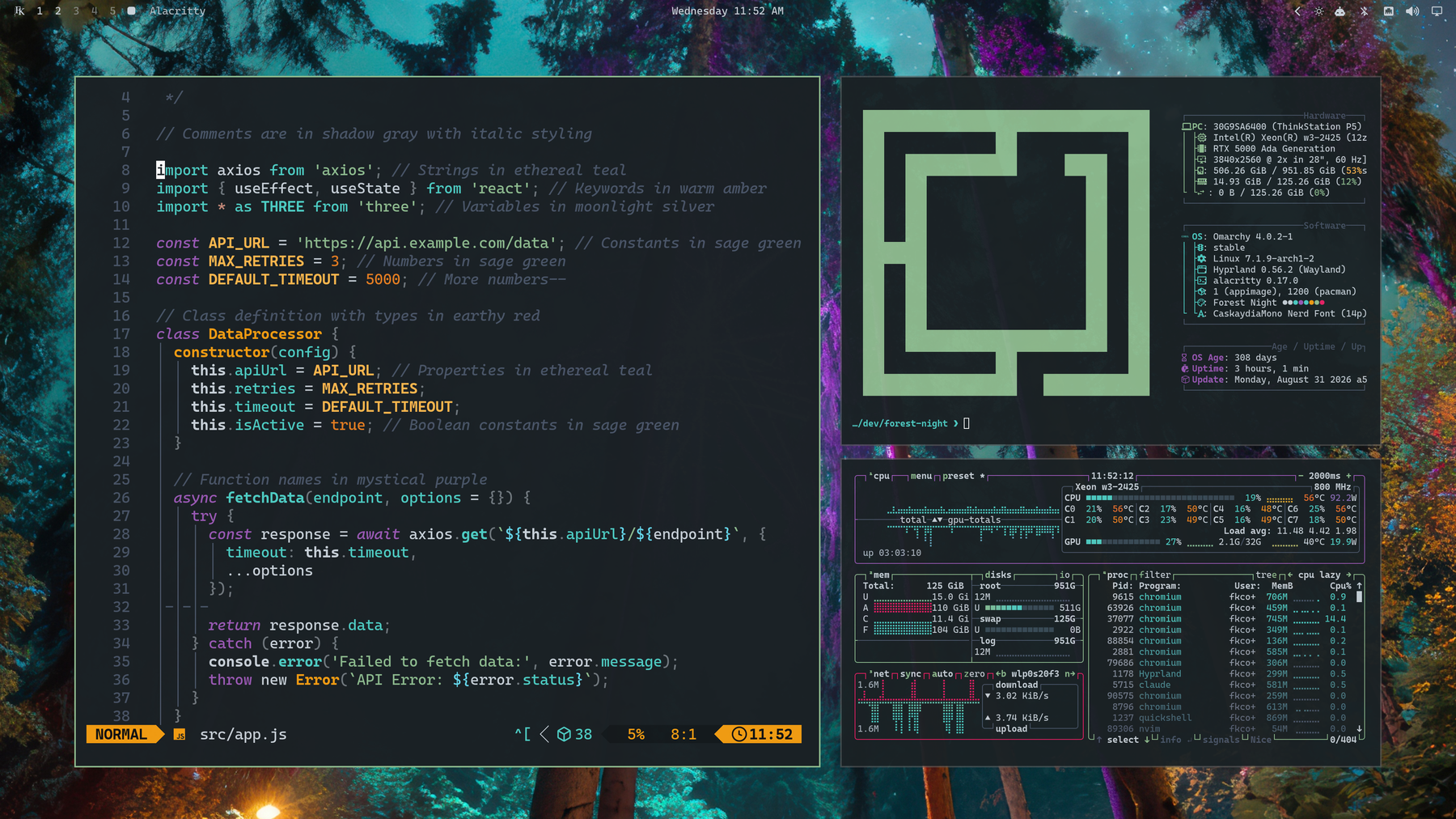
A deep blue-slate aesthetic for Zed with muted forest green, teal, purple, and amber accents.
Credits & Attribution:
This theme is a port for Zed created and maintained by bashln, based on the original Forest Night — Ethereal palette designed by Forrest Knight.
🎨 Themes Included
- Forest Night Ethereal (Solid / Opaque) — Full contrast with a deep blue-slate background (
#1a2125). - Forest Night Ethereal (Soft Blur) — Subtle frosted backdrop (~88% opacity) designed for blurred window compositing.
- Forest Night Ethereal (Deep Blur) — Pronounced glass / frosted look (~72% opacity) while retaining high text readability.
🧬 Color DNA
Core Shades
| Purpose | Hex | Name |
|---|---|---|
| Background | #1a2125 |
Deep Blue Slate |
| Surface | #14191c |
Dark Slate |
| Elevated | #222a30 |
Lighter Slate |
| Deepest | #0d1113 |
Darker Slate |
| Foreground | #c9d1d9 |
Slate Gray Text |
| Light FG | #a8b3bd |
Soft Slate Text |
| Dark FG | #6b7280 |
Dimmed Slate Text |
| Selection | #3a4a55 |
Cool Slate Blue |
| Muted | #4a5568 |
Muted Gray |
Accents
| Role | Hex | Description |
|---|---|---|
| Primary | #8FBC8F |
Forest Sage Green |
| Secondary | #4ECDC4 |
Mint Teal / Cyan |
| Highlight | #66D9EF |
Bright Cyan |
| Warning | #FFB74D |
Amber Yellow |
| Orange | #E67E22 |
Forest Orange |
| Error / Tag | #E91E63 |
Crimson Pink / Red |
| Magenta | #9B59B6 |
Lavender Purple |
Terminal Palette
| Color | Normal | Bright | Dim |
|---|---|---|---|
| Black | #1a2125 |
#222a30 |
#0d1113 |
| Red | #E91E63 |
#c78a7a |
#b8174e |
| Green | #8FBC8F |
#8FBC8F |
#739873 |
| Yellow | #F39C12 |
#FFB74D |
#c47d0e |
| Blue | #4ECDC4 |
#66D9EF |
#3ca49d |
| Magenta | #9B59B6 |
#9B59B6 |
#7c4792 |
| Cyan | #4ECDC4 |
#66D9EF |
#3ca49d |
| White | #c9d1d9 |
#ffffff |
#a8b3bd |
🚀 Installation
Option 1: Install as a Dev Extension (Local)
- Open Zed.
- Open the Command Palette (
Ctrl+Shift+P/Cmd+Shift+P). - Run
zed: install dev extension. - Select this repository folder (
zed-forest-night-ethereal-theme).
Option 2: Import via Zed Theme Builder
Import themes/forest-night-ethereal.json into the Zed Theme Builder.
✨ Enabling Blur in Zed
To enable background blur for the translucent variants, add the following to your Zed settings.json:
{
  "theme": "Forest Night Ethereal (Soft Blur)",
  "window_background_appearance": "blurred"
}
🖼️ Included Wallpapers
High-resolution companion wallpapers are available in assets/backgrounds/:
1-forest-night.jpg2-mesmeric-forest.png(Ashenvale by Forange)
📄 License
MIT License — see LICENSE.
Original palette by Forrest Knight. Ported for Zed by bashln.