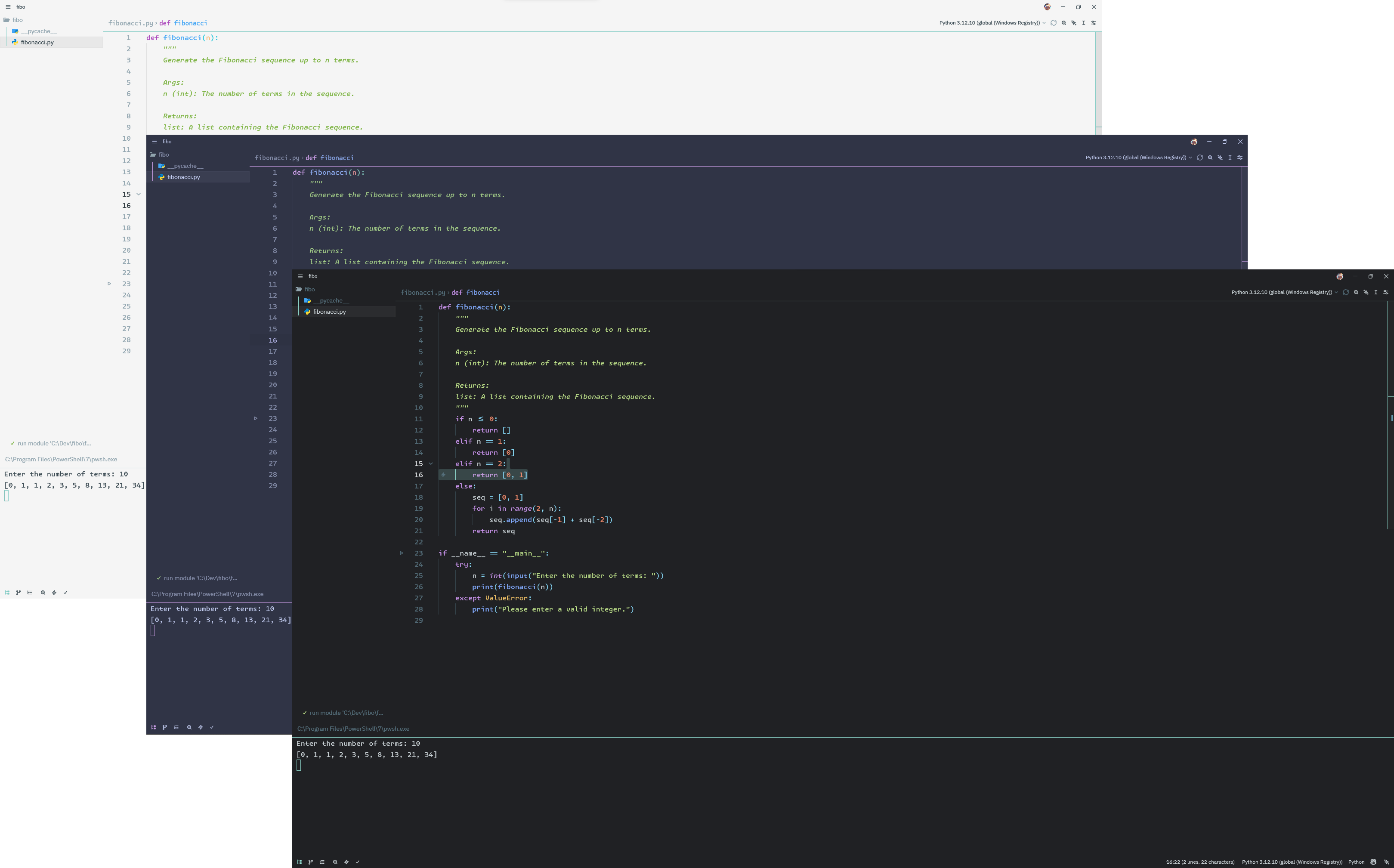
Flat Theme for Zed
A clean, minimalist theme collection for Zed based on my Flat Theme for VSCode, featuring three readability-tuned variants.
Themes Included
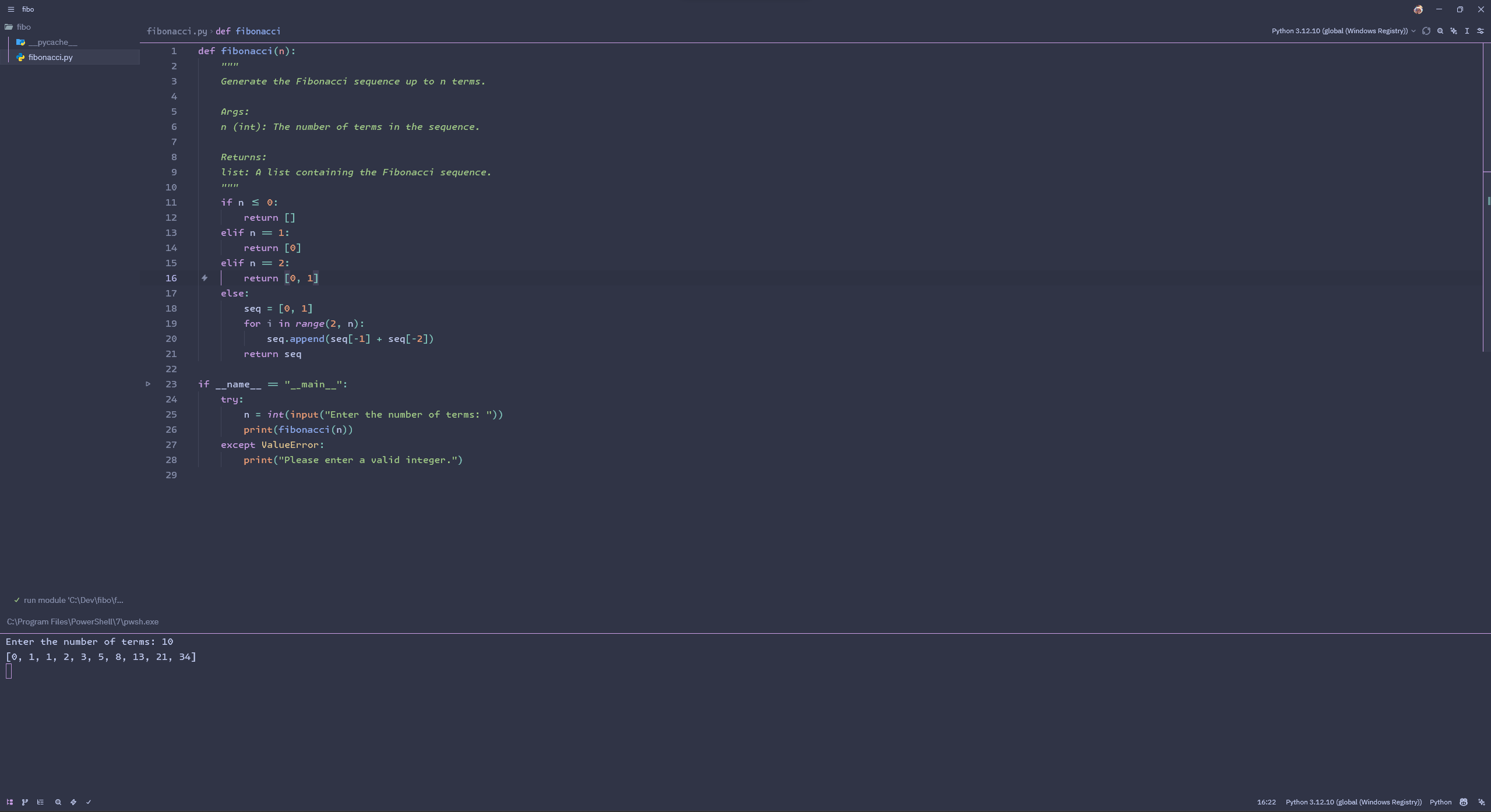
Flat Gray (Dark)
The original dark theme with a sleek gray background and teal accents.
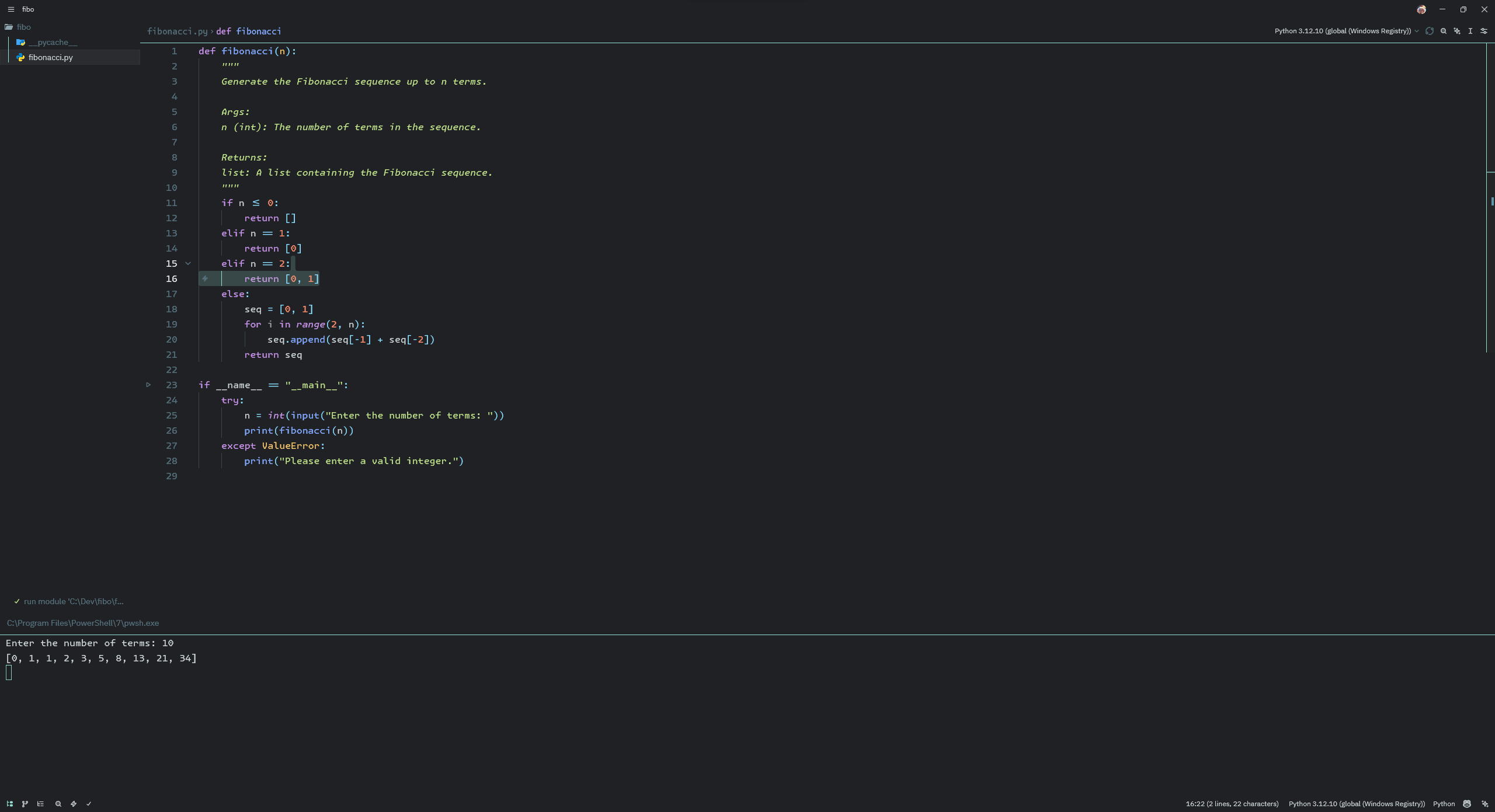
Flat Light
A bright, clean light theme perfect for daytime coding.
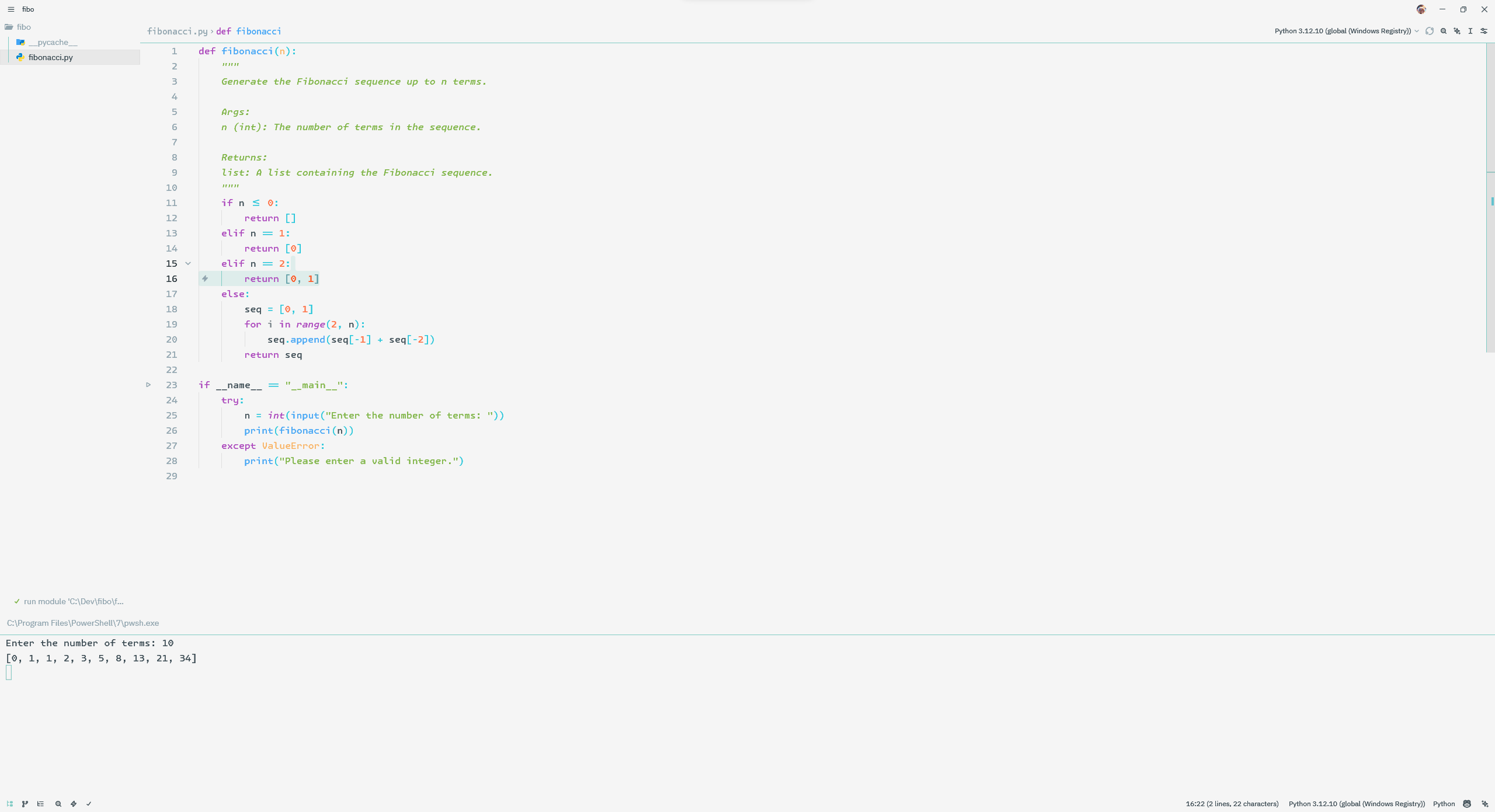
Flat Frappé (Dark)
Inspired by Catppuccin Frappé, featuring softer, pastel colors for reduced eye strain.
Features
- Three Purposeful Variants: Choose between Flat Gray, Flat Light, and Flat Frappé
- Readability-First Hierarchy: Clearer separation between chrome, panels, tabs, and editor surfaces
- Consistent Color Scheme: Terminal colors match the rest of the IDE in all variants
- Restrained Flat Design: Minimal borders without collapsing active and inactive states into the same surface
- Subtle Accents: Each theme keeps a signature accent color for focus and feedback
- Balanced Syntax Highlighting: Semantic tokens carry the contrast, while punctuation stays quieter
Color Palettes
Generated from themes/source-theme.json.
Flat Gray
- Background:
#202124- base editor canvas - Foreground:
#CFD8DC- default editor text - Accent:
#94E2D5- focus and UI feedback - Keywords:
#C792EA- language keywords - Functions:
#89DDFF- functions and methods - Strings:
#C3E88D- strings and text literals - Numbers:
#F78C6C- numbers and constants - Comments:
#80909A- comments and doc comments
Flat Light
- Background:
#FAFBFC- base editor canvas - Foreground:
#31424A- default editor text - Accent:
#80CBC4- focus and UI feedback - Keywords:
#8E24AA- language keywords - Functions:
#1976D2- functions and methods - Strings:
#5F8F2E- strings and text literals - Numbers:
#E0642B- numbers and constants - Comments:
#60727B- comments and doc comments
Flat Frappé
- Background:
#303446- base editor canvas - Foreground:
#c6d0f5- default editor text - Accent:
#ca9ee6- focus and UI feedback - Keywords:
#ca9ee6- language keywords - Functions:
#99d1db- functions and methods - Strings:
#a6d189- strings and text literals - Numbers:
#ef9f76- numbers and constants - Comments:
#96A0BE- comments and doc comments
Installation
From Zed Extensions
- Open Zed
- Press
Cmd+Shift+P(macOS) orCtrl+Shift+P(Linux/Windows) - Type "extensions" and select "zed: extensions"
- Search for "Flat Theme"
- Click "Install"
Manual Installation
- Clone this repository or download the files
- In the zed extensions page, select install dev extension
- Select the folder where you cloned/downloaded the theme
- Go to Settings → Theme and select your preferred variant:
- "Flat Gray" (dark)
- "Flat Light" (light)
- "Flat Frappé" (dark, pastel)
What Makes This Different?
These themes focus on a few practical goals:
Readable Hierarchy: Tabs, panels, title bars, and editor surfaces are separated just enough to make focus states obvious without adding heavy borders.
Terminal Consistency: All Flat Theme variants keep terminal colors aligned with the editor for a more unified workspace.
Targeted Feedback: Hover messages, errors, warnings, and info popups keep distinct colored borders so transient UI stays recognizable.
Multiple Aesthetics: Choose the theme that matches your environment and preference:
- Flat Gray: Neutral dark theme with stronger structure and teal accents
- Flat Light: Bright theme with clearer surface separation and calmer syntax accents
- Flat Frappé: Softer dark theme with pastel tones and improved long-session readability
Contributing
Contributions are welcome! Please feel free to submit a Pull Request.
Development
- Rebuild generated files with
python scripts/build_themes.py - Verify generated files and contrast checks with
python scripts/build_themes.py --check
License
MIT License
Credits
- Inspired by Flat Theme for VSCode
- Border design inspired by Catppuccin
- UI philosophy influenced by Material Theme
Feedback
If you have suggestions or find issues, please open an issue on GitHub.
Notes
- Screenshots in this README may lag behind the latest palette tuning. The JSON theme definitions are the source of truth.