firrtl-source-locator

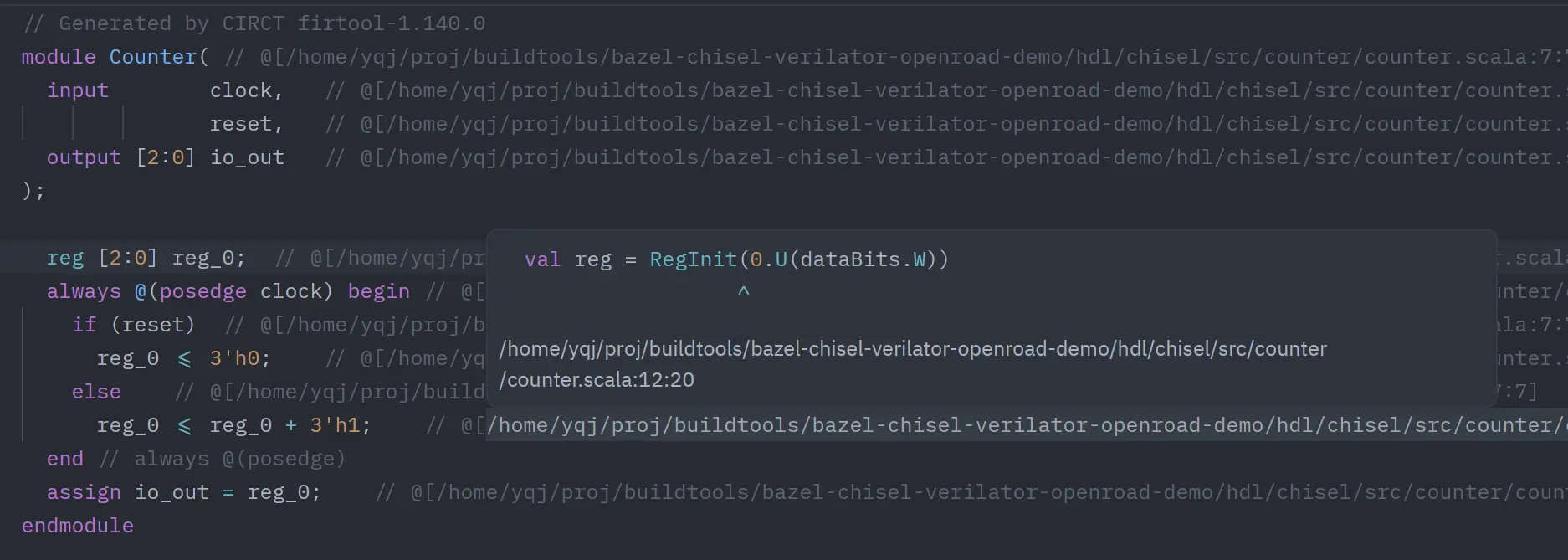
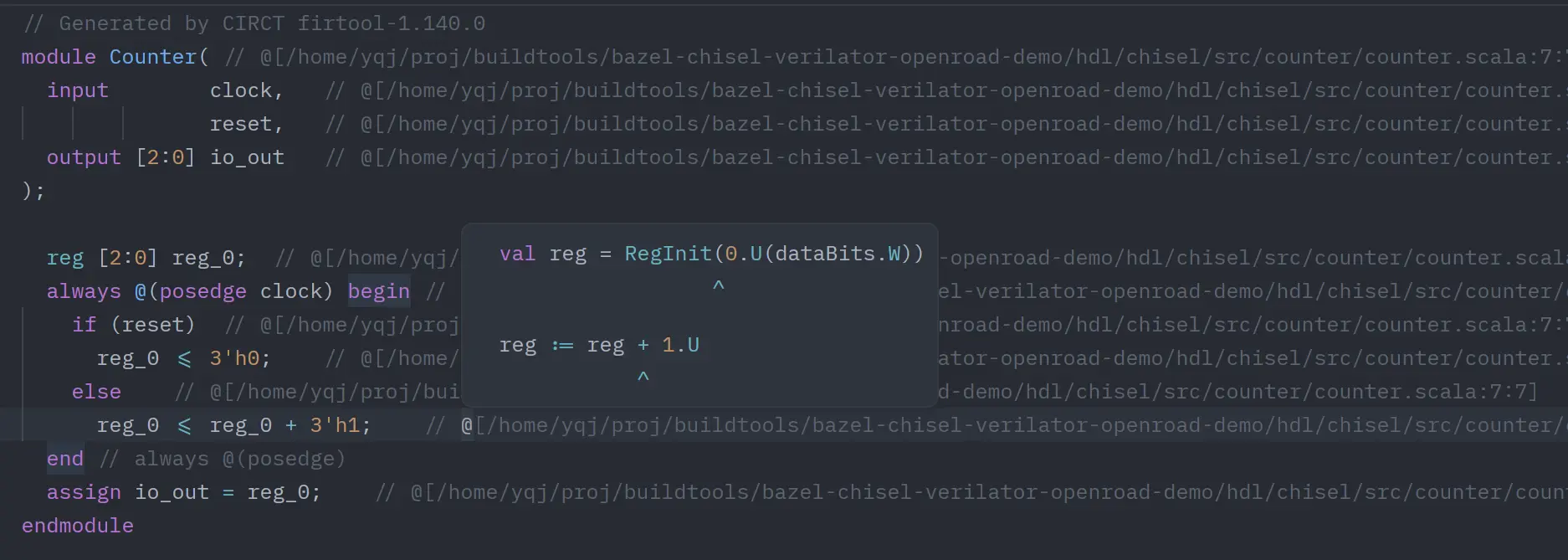
A Zed companion LSP extension for Verilog/SystemVerilog that parses FIRRTL/Chisel source locator comments (@[...]) and jumps back to Scala source locations.
Features
textDocument/definition- Jump from anywhere inside one locator comment to all mapped Scala locations.
- Always returns a multi-target list for one
@[...]block (for picker-based selection in Zed). - Supports inherited-path tokens like
:108:21. - Supports multi-column tokens like
:257:{27,31,48,72}.
textDocument/hover- On a locator token, shows a 3-line preview:
- mapped source code line
^column indicator line- expanded locator path (
path:line:col)
- On
// @[(expanded trigger range), shows a summary of all mapped targets.- Each locator entry is rendered as 2 lines (source line +
^line; multi-column entries share one^line).
- Each locator entry is rendered as 2 lines (source line +
- Uses fenced Markdown code blocks with language tags (
scala/firrtl/verilog/ etc.) for syntax highlighting in hover.
- On a locator token, shows a 3-line preview:
Note: this extension intentionally prioritizes Go to Definition for locator blocks (instead of DocumentLink) so one click can always produce the multi-target picker.
It now returns LocationLink targets with explicit column ranges for each mapped source point.
Server Resolution Strategy (PATH + GitHub Release)
This extension no longer builds the server on the host machine.
When Zed starts the language server, the extension resolves the server binary in this order:
- Optional override:
FIRRTL_SOURCE_LOCATOR_SERVER=/absolute/path/to/firrtl-source-locator-server[.exe]. - Search in
$PATHviaWorktree::which("firrtl-source-locator-server"). - If not found, download a prebuilt binary archive from GitHub release tag
v<extension-version>. - Extract into the extension workdir:
firrtl-source-locator-server-v<version>-<target>/
- Launch the resolved binary directly.
Supported release targets:
x86_64-unknown-linux-gnuaarch64-unknown-linux-gnux86_64-apple-darwinaarch64-apple-darwinx86_64-pc-windows-msvc
Error Reporting and Troubleshooting
If startup fails, Zed's language server status will show the reason (missing release tag, missing asset, download error, unsupported platform, etc.).
Common fixes:
# install your own server binary and expose it in PATH
which firrtl-source-locator-server

# or point the extension to a custom server binary
export FIRRTL_SOURCE_LOCATOR_SERVER=/absolute/path/to/firrtl-source-locator-server
If GitHub download fails, verify network access and confirm the release tag v<extension-version> includes your platform asset.
Development
# check extension wasm crate
cargo check

# run server parser tests
cargo test --manifest-path server/Cargo.toml
GitHub workflows:
.github/workflows/ci.yml: extension check + server tests..github/workflows/release-server.yml: build and publish release assets for supported targets.
Use in Zed
- Open Zed Extensions.
- Click
Install Dev Extension. - Select this project directory.
- Open
.sv/.vfiles and use Go to Definition on@[...]tokens. - Hover:
- on one token for single-target details,
- on
// @[for all-target summary.