zed-firefox-quantum-theme
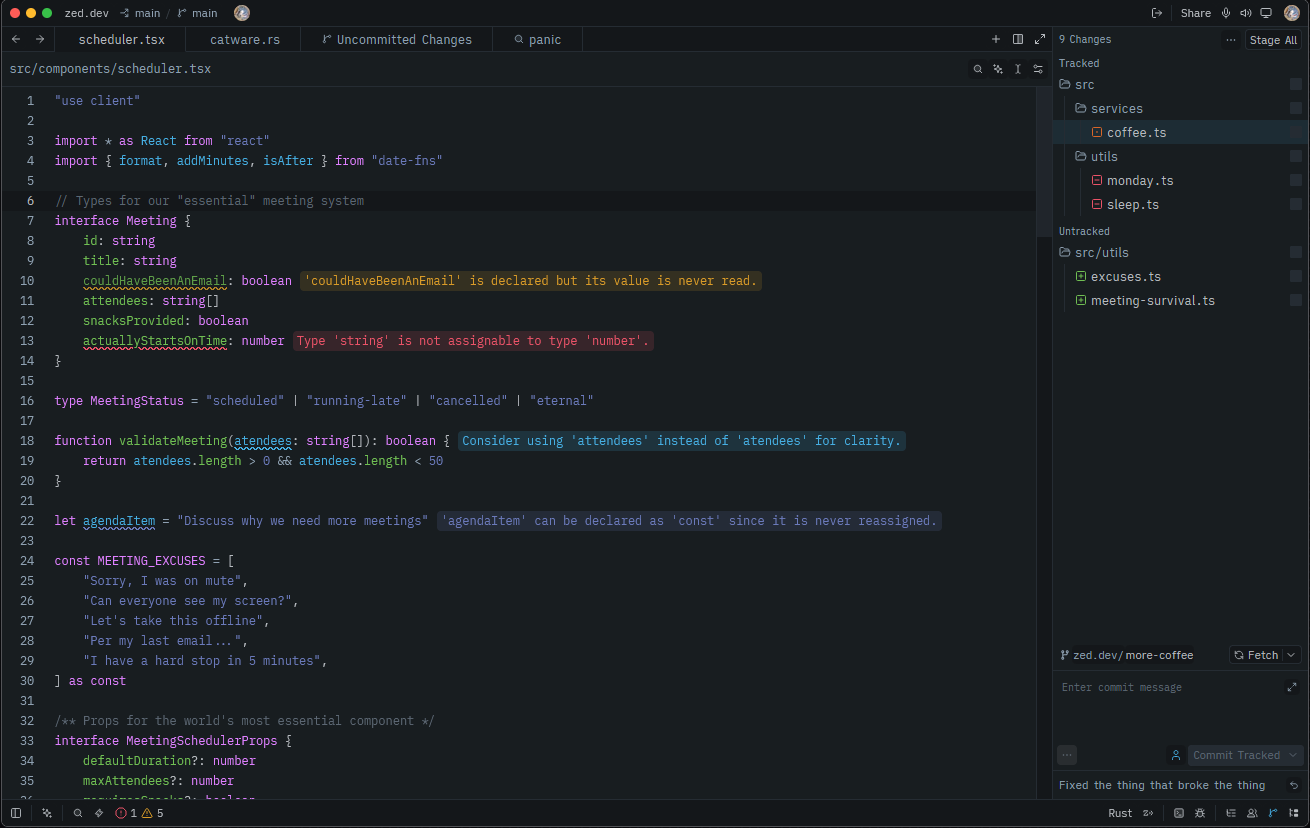
A Zed port of the Firefox Quantum themes for Visual Studio Code, based on Firefox DevTools colors
Preview
Installation
Currently only Dev Extension installation is supported. To install the theme, follow these steps:
- Clone the repo somewhere on your computer.
- Open Zed and go to
Extensions(Ctrl-Shift-X) >Install Dev Extensionon the upper right corner - Alternatively open the Command Palette (Ctrl-Shift-P) and type "Extensions: Install dev extension".
- Select the folder where you cloned the repo and click
Select. - Select the newly installed theme.
Credits
This theme is a direct port of the Firefox Quantum themes for Visual Studio Code by chpxu. It is my favorite theme and has been for a while, so I decided to bring it to Zed as part of my migration over there. Huge thanks to the original author for creating such a great theme.
Credits to the original authors as listed in extension.toml:
- beastdestroyer https://github.com/beastdestroyer
- chpxu https://github.com/chpxu
- devinaxo https://github.com/devinaxo