Fedaykin Themes for Zed
A comprehensive collection of Dune-inspired themes for Zed Editor - from dark atmospheric palettes to warm light themes.
Screenshots
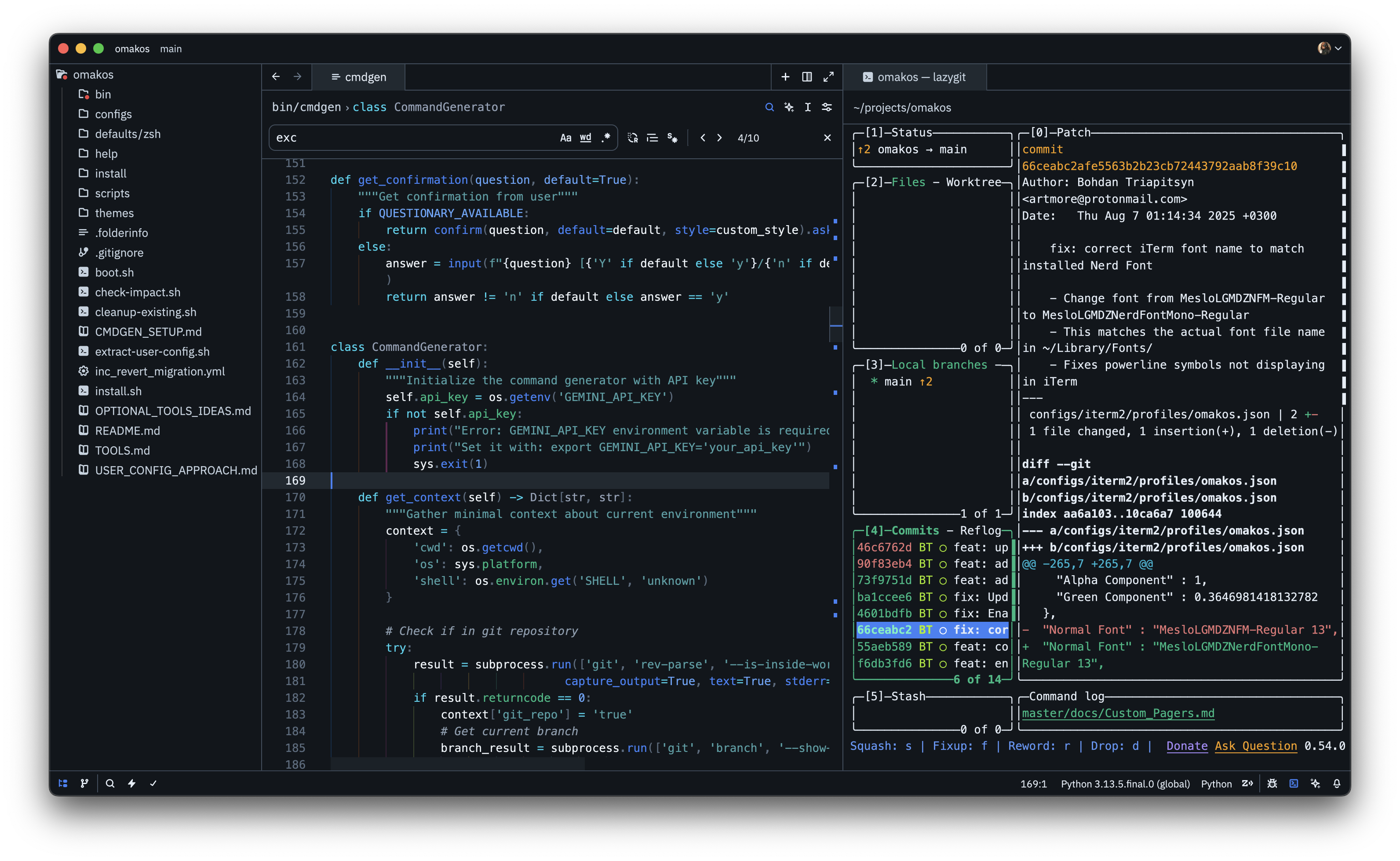
Dark Theme Example - Dune Caladan Storm
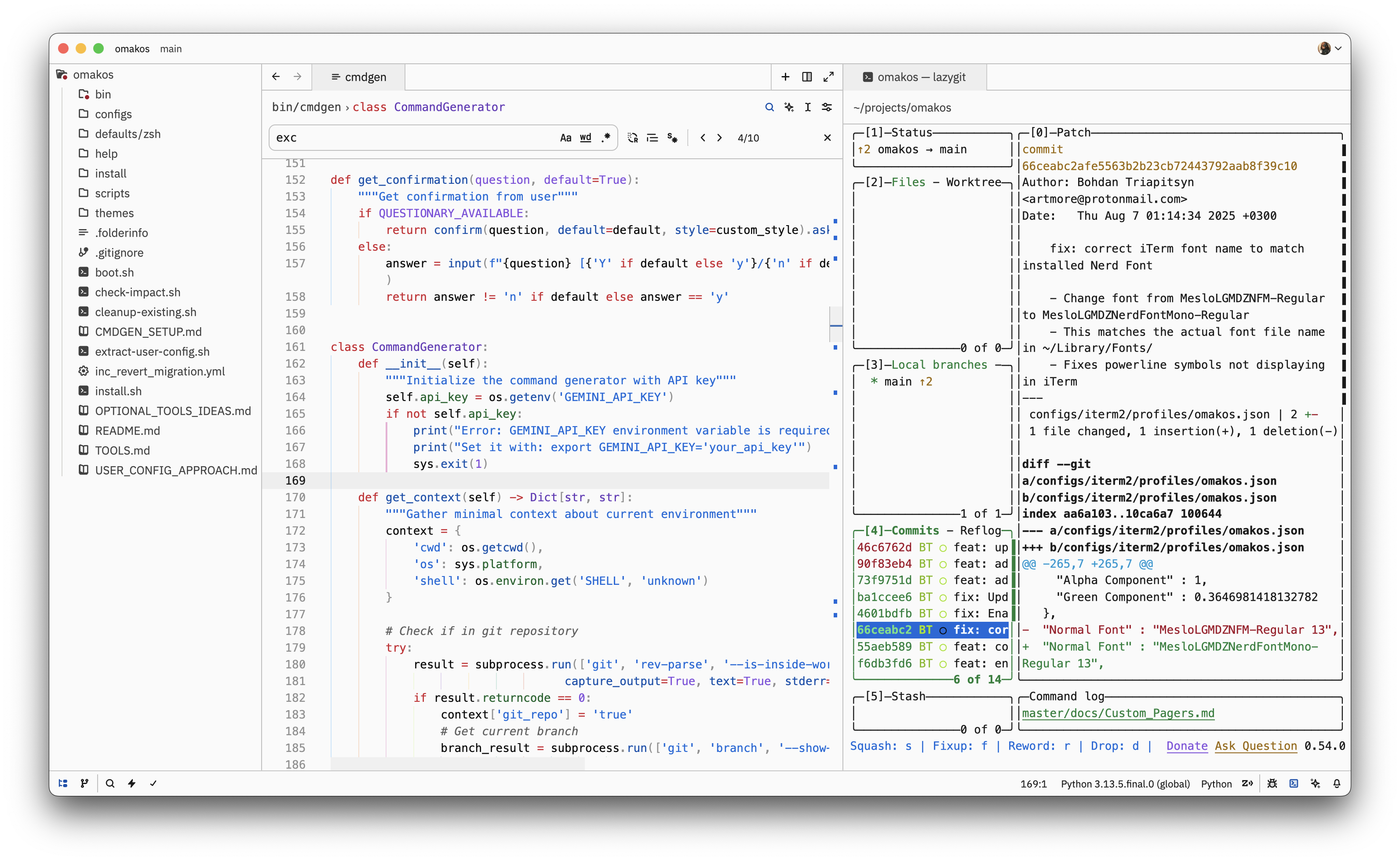
Light Theme Example - Dune Mentat
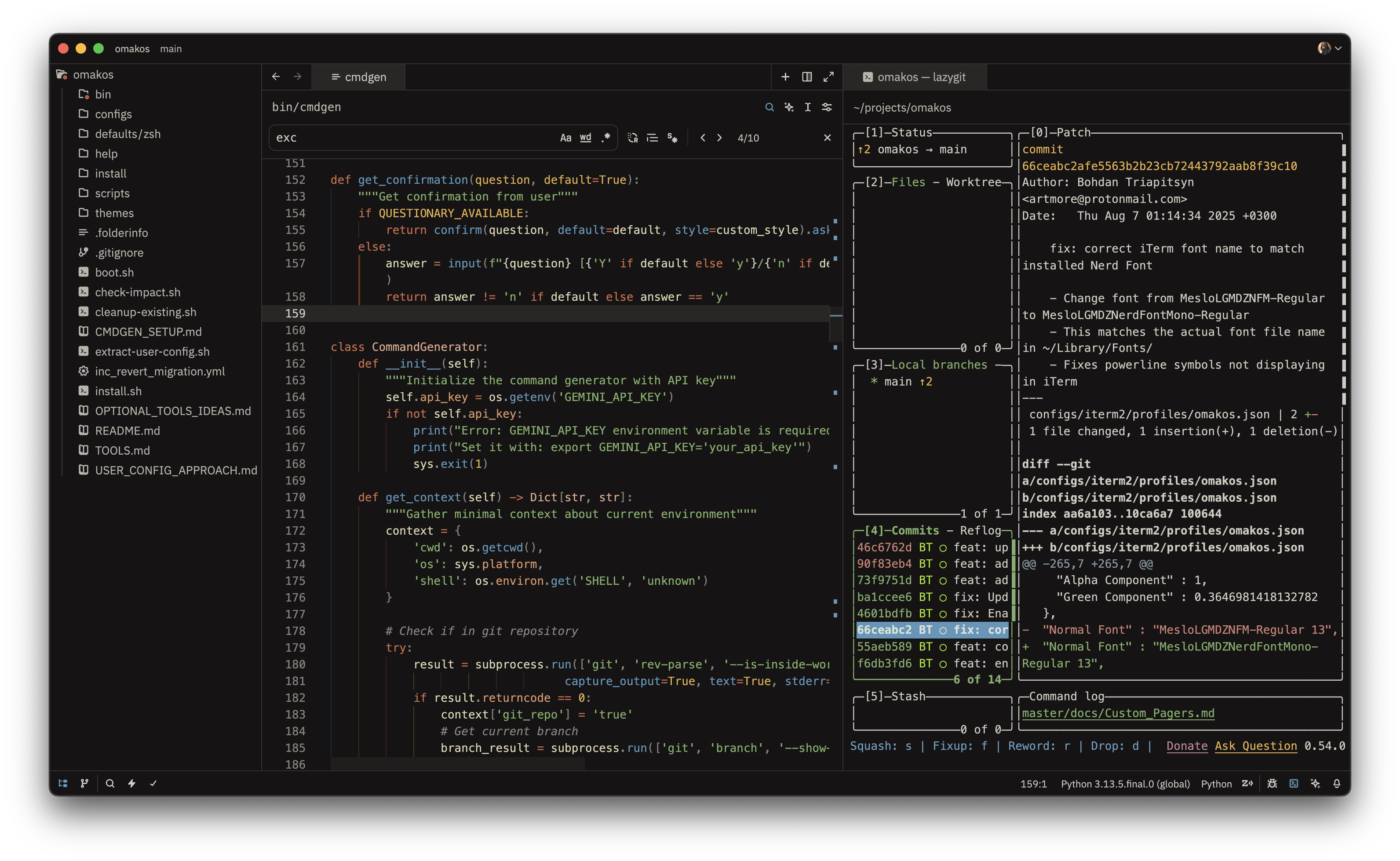
Warm Theme Example - Dune Arrakis Incandescent
Themes Included (36 Total)
Each theme comes in two variants:
- Opaque - Classic solid backgrounds
- Blurred - Transparent backgrounds with macOS vibrancy blur effect
House & Faction Themes
- Dune Giedi Prime - A stark industrial monochrome theme with subtle pastel accents
- Dune Harkonnen - A dark industrial theme with cold blues and purples inspired by the brutalist Harkonnen homeworld
- Dune House Atreides - The noble house from oceanic Caladan - deep ocean blues, sea greens, silver nobility, and misty grays
- Dune Sardaukar Imperial - The Emperor's elite forces - imperial purple and gold with crimson ruthlessness
- Dune Bene Gesserit - The mystical sisterhood - midnight blues, silver robes, and subtle gold wisdom
Character Themes
- Dune Muad'Dib - Paul's desert leadership - fierce Fremen blue eyes, royal purples, and survival greens
- Dune Fremen Sietch (Light Theme) - Desert survival - warm beige backgrounds with earth tones and precious water blues
Planet Themes
- Dune Arrakis Incandescent - A warm desert theme with glowing incandescent tones - golden spice and sunset rose
- Dune Sandworm - Inspired by the great makers - sandy beiges, deep earth browns, and electric spice blue
- Dune Kaitain - The Imperial capital planet - deep oceanic backgrounds with vibrant yet grounded syntax highlighting featuring olive drab strings, warm amber numbers, and bright function blues
- Dune Caladan Storm - The tempestuous Atreides homeworld - storm grays, ocean navy, and lightning blues
- Dune Salusa Secundus - The prison planet that forged the Sardaukar - volcanic reds, ash grays, and molten metal
- Dune Ix Technology - The machine planet - sleek metallics, circuit greens, and holographic purples
Guild & Commerce Themes
- Dune Guild Navigator - Spice-mutated navigators - deep space blacks, nebula purples, and bright orange spice gas
- Dune Spacing Guild - Interstellar commerce - corporate steel grays, gold wealth accents, and technology blues
Mystical & Mental Themes
- Dune Water of Life - The sacred transformation - luminous blues, ethereal whites, and transcendent purples
- Dune Mentat (Light Theme) - Human computers - clean whites, Sapho juice reds, and precise computational blues
- Dune Spice Vision - Prescient visions and spice trance - golden amber base, electric blue flashes, mystical purples, and shifting oranges
Installation
Local Development Installation
- Clone this repository:
git clone https://github.com/btriapitsyn/zed-fedaykin-themes.git
cd zed-fedaykin-themes- Create a symlink to your Zed extensions directory:
ln -s $(pwd) ~/.config/zed/extensions/fedaykin-themesRestart Zed or reload extensions
Open Zed's theme selector (Cmd+K, Cmd+T) and search for "Fedaykin"
Development
Adding New Themes
Create a color palette file in
color_palettes/:- Use
color_palettes/palette-template.jsonas a base - Define all 46 required colors
- Add descriptive comments for each color's purpose
- Use
Generate the theme:
python3 generate_theme.py color_palettes/your-palette.json- Both opaque and blurred variants will be added to
themes/fedaykin-themes.json
Managing Themes
List all themes:
python3 generate_theme.py --listRemove a theme:
python3 generate_theme.py --remove "Theme Name"Regenerate a single theme:
python3 generate_theme.py color_palettes/your-palette.jsonRegenerate all themes:
python3 generate_theme.py --regenerate-allBlur Customization
Blur transparency levels are defined in generate_theme.py via BLUR_ALPHA dict. Adjust values and regenerate to customize the blur effect intensity.
Color Palette System
The themes use a unified 46-color system:
- Colors 1-6: Background colors (darkest to lightest)
- Colors 7-8: Borders and dividers
- Colors 9-13: Text hierarchy (brightest to dimmest)
- Colors 14-19: Syntax highlighting (different token types)
- Colors 20-24: Semantic state colors (errors, warnings, info, success)
- Colors 25-26: UI accent colors
- Colors 27-29: Terminal special colors
- Colors 30-46: Transparencies and overlays
Design Philosophy
These themes follow the principle of narrative-driven design:
- Carefully calibrated contrast for reduced eye strain
- Semantic color consistency across all themes
- Color intensity that matches each theme's inspiration - from subtle monochromes to vibrant spice oranges
- Context-aware contrast levels for different UI elements
- Accessibility through proper luminance ratios
- Each theme tells a story from the Dune universe through its color choices
License
MIT
Author
FedaykinDev
"The spice must flow"