
Dream Theme for Zed
A warm, earthy color scheme that brings a cozy, dream-like atmosphere to your coding environment



Previews
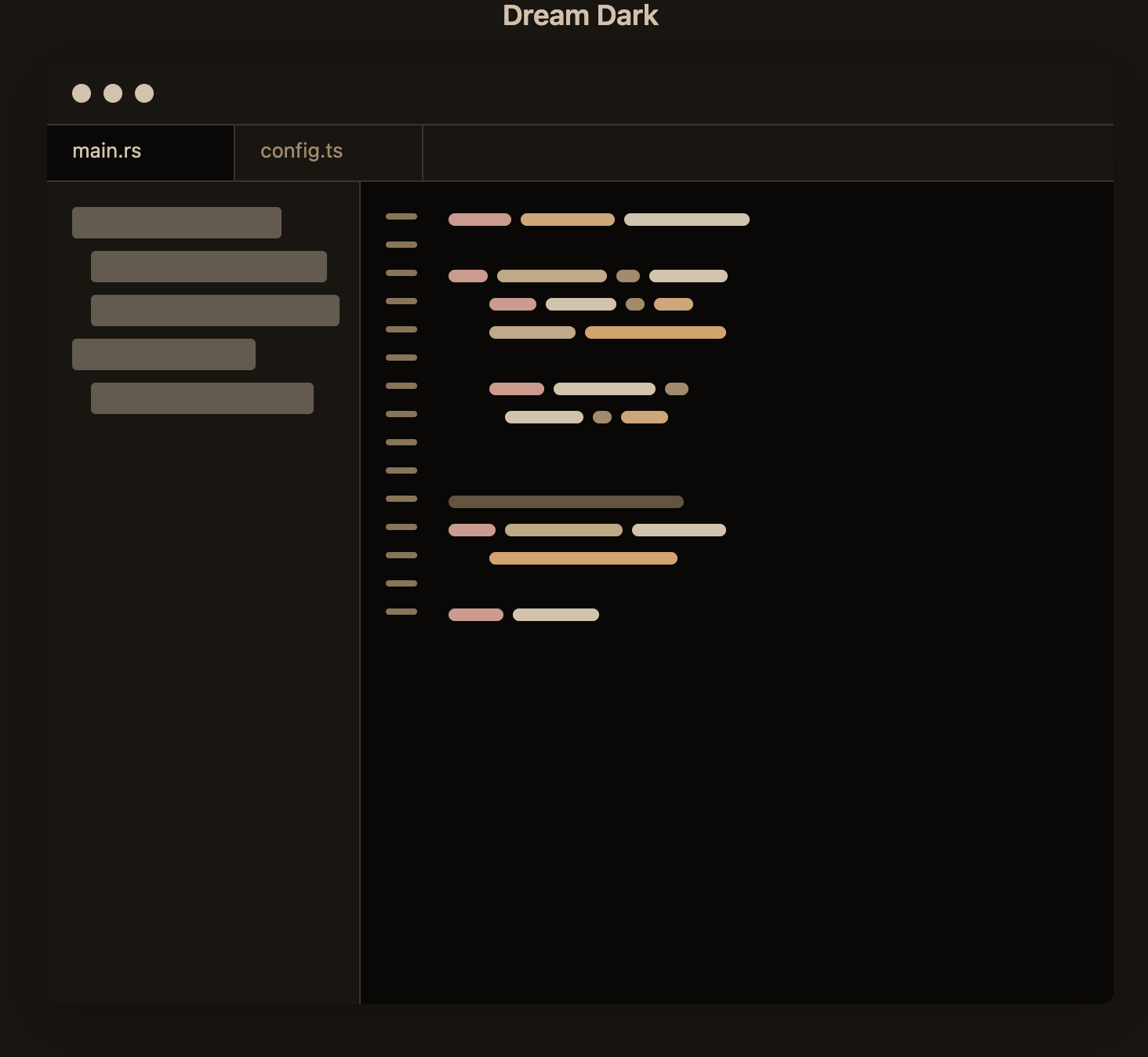
🌙 Dream Dark
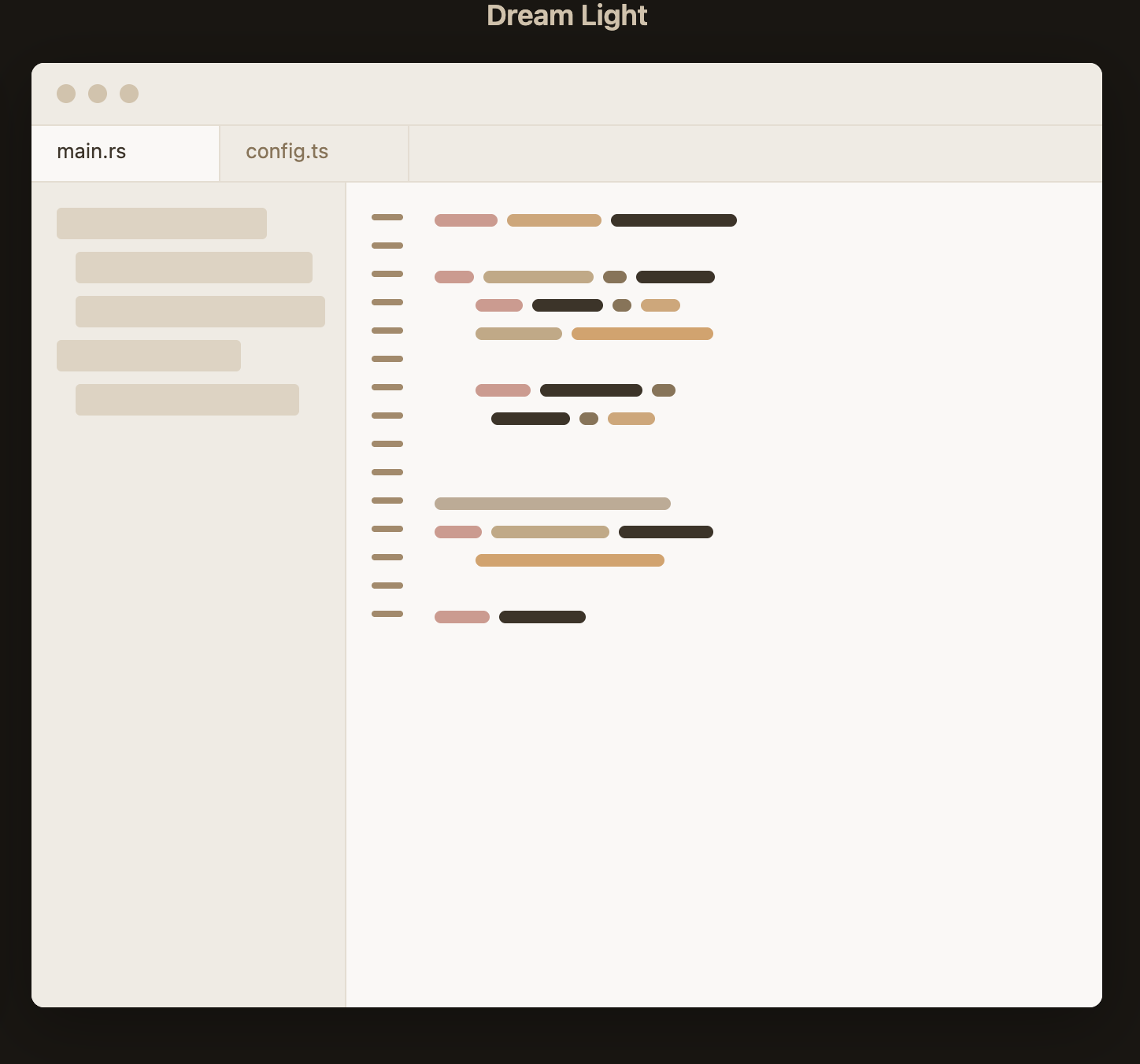
☀️ Dream Light
Features
- 🎨 Warm Color Palette - Earthy tones inspired by natural colors: sandy beiges, warm browns, and golden accents
- 🌓 Dual Themes - Both dark and light variants for different lighting conditions and preferences
- 👁️ Optimized Contrast - Carefully balanced colors for comfortable long coding sessions
- 🔤 Complete Coverage - Full syntax highlighting for all major languages
- 🎯 Consistent Design - Cohesive color scheme across UI elements and code
Installation
Via Zed Extensions (Coming Soon)
Once published to the Zed extension marketplace:
- Open Zed
- Press
Cmd+Shift+P(macOS) orCtrl+Shift+P(Linux/Windows) - Type "Extensions: Install Extension"
- Search for "Dream Theme"
- Click Install
Manual Installation
- Clone or download this repository
- Copy the theme files to your Zed themes directory:
# macOS/Linux cp -r themes/*.json ~/.config/zed/themes/ # Windows copy themes\*.json %APPDATA%\Zed\themes\ - Open Zed and go to Settings
- Select Dream Dark or Dream Light from the theme selector
Usage
Once installed, switch between themes using:
Command Palette:
- Press
Cmd+K→Cmd+T(macOS) orCtrl+K→Ctrl+T(Linux/Windows) - Select Dream Dark or Dream Light
Settings:
- Open Zed Settings (
Cmd+,orCtrl+,) - Navigate to "Theme"
- Choose your preferred Dream theme
Color Palette
🌙 Dream Dark Palette
| Element | Hex | Swatch |
|---|---|---|
| Background | #0a0806 |
 |
| Foreground | #d4c2aa |
 |
| Accent | #d4c2aa |
|
| Comment | #8b7355 |
 |
| Keyword | #d4988d |
 |
| Function | #c4a882 |
 |
| String | #d9a066 |
 |
| Number | #d4a574 |
 |
| Type | #d4a574 |
|
| Variable | #d4c2aa |
|
| Operator | #a68968 |
 |
☀️ Dream Light Palette
| Element | Hex | Swatch |
|---|---|---|
| Background | #faf8f5 |
 |
| Foreground | #3d3328 |
 |
| Accent | #d4c2aa |
|
| Comment | #a68968 |
|
| Keyword | #d4988d |
|
| Function | #c4a882 |
|
| String | #d9a066 |
|
| Number | #d4a574 |
|
| Type | #d4a574 |
|
| Variable | #3d3328 |
|
| Operator | #8b7355 |
|
Supported Languages
The Dream theme provides complete syntax highlighting for all languages supported by Zed, including:
View supported languages
- Rust
- TypeScript / JavaScript
- Python
- Go
- C / C++
- Java
- C#
- Ruby
- PHP
- HTML / CSS / SCSS
- JSON / YAML / TOML
- Markdown
- Shell / Bash
- SQL
- And many more...
Design Philosophy
Dream theme is built on a foundation of warm, natural colors that create a comfortable and inviting coding environment:
- 🏜️ Earthy Base - Soft creams and deep browns inspired by desert landscapes
- 🌅 Warm Syntax - Golden yellows, muted reds, and warm oranges that are easy on the eyes
- ✨ Subtle Accents - Carefully chosen highlights that guide without overwhelming
- 🎭 Balanced Contrast - Optimized for both light and dark environments
Contributing
Contributions are welcome! If you'd like to improve Dream theme:
- Fork this repository
- Create a new branch (
git checkout -b feature/improvement) - Make your changes
- Commit your changes (
git commit -am 'Add new feature') - Push to the branch (
git push origin feature/improvement) - Open a Pull Request
Reporting Issues
Found a bug or have a suggestion? Please open an issue with:
- A clear description of the problem or suggestion
- Screenshots if applicable
- Steps to reproduce (for bugs)
Changelog
Version 1.0.0 (Current)
- ✨ Initial release
- 🌙 Dream Dark theme
- ☀️ Dream Light theme
- 🎨 Complete syntax highlighting for all languages
- 🎯 Optimized UI colors
- 🔧 Fixed file rename selection visibility
- 📝 Comprehensive documentation
License
This theme is available under the MIT License. Feel free to modify and share!
Made with ❤️ by Arturo Negrete
If you enjoy this theme, consider ⭐ starring the repository!