Dogi Theme for Zed
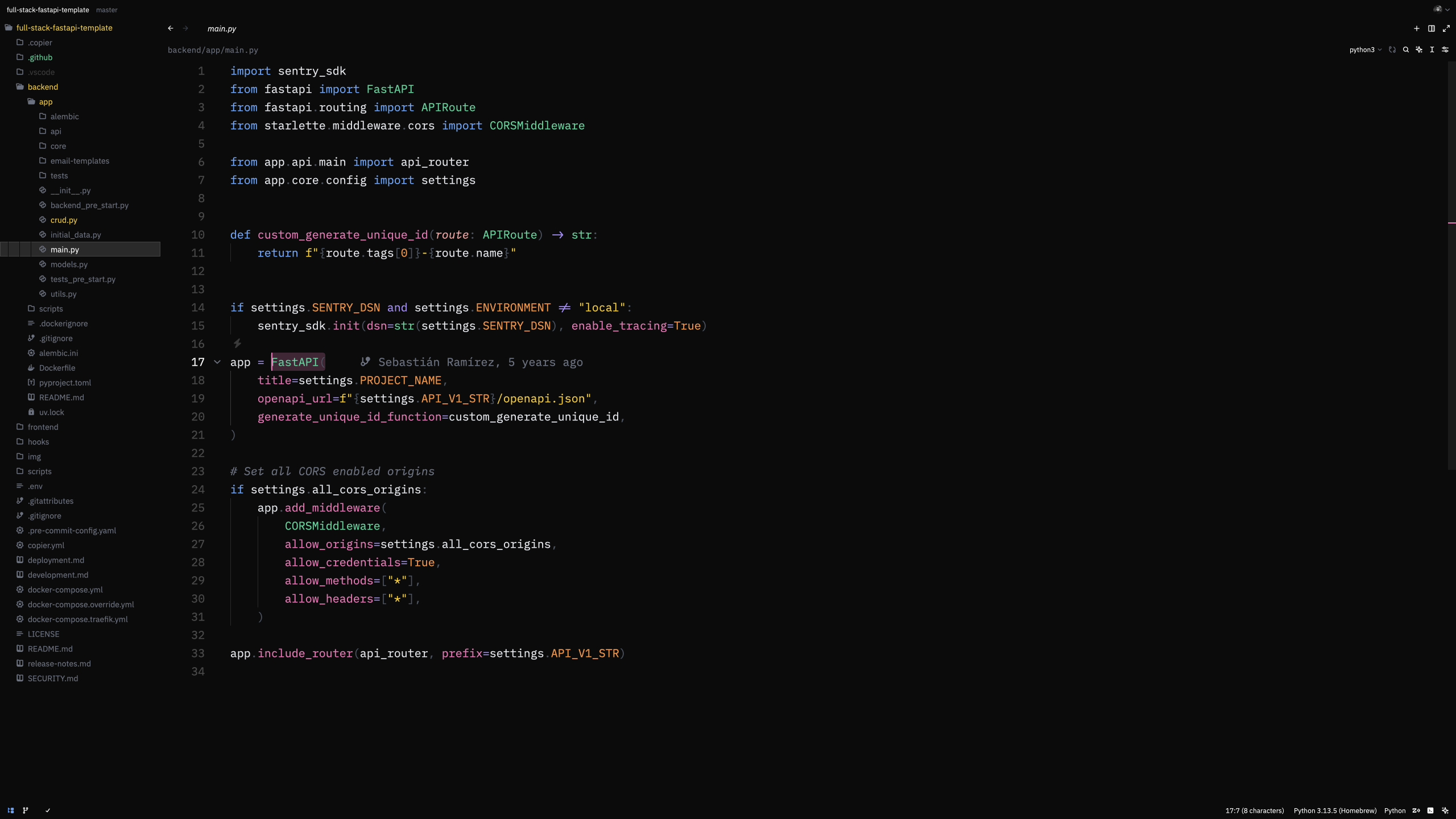
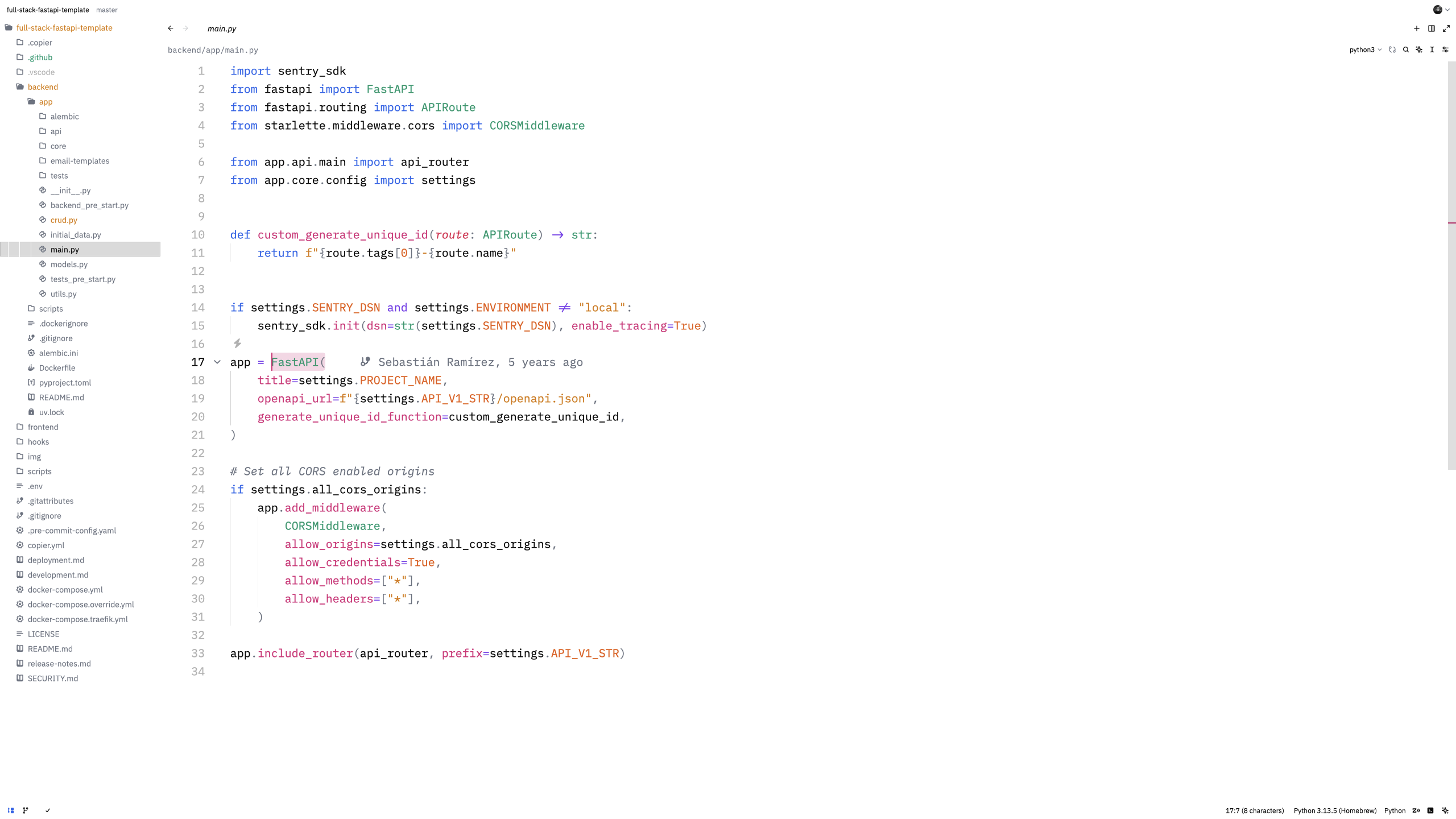
A minimalist flat theme for Zed with pure black and white backgrounds, vibrant syntax colors, and consistent font weights.
🎨 Features
- Flat backgrounds - Pure black (#000000) for dark mode, pure white (#FFFFFF) for light mode
- Vibrant syntax highlighting - Carefully selected colors for excellent code readability
- Consistent font weights - Medium weight (500) throughout for a uniform appearance
- Two variants - Both dark and light themes included
📸 Screenshots
Dark Theme
Light Theme
🚀 Installation
- Open Zed
- Press
Cmd+Shift+P(macOS) orCtrl+Shift+P(Linux) to open the command palette - Type
zed: extensionsand select it - Search for "Dogi"
- Click Install
- Select the theme via
theme selector: togglein the command palette
🎯 Design Philosophy
Dogi focuses on minimalism and clarity. By using pure black and white backgrounds with vibrant accent colors, it reduces visual noise while maintaining excellent readability for long coding sessions.
📝 License
👤 Author
Doğukan Ürker
- GitHub: @dogukanurker
- Email: dogukanurker@icloud.com