Deep Slate
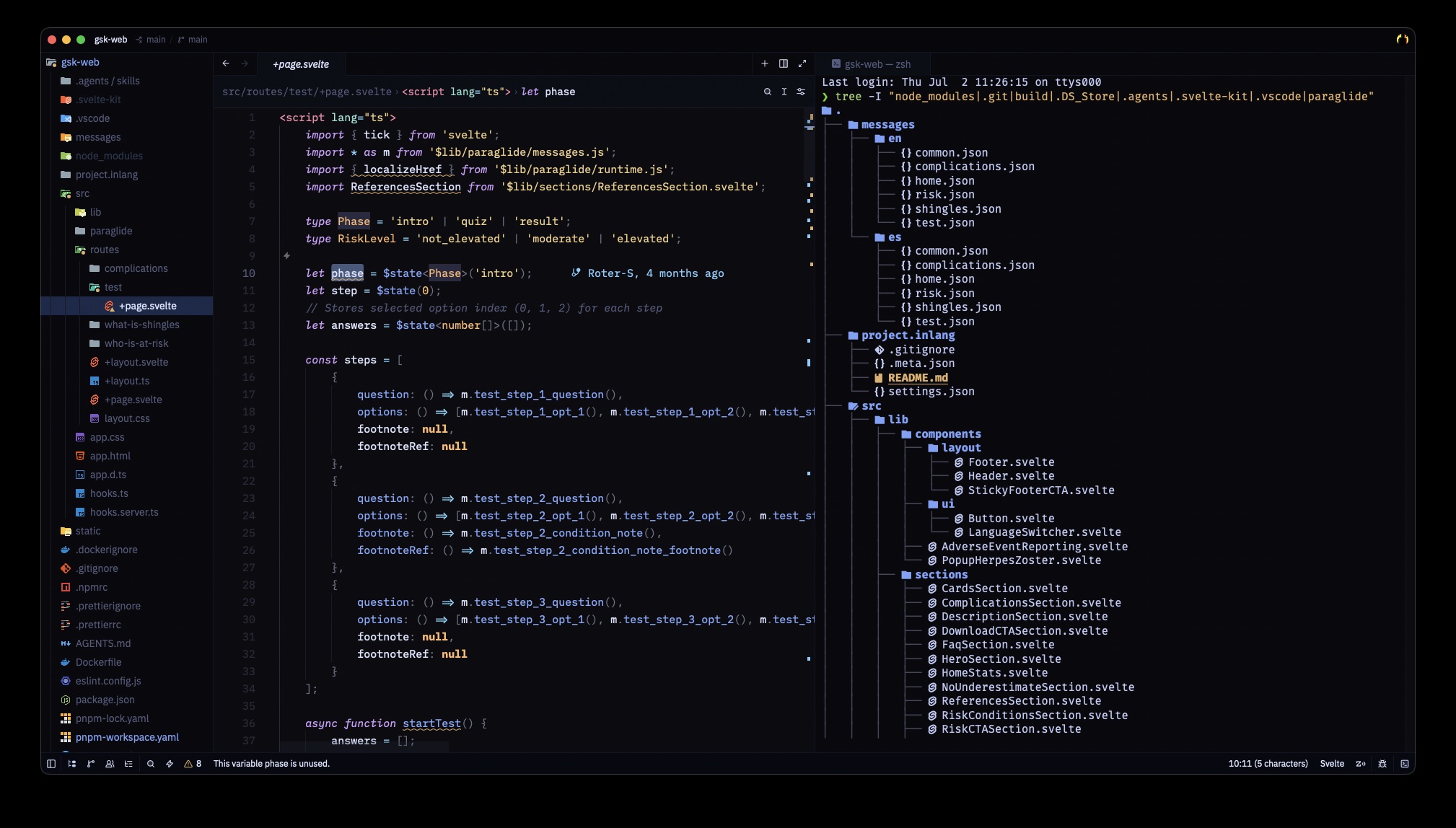
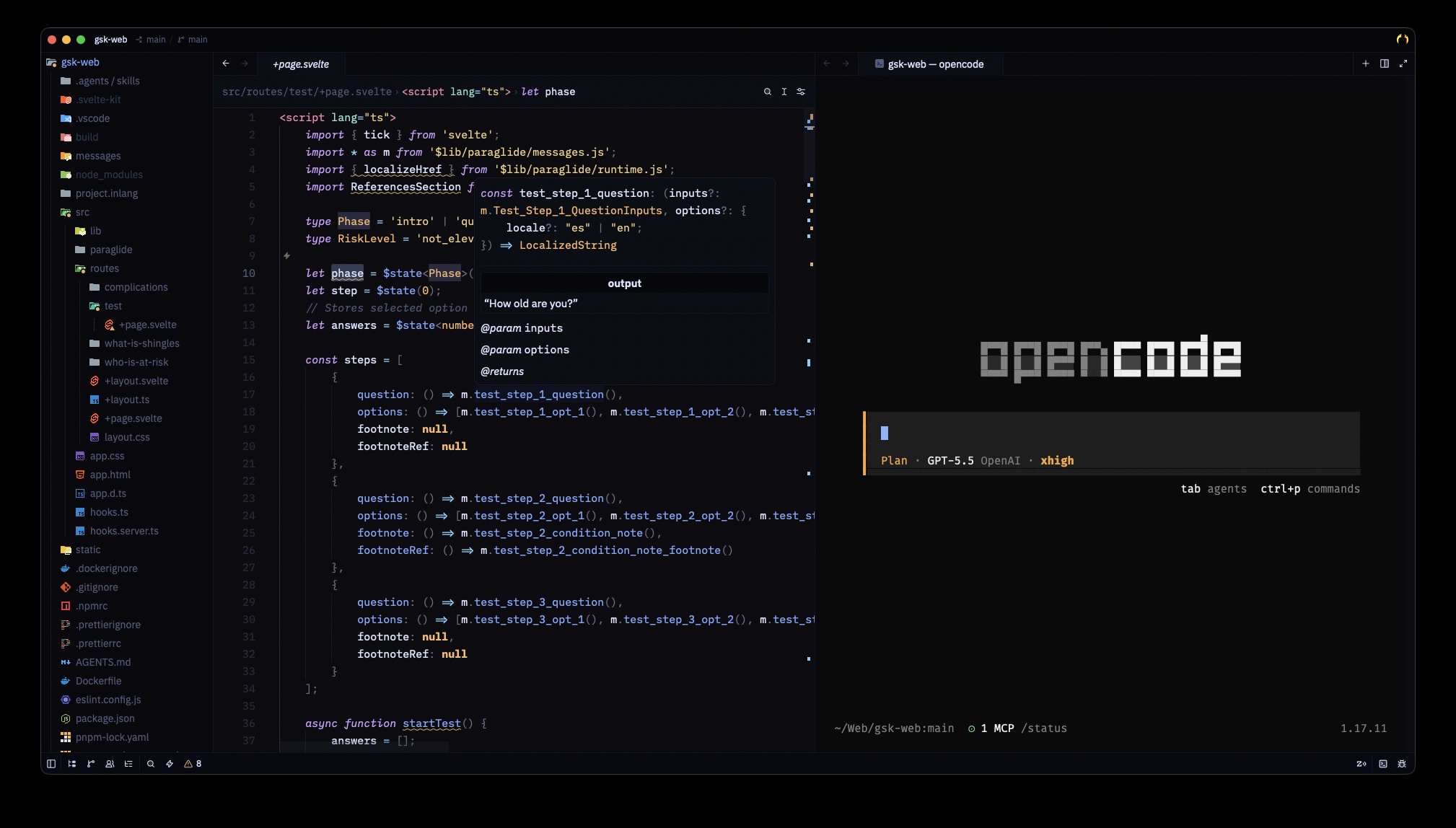
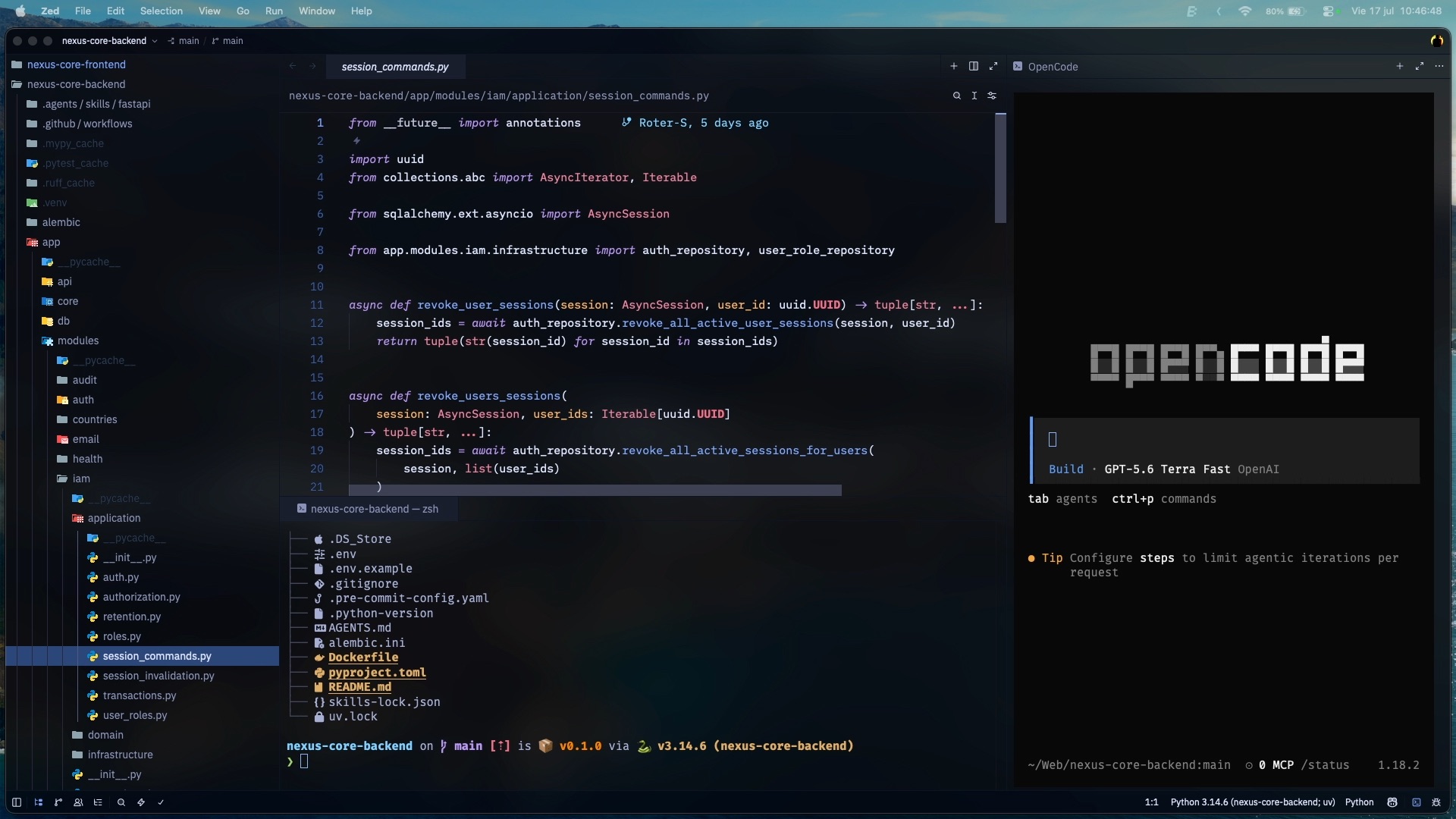
A minimal dark Zed theme with a near-black background and vivid syntax colors. Designed for long coding sessions across multiple languages.
Screenshots
Features
- Deep near-black background — easy on the eyes
- Vivid, high-contrast syntax palette
- Italic keywords with cursive variant
- Opaque and translucent variants
- Full support for: JavaScript, TypeScript, React/JSX, Svelte, Vue, Astro, PHP/Laravel/Blade, Java, Kotlin, Python, Go, Rust, CSS/SCSS, JSON, YAML, SQL, Markdown
Variants
- Deep Slate: the standard opaque theme.
- Deep Slate Translucent: uses semi-transparent surfaces and a blurred background for compatible environments.
Installation
- Open Extensions in Zed
- Search for
Deep Slate - Click Install
- Open the theme selector (
cmd+k cmd+ton Mac orctrl+k ctrl+ton Windows/Linux) → select Deep Slate or Deep Slate Translucent
Color Palette
| Role | Color |
|---|---|
| Background | #0c0c10 |
| Variables | #dce4ff |
| Keywords | #bb9af7 |
| Functions | #82aaff |
| Strings | #f2d185 |
| Numbers | #f7768e |
| Classes | #f38ba8 |
| Properties | #94e2d5 |
| Parameters | #ffb86c |
| Operators | #bb9af7 |
| Comments | #545c7e |
Recommended Settings
Add these to your ~/.config/zed/settings.json for the full minimal experience:
{
  "theme": "Deep Slate",
  "icon_theme": "Material Icon Theme",
  "ui_font_size": 16,
  "buffer_font_size": 15,
  "buffer_font_features": {
    "calt": true,
  },
  "terminal": {
    "font_family": "FiraCode Nerd Font",
    "dock": "right",
  },
  "project_panel": { "dock": "left" },
  "outline_panel": { "dock": "left" },
  "collaboration_panel": { "dock": "left" },
  "git_panel": { "dock": "left" },
  "telemetry": {
    "diagnostics": true,
    "metrics": false,
  },
}
License
MIT © Roter-S