Darcula Dark for Zed Editor
A darker theme for Zed based on the Darcula theme from Jetbrains IDEs.
Too dark? Check out New Darcula by Evan Simpson for a similar (but lighter and more Jetbrains-accurate) theme
Note
This theme was made with rust development in mind, if you spot any issues with another language please let me know!
Preview
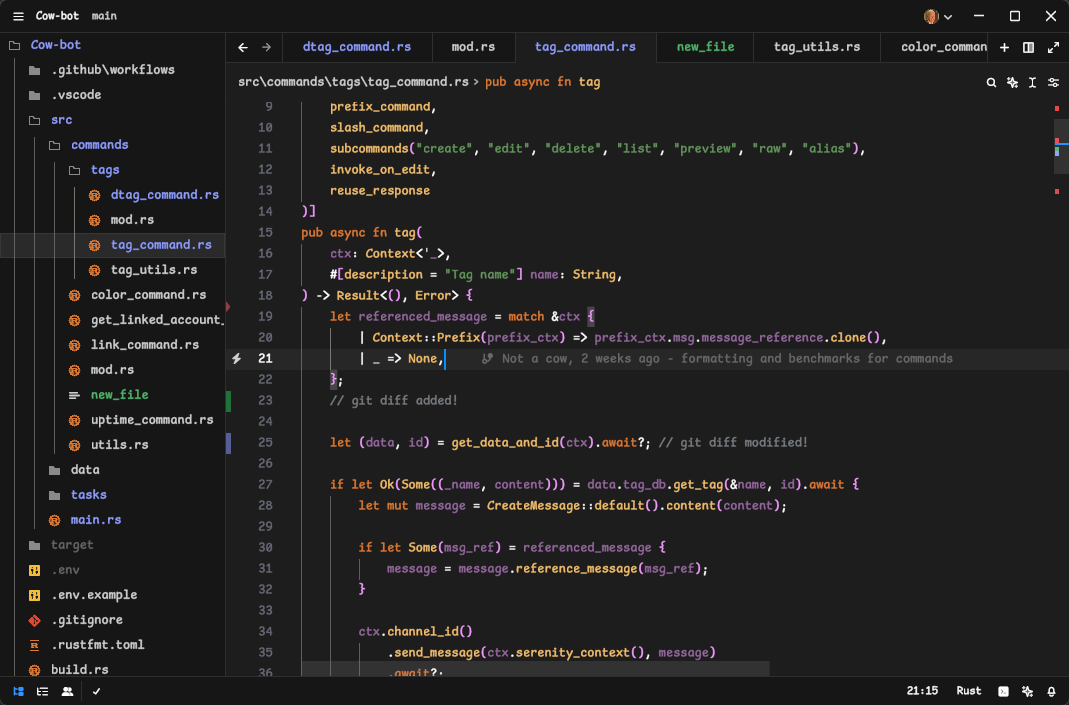 Darcula Dark Theme with Bearded Icons and ComicShannsMono font
Install via Zed Extensions
- Open Zed
- Press
ctrl+shift+xorcmd+shift+x - Search Darcula Dark Theme and click Install
Install Manually
- Download darcula_dark.json
- Put into
~/.config/zed/themes/