Cynosure Light Theme for Zed
A Zed port of the Cynosure Light Theme for VS Code: soft, creamy, warm light theme inspired by Cyberpunk 2077: Phantom Liberty.
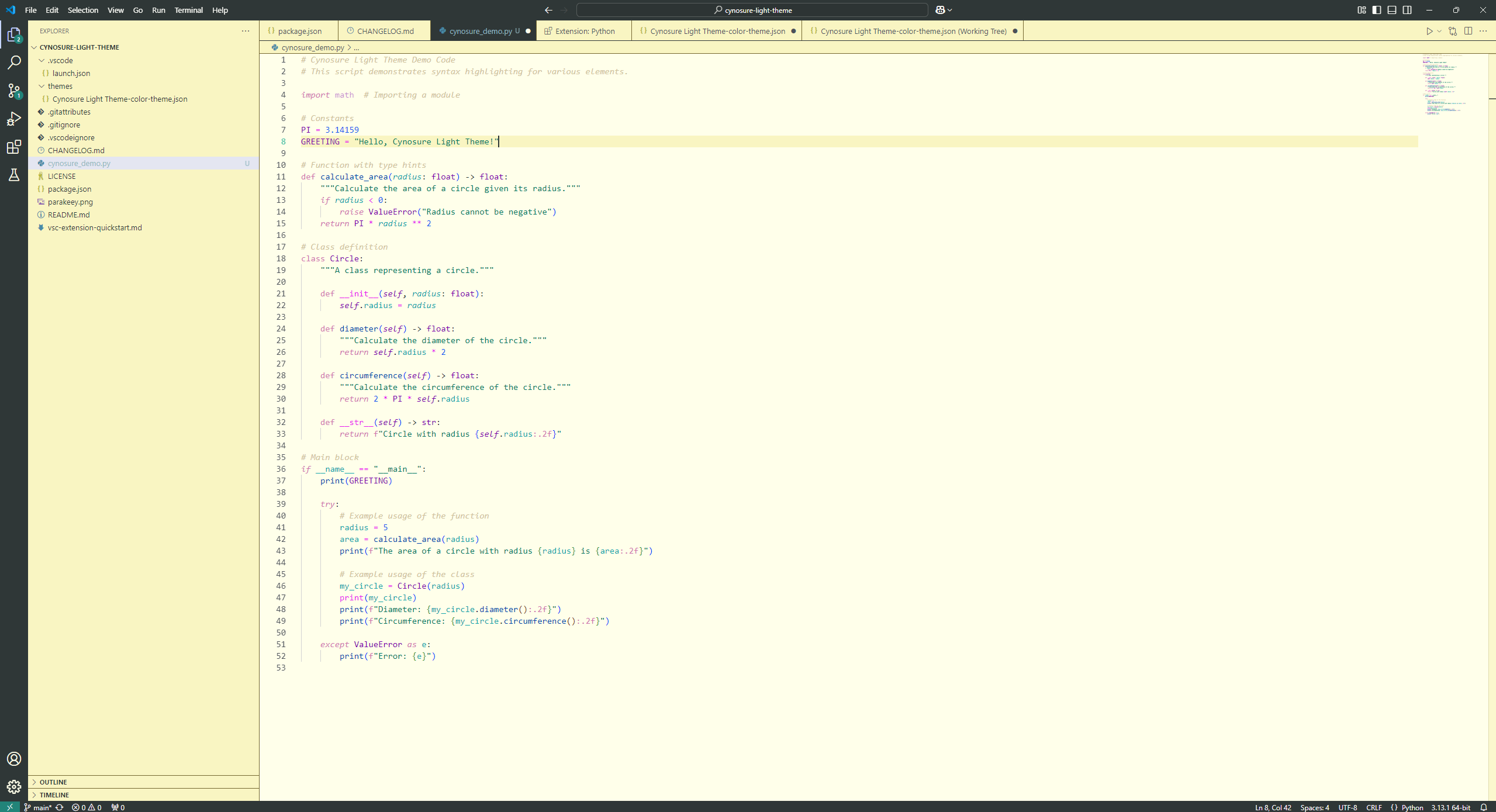
Installation
Open the Zed extension marketplace (zed: extensions), search Cynosure Light Theme, install, then pick it with theme selector: toggle.
To try it before it's published: zed: install dev extension and select a clone of this repository.
Color Palette
Editor
| Color | Hex | Usage |
|---|---|---|
 Cream Cream |
#FFFFEA |
Editor, terminal, active tab |
 Butter Butter |
#F9F5C2 |
Panels, tab bar, title/status bar, active line |
 Olive Olive |
#766832 |
Borders |
 Periwinkle Periwinkle |
#C6D5FE |
Selection, hover |
 Deep Teal Deep Teal |
#228479 |
Focus, accent |
 Mint Mint |
#44BCA2 |
Active line number |
Syntax
| Color | Hex | Usage |
|---|---|---|
 Charcoal Charcoal |
#2F3737 |
Text, punctuation, parameters |
 Orchid Orchid |
#D075B0 |
Keywords, storage |
 Jade Jade |
#017762 |
Strings |
 Cobalt Cobalt |
#0047AB |
Functions |
 Violet Violet |
#7A00AB |
Types, classes, namespaces |
 Cyan Cyan |
#13A6AB |
Variables, properties, tags |
 Electric Blue Electric Blue |
#1256EF |
Constants, numbers, attributes |
 Magenta Magenta |
#E81AEF |
Operators, escapes, regex, enum members |
 Sand Sand |
#D0C39C |
Comments (italic) |
Differences from the VS Code version
Zed uses one text colour for the whole UI, so the dark charcoal (#2F3737) title bar, status bar and active tab from VS Code would make their labels unreadable. In Zed those use the butter/cream surfaces instead; everything else maps 1:1.