Skip to content

Type to search extensions

Catthode

v0.1.1

A warm, retro-futuristic OLED theme for Zed

Updated 1 month ago
71 downloads 1 star Repository ↗
zedext main
// Load settings, retrying a few times
fn load_config(path: &str) -> Result<Config, Error> {
let retries = 3;
let text = fs::read_to_string(path)?;
let name = "settings.json";
Ok(Config { text, retries, name })
}

Catthode for Zed

From CRT to OLED. Bringing warmth back to a world of cold themes. cattho.de

A complete Catthode theme for Zed's interface, editor, syntax highlighting, terminal, diagnostics, version control, Vim modes, and collaboration cursors.
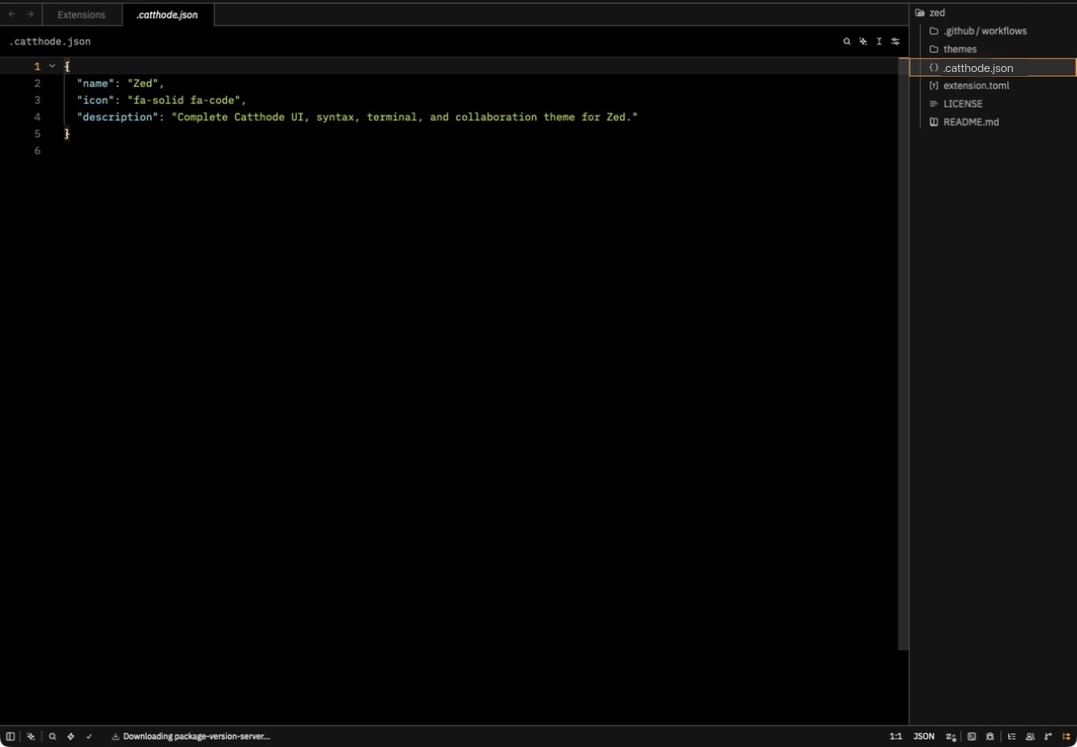
Catthode applied in Zed with its true-black editor, warm syntax colors, and project panel

Local installation

  1. Clone this repository.
  2. Open Zed's command palette.
  3. Run zed: install dev extension.
  4. Select the cloned repository directory.
  5. Run theme selector: toggle and choose Catthode.

Once published, open Zed's Extensions view, search for Catthode, and install it from the gallery.

License

MIT

ZedExt An unofficial community project. Not affiliated with Zed Industries.

Data from Zed’s extension registry and GitHub · updated