Brackets Refined
A carefully refined dark theme for Zed with a neutral interface and a balanced, expressive syntax palette.
About
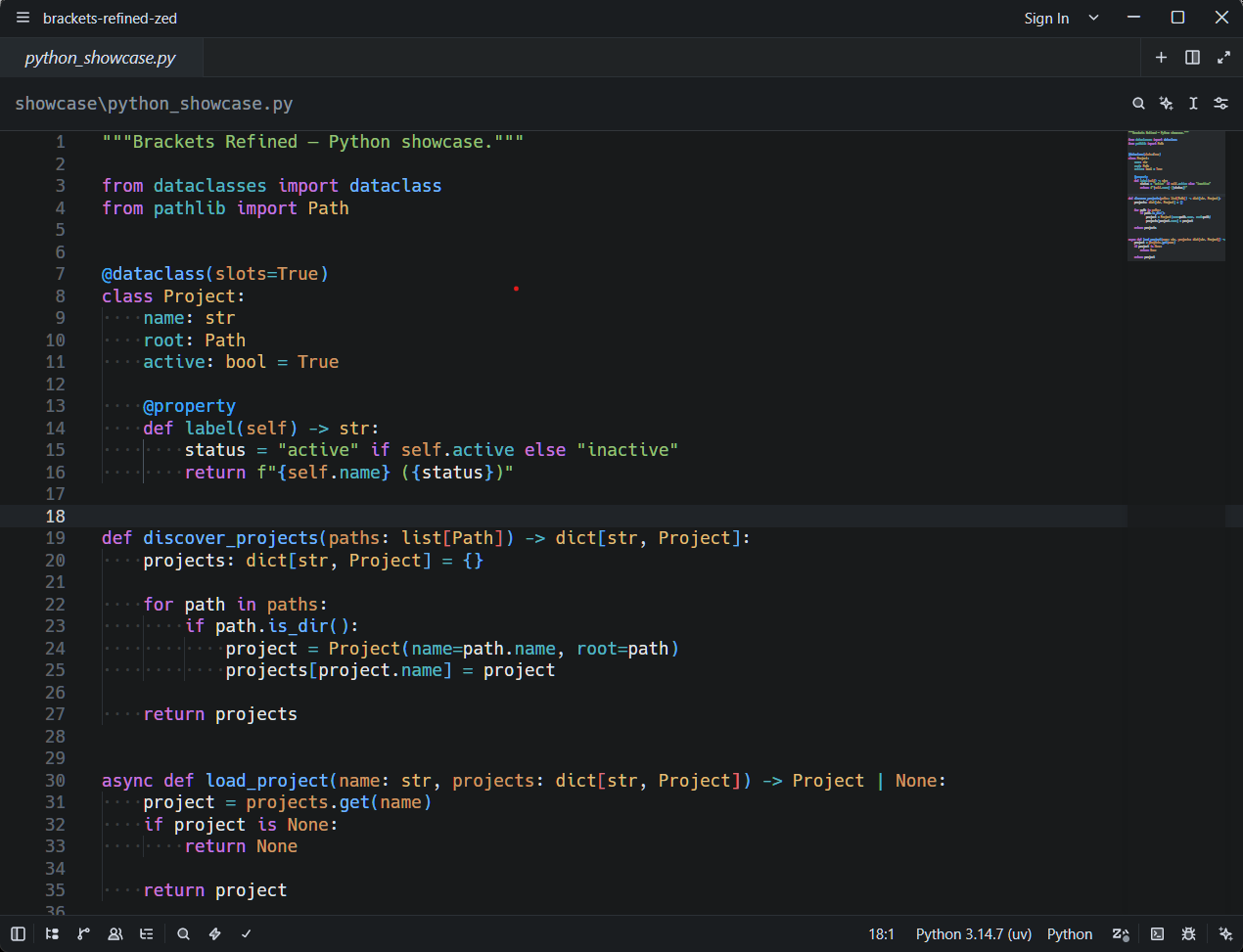
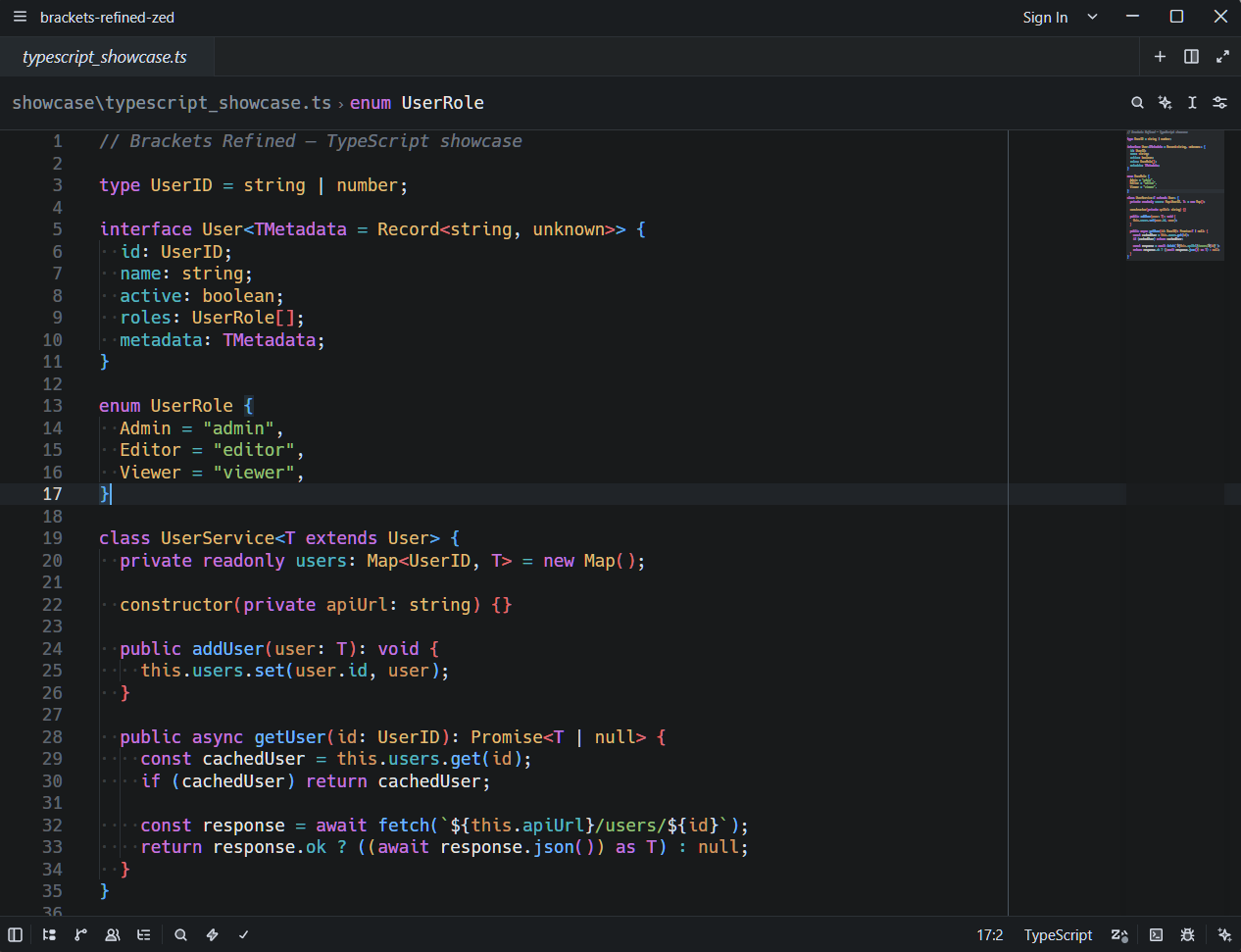
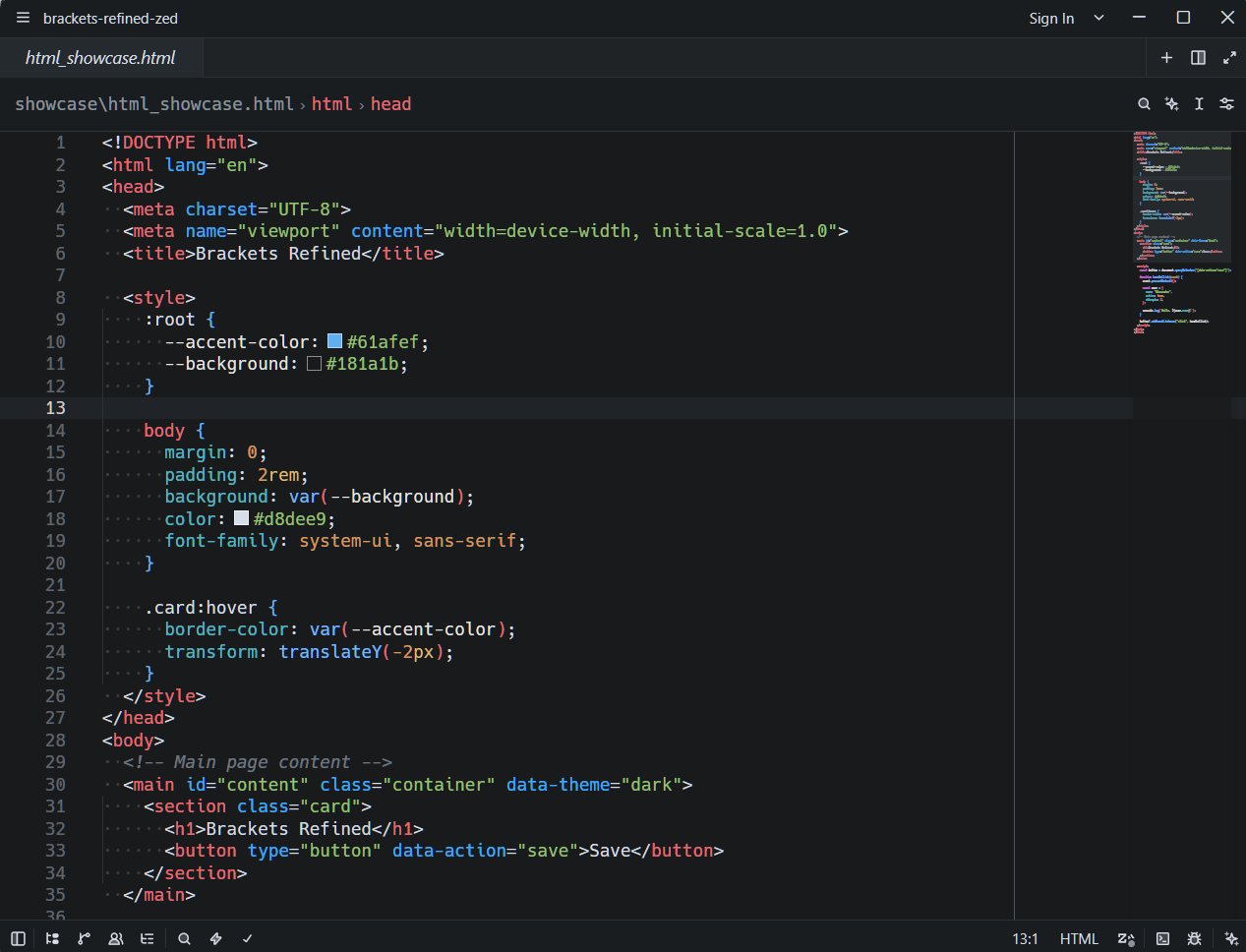
Brackets Refined preserves the clean, focused character associated with Brackets while adapting its visual language to Zed's modern interface and syntax highlighting system.
The theme uses a near-black neutral background, restrained UI contrast, muted secondary text, and a compact set of syntax colors chosen to keep code structure easy to scan without making the editor visually noisy.
Screenshots
Python
TypeScript
HTML & CSS
Key Features
- Near-black
#181A1Beditor background - Neutral, low-distraction workbench surfaces
- Clear active, hover, selection, and focus states
- Balanced syntax highlighting for functions, types, parameters, properties, strings, and constants
- Coordinated diagnostics, Git, diff, and debugger colors
- Complete terminal ANSI palette
- Minimap and scrollbar states matched to the UI palette
- Markdown and embedded-language highlighting
- Tested with Python, Markdown, CSS, HTML, JavaScript, and TypeScript
Syntax Palette
| Element | Color |
|---|---|
| Functions & Methods | #74B9FF |
| Types, Classes & Interfaces | #E5C07B |
| Keywords | #C678DD |
| Type Parameters | #C678DD |
| Namespaces & Modules | #56B6C2 |
| Properties | #56B6C2 |
| Parameters | #D19A66 |
| Numbers & Constants | #D19A66 |
| Variables | #E8E8E8 |
| Strings | #98C379 |
| Tags | #E06C75 |
| Attributes & Decorators | #3FA9F5 |
| Comments | #6F7681 italic |
Installation
Brackets Refined is available from Zed's Extensions catalog.
- Open Zed.
- Open Extensions.
- Search for Brackets Refined.
- Click Install.
- Open the Theme Selector and select Brackets Refined.
Development Installation
Clone this repository, open Zed's Extensions view, choose Install Dev Extension, and select the repository root — the directory containing extension.toml.
Development
The Zed theme definition is located at:
themes/brackets-refined.jsonAfter changing the theme, use Rebuild for the development extension in Zed's Extensions view to reload it.
Acknowledgements
Brackets Refined is an independent theme for Zed inspired by the visual style and syntax highlighting of the Brackets code editor.
Thanks to the Brackets and Zed communities and their contributors for the tools, documentation, and ecosystem that made this theme possible.
This project is not affiliated with, endorsed by, or sponsored by Adobe, the Brackets project, or Zed Industries.
License
Brackets Refined is released under the MIT License. See LICENSE.