Black Frieza
A balanced dark theme for Zed and VS Code — neither too light nor too dark, built to work day and night.
Saturated syntax highlighting, a terminal that matches the sidebar instead of pitch black, and matte accents — khaki for new files, a single violet for everything interactive.
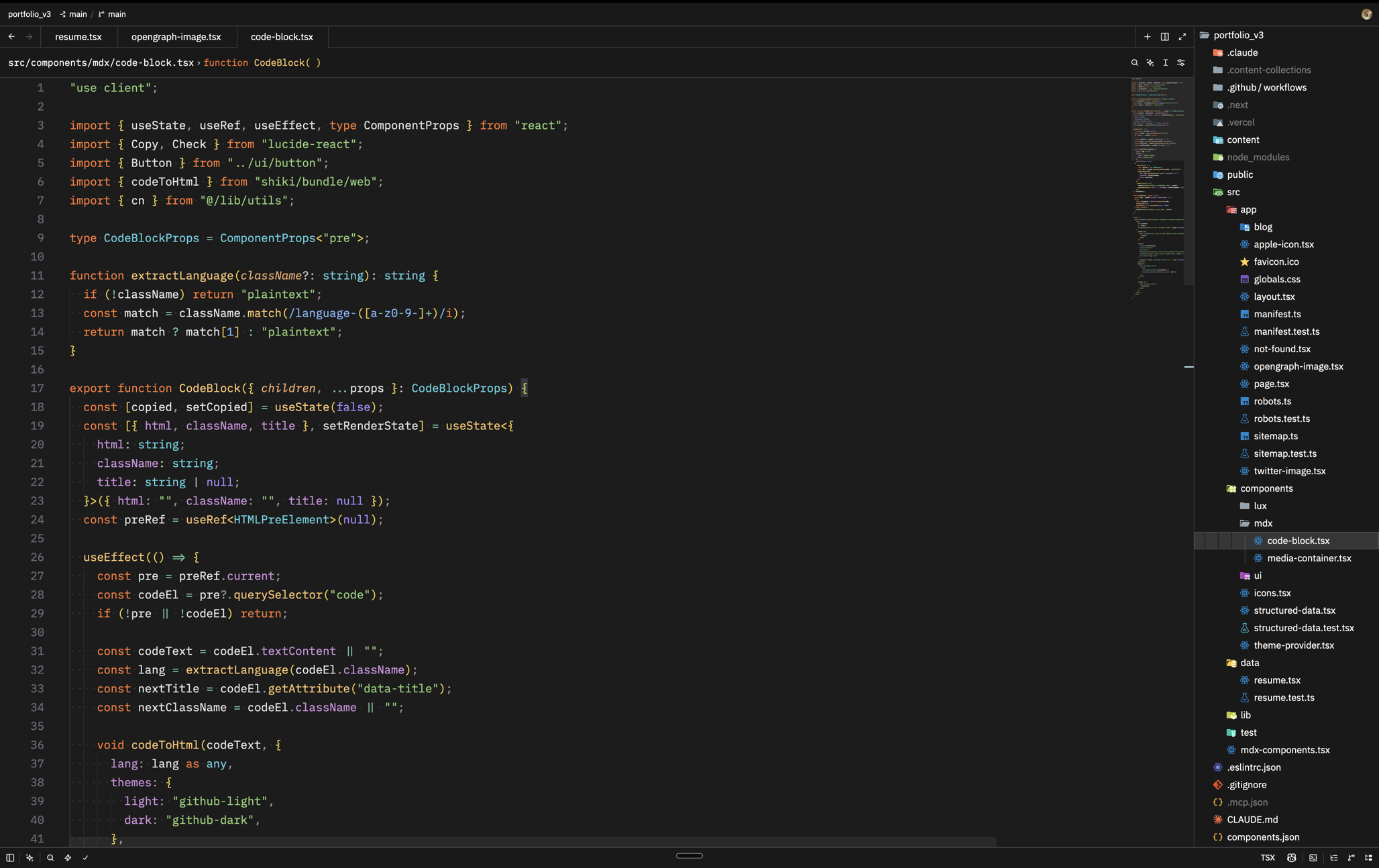 Black Frieza Darker — Zed
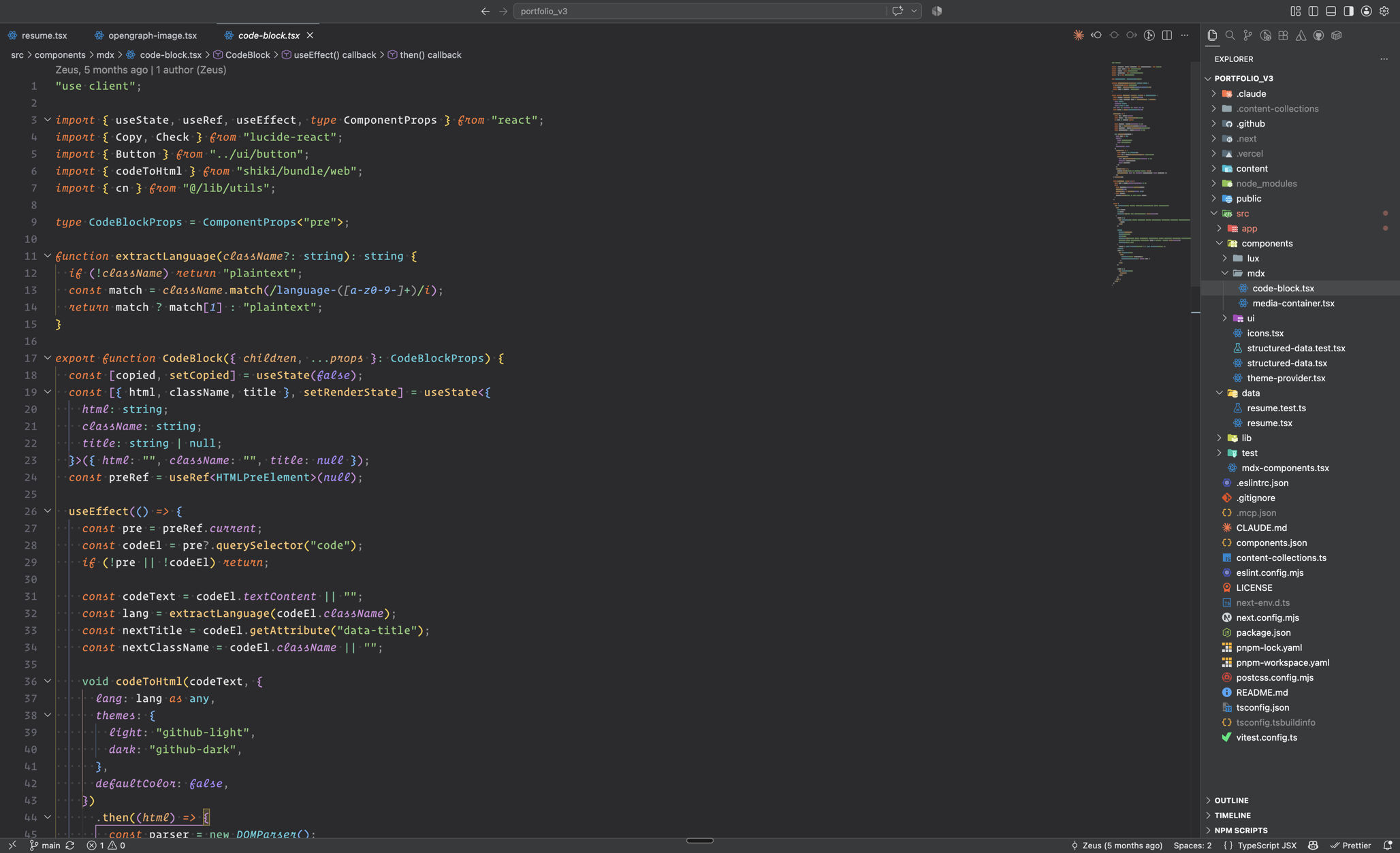 Black Frieza — VS Code
Variants
| Variant | Editor | Chrome | Best for |
|---|---|---|---|
| Black Frieza | #2b2b2d |
#37393b |
Daytime, bright rooms |
| Black Frieza Darker | #1c1c1c |
#191919 |
Nighttime, dark rooms |
Both share the same syntax palette:
| Token | Color | |
|---|---|---|
| Keywords | #ff7832 |
vivid orange |
| Functions | #ffc66d |
Darcula gold |
| Types & interfaces | #54d1e0 |
cyan |
| Properties | #d291e0 |
orchid |
| Strings | #8fd177 |
green |
| Constants & enum members | #a88aff |
violet |
| Parameters | #8fc7ff italic |
sky blue |
| New / untracked files | #a9b665 |
muted khaki |
| Accent (links, badges) | #a37acc |
matte violet |
Design principles: the terminal background always matches the panels (no black hole at the bottom of your editor), explorer text is white so git states are readable at a glance, and nothing is neon — bright colors are reserved for code.
Install — Zed
Until the extension lands in the Zed registry:
- Download
zed/black-frieza/themes/black-frieza.json - Drop it in
~/.config/zed/themes/ cmd-k cmd-t→ pick Black Frieza or Black Frieza Darker
Once published: cmd-shift-p → zed: extensions → search Black Frieza → Install.
Install — VS Code
Search Black Frieza in the Extensions view (cmd-shift-x), or install from the VS Code Marketplace. Then cmd-k cmd-t → pick Black Frieza or Black Frieza Darker.
Install — Cursor / Windsurf / VSCodium
Search Black Frieza in your editor's extension view — served by Open VSX.
Fallback for any VS Code fork: grab the .vsix from the latest release, then cmd-shift-p → Extensions: Install from VSIX…
Credits
- New Darcula by Evan Simpson — the foundation (MIT)
- Colorizer by Md Tamim Hasan — saturation inspiration
- Vercel Theme by Nathan Brodin — contrast inspiration
- JetBrains Darcula — the ancestor of it all