Skip to content

Type to search extensions

Atom One Theme

v0.1.0

A port of the Atom One Dark theme (originally from the Atom text editor) to Zed

Updated 7 months ago
12k downloads 4 stars Repository ↗
zedext main
// Load settings, retrying a few times
fn load_config(path: &str) -> Result<Config, Error> {
let retries = 3;
let text = fs::read_to_string(path)?;
let name = "settings.json";
Ok(Config { text, retries, name })
}

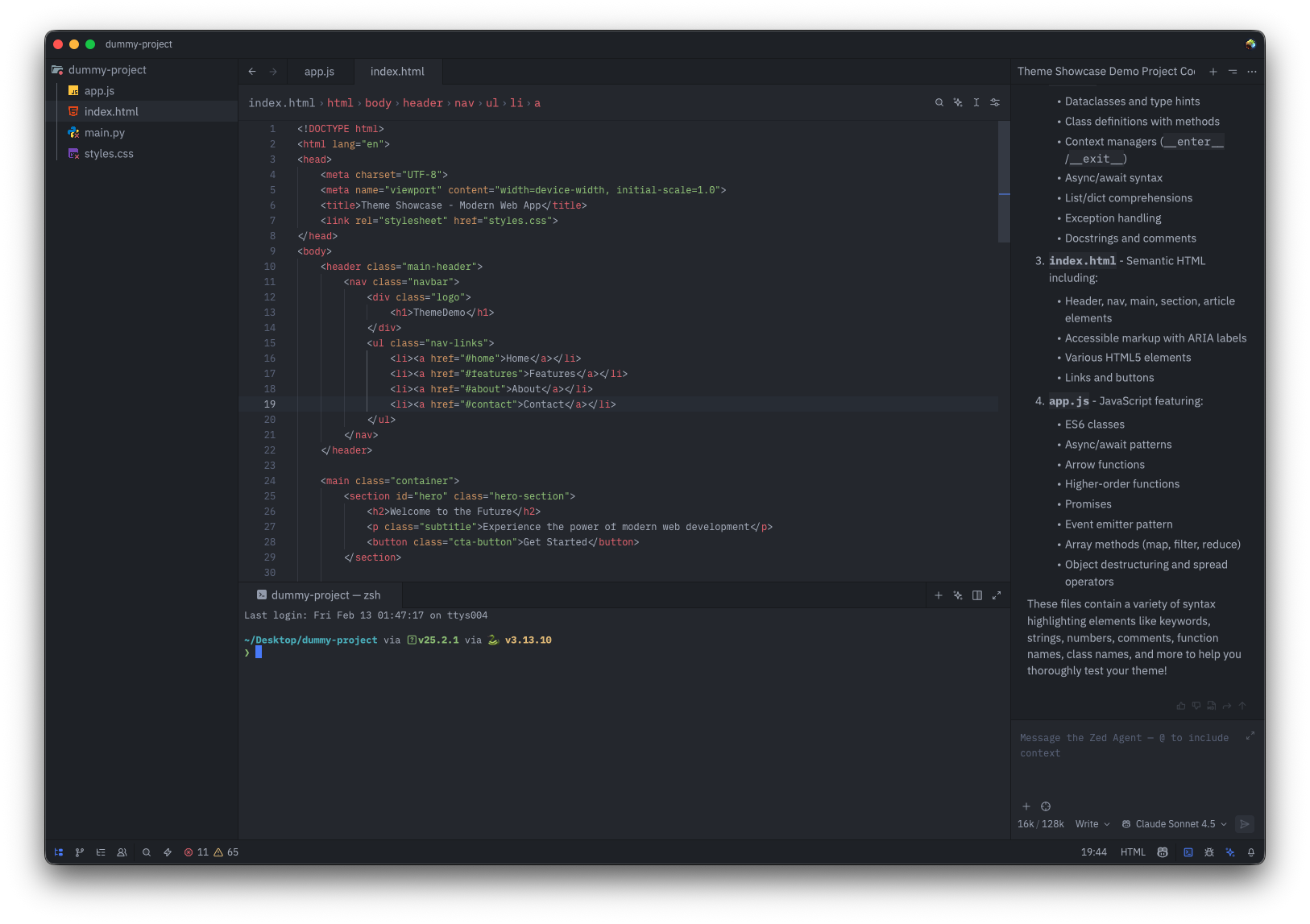
Atom One Dark & Light for Zed

A port of akamud's One Dark theme and One Light theme (originally from the Atom text editor) to Zed.

Screenshots
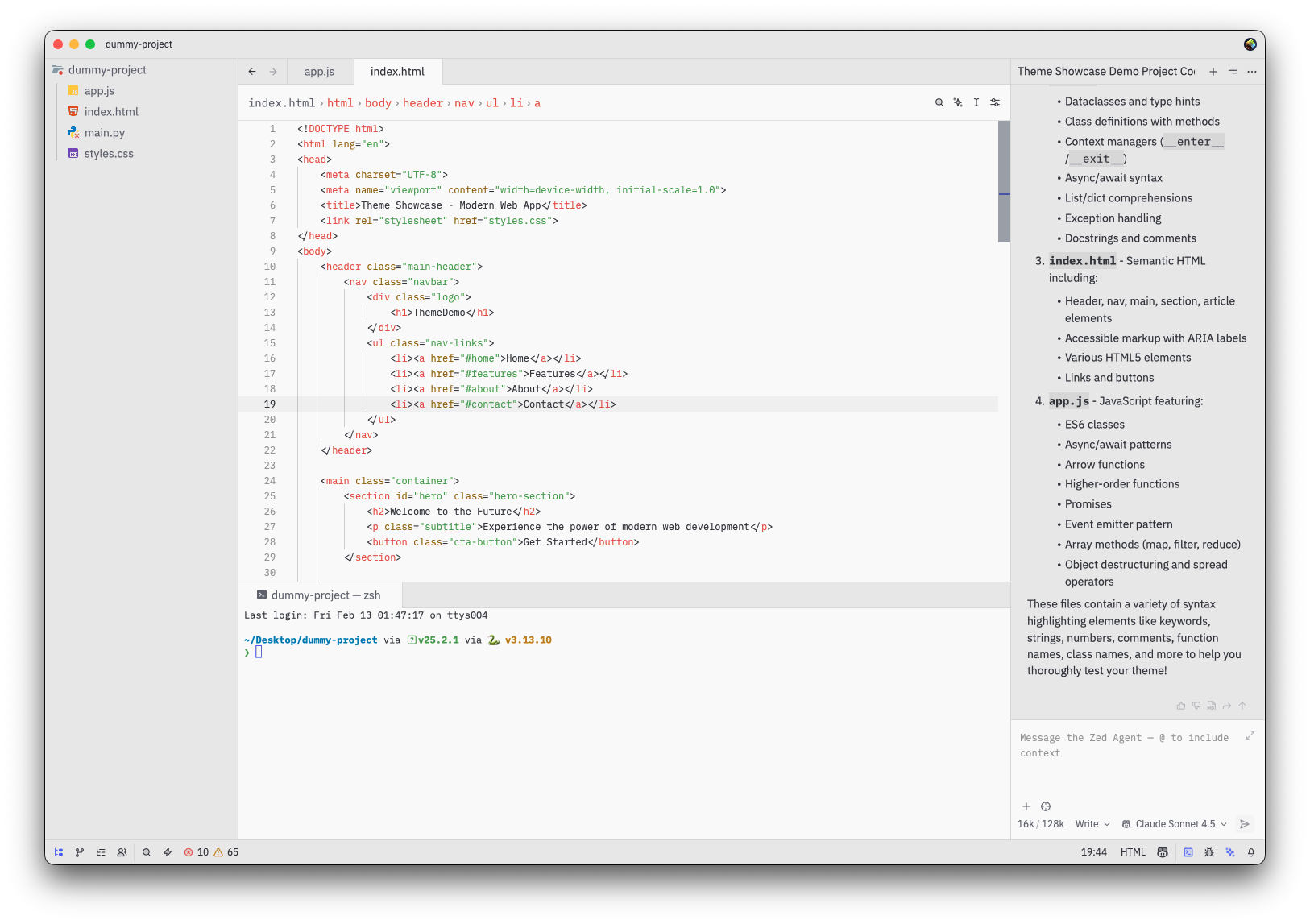
One Light Theme
One Light Theme

One Dark Theme
One Dark Theme

Installation

  1. Open Command Palette
  2. Select zed: extensions
  3. Search Atom One

Activate Theme

  1. Open Command Palette
  2. Select theme selector: toggle
  3. Search Atom One Dark or Atom One Light

Contributing

Feel free to fork, make changes, and submit a pull request.

Publishing new versions

  1. Update the version in extension.toml
  2. Commit and push your changes
  3. Follow the Zed publishing docs to publish the extension

License

MIT

ZedExt An unofficial community project. Not affiliated with Zed Industries.

Data from Zed’s extension registry and GitHub · updated