Arctikai ❄️
A cool-toned, muted, and restrained dark theme for Zed.
Arctikai is inspired by the Monokai Pro color scheme, with additional influence from Monokai Pirokai. It keeps the Monokai energy, but shifts it toward a colder, quieter palette for long focused coding sessions.
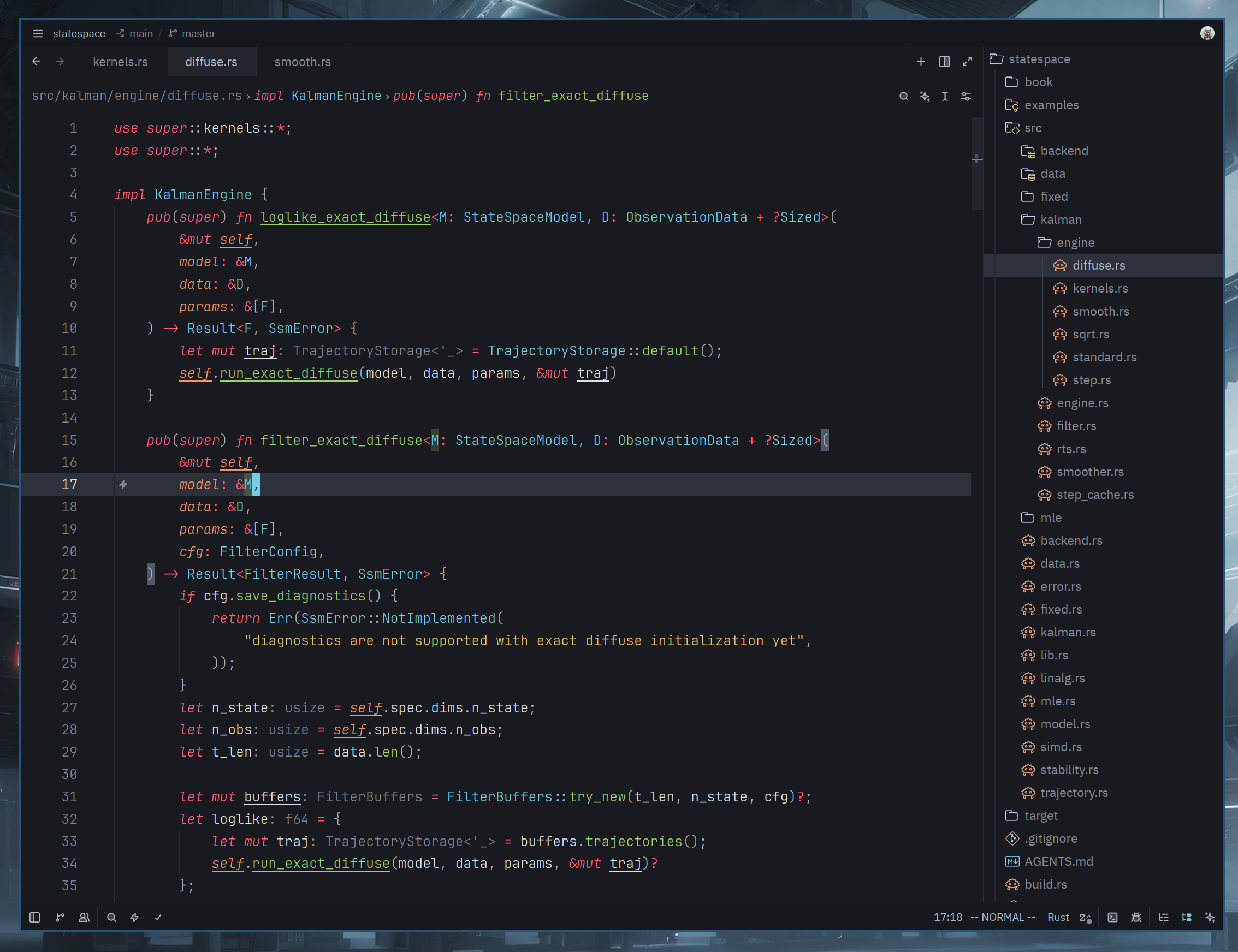
Preview 🖼️
Installation 📦
From Zed Extensions
- Open Zed.
- Open the command palette with
Cmd+Shift+Pon macOS orCtrl+Shift+Pon Linux/Windows. - Run
zed: extensions. - Search for
Arctikaiand install the extension. - Run
theme selector: toggleand selectArctikai.
Manual Installation
Clone the repository and copy the theme into your Zed themes directory:
git clone https://github.com/hexqnt/arctikai.git
cd arctikai
mkdir -p ~/.config/zed/themes
cp themes/arctikai.json ~/.config/zed/themes/
Then restart Zed or run workspace: reload, open theme selector: toggle, and choose Arctikai.
Recommended icons
For file icons, Catppuccin Icons are recommended. They are fairly close in color scheme.
Recommended Zed Settings ⚙️
Some visual details are controlled by Zed settings rather than the theme schema.
You can add this to your Zed settings.json and adjust it to taste:
{
  "theme": {
    // Keep Arctikai selected for dark mode.
    "mode": "system",
    "dark": "Arctikai"
  },

  // Recommended coding fonts.
  // Try these in order:
  // - "JetBrainsMono Nerd Font"
  // - "Fira Code Nerd Font"
  // - "Hack Nerd Font"
  "buffer_font_family": "JetBrainsMono Nerd Font",
  "buffer_font_fallbacks": ["Fira Code Nerd Font", "Hack Nerd Font"]

  // Use the same family in the integrated terminal for consistent icons/glyphs.
  "terminal": {
    "font_family": "JetBrainsMono Nerd Font",
  },

  // Arctikai is tuned to look good with programming ligatures enabled.
  "buffer_font_features": {
    "calt": true,
    "liga": true,
    "zero": true,
  }

  "global_lsp_settings": {
    "semantic_token_rules": [
      // I like to see mutable and immutable variables in code
      {
        "token_modifiers": ["mutable"],
        "underline": true,
        "font_style": "normal",
      },
      // And see whether it is a parameter or a local variable
      {
        "token_type": "parameter",
        "style": ["variable.parameter", "variable"]
      },
    ],
  },

  // Languages for which this makes sense.
  // Will work if the LSP can return a mutable modifier
  "languages": {
    "Rust": {
      "semantic_tokens": "combined",
    },
    "Zig": {
      "semantic_tokens": "combined"
    },
    "Kotlin": {
      "semantic_tokens": "combined",
    },
    "Swift": {
      "semantic_tokens": "combined",
    },
    "Scala": {
      "semantic_tokens": "combined",
    },
  },

}